Visual tour · state 11/07/2026

See exactly what you get.

No rendered mock-ups, no stock photos: this page shows real screenshots from the running Ordivis Platform – the native WinUI client for your IT and the self-service portal for your end users. Click an image to enlarge it.

Admin client (WinUI 3) Self-service portal (Blazor) Demo tenant „Enterprise“

A note on transparency: Ordivis Platform is in pilot operation; it becomes generally available on 1 January 2027. The images come from a demonstration tenant with demo data – not from the pilot customer's installation. You will find the complete, always current maturity of every module in the module maturity matrix.

Service management

Service desk & tickets

One process for all four ITIL request types – incident, problem, change and service request – with an SLA clock, a complete journal and group-based visibility.
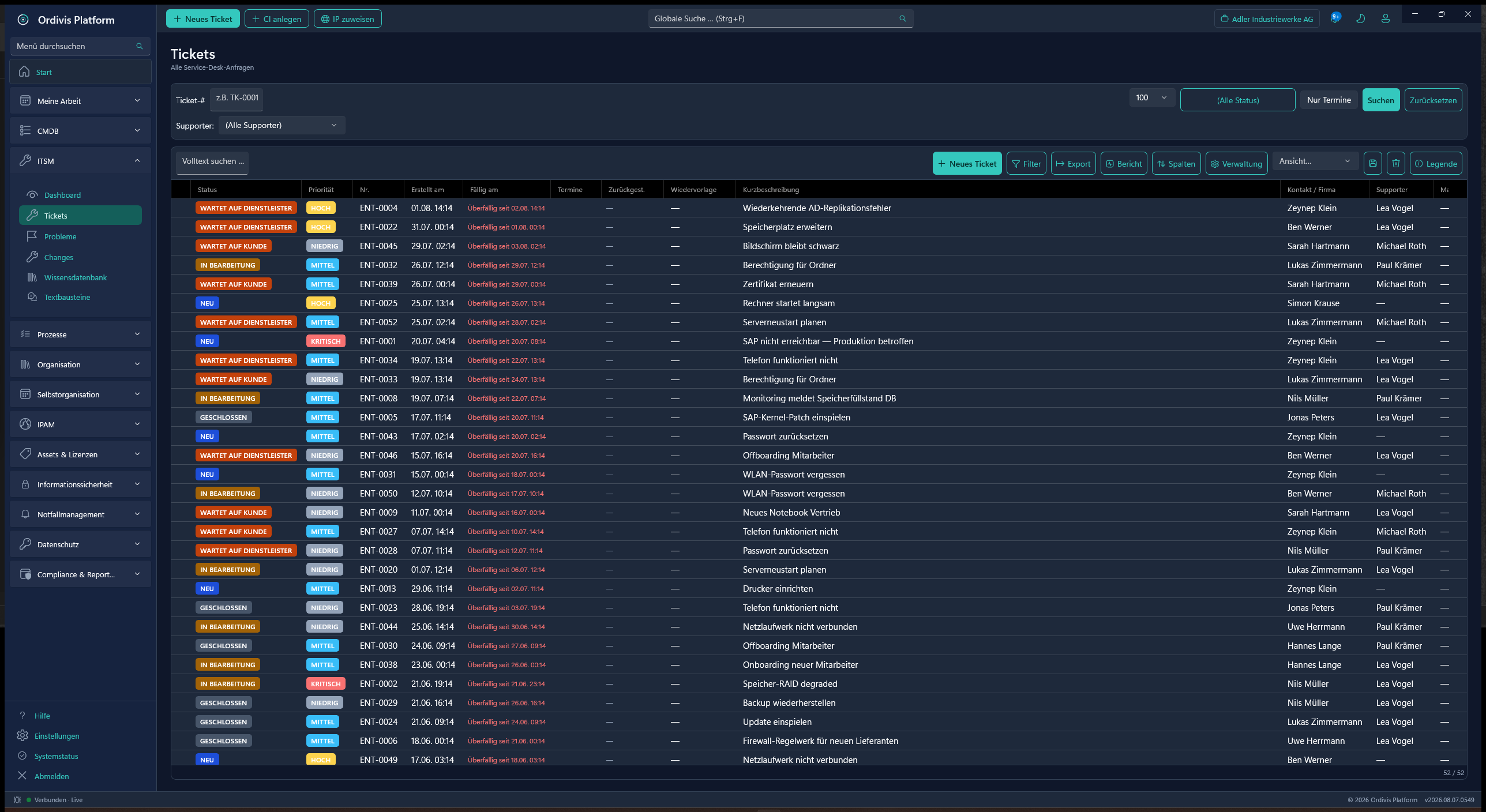
Ticket list
Ordivis ticket list in all states
Ticket list in all statesPriority, SLA, supporter and tenant per case – filterable and exportable.
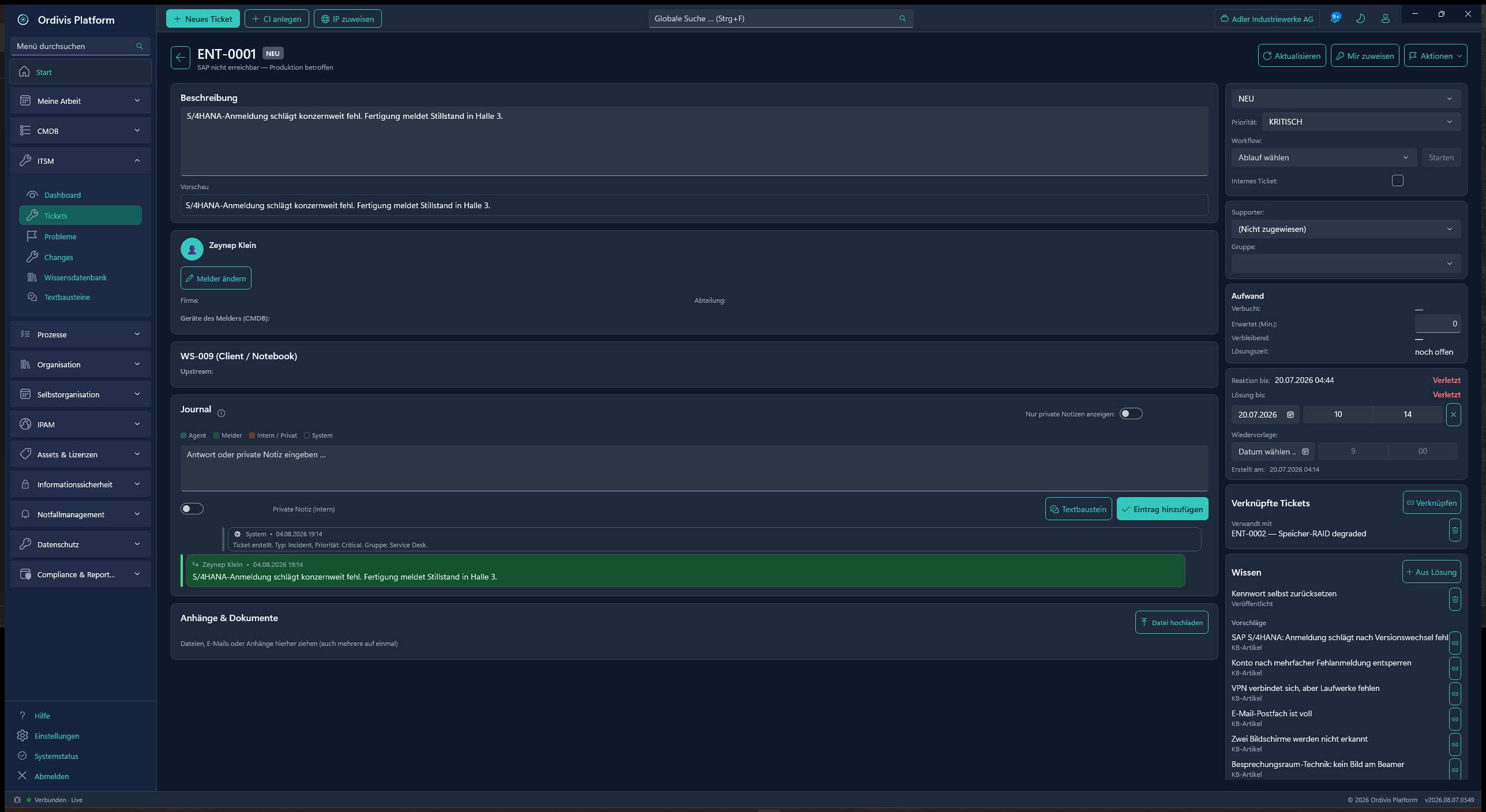
Ticket detail
Ordivis ticket detail view with journal
Ticket detail & journalA three-stage activity history, SLA clock, effort and linked knowledge.
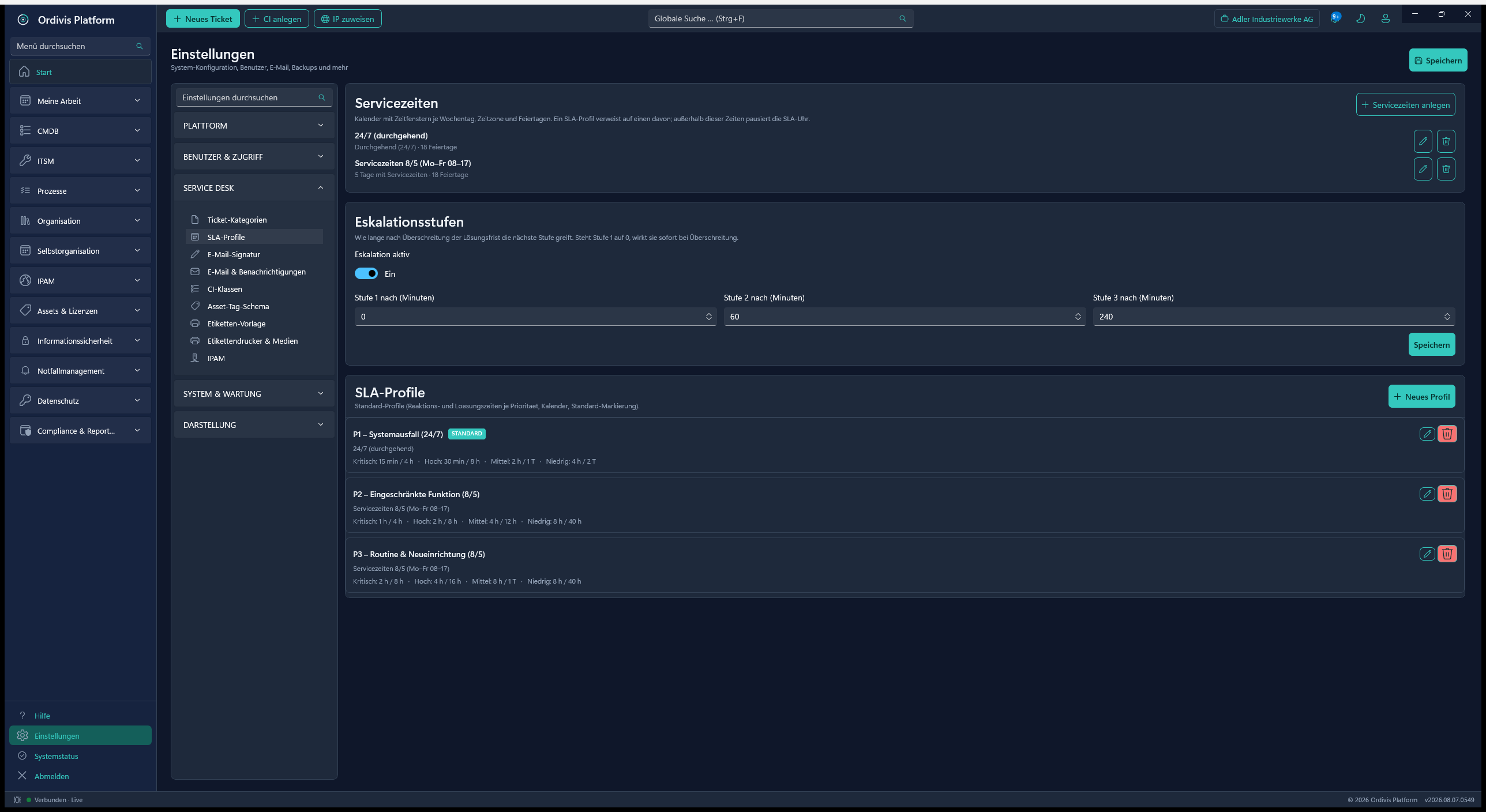
SLA profiles
Ordivis SLA profiles and service hours
SLA & OLA profilesResponse and resolution times per priority, either business hours or 24/7.
Configuration management (SACM)

The CMDB – the operational map of your IT

Unlimited configuration items across freely definable classes, with location and CI hierarchy, impact analysis, governance metrics and business processes including BPMN.
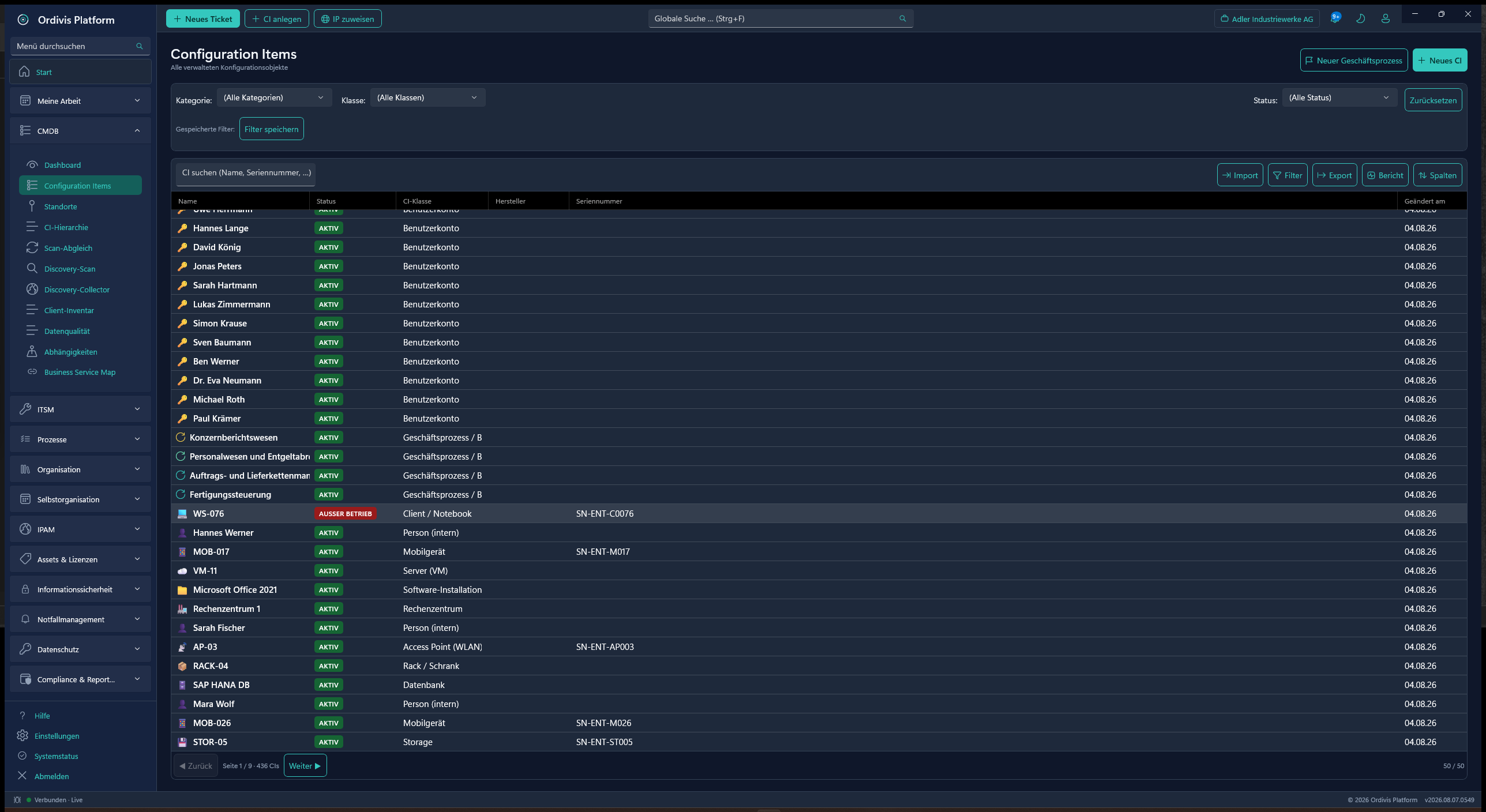
CIs
Ordivis configuration items
Configuration itemsUnlimited CIs across all classes – filterable, column-configurable and exportable.
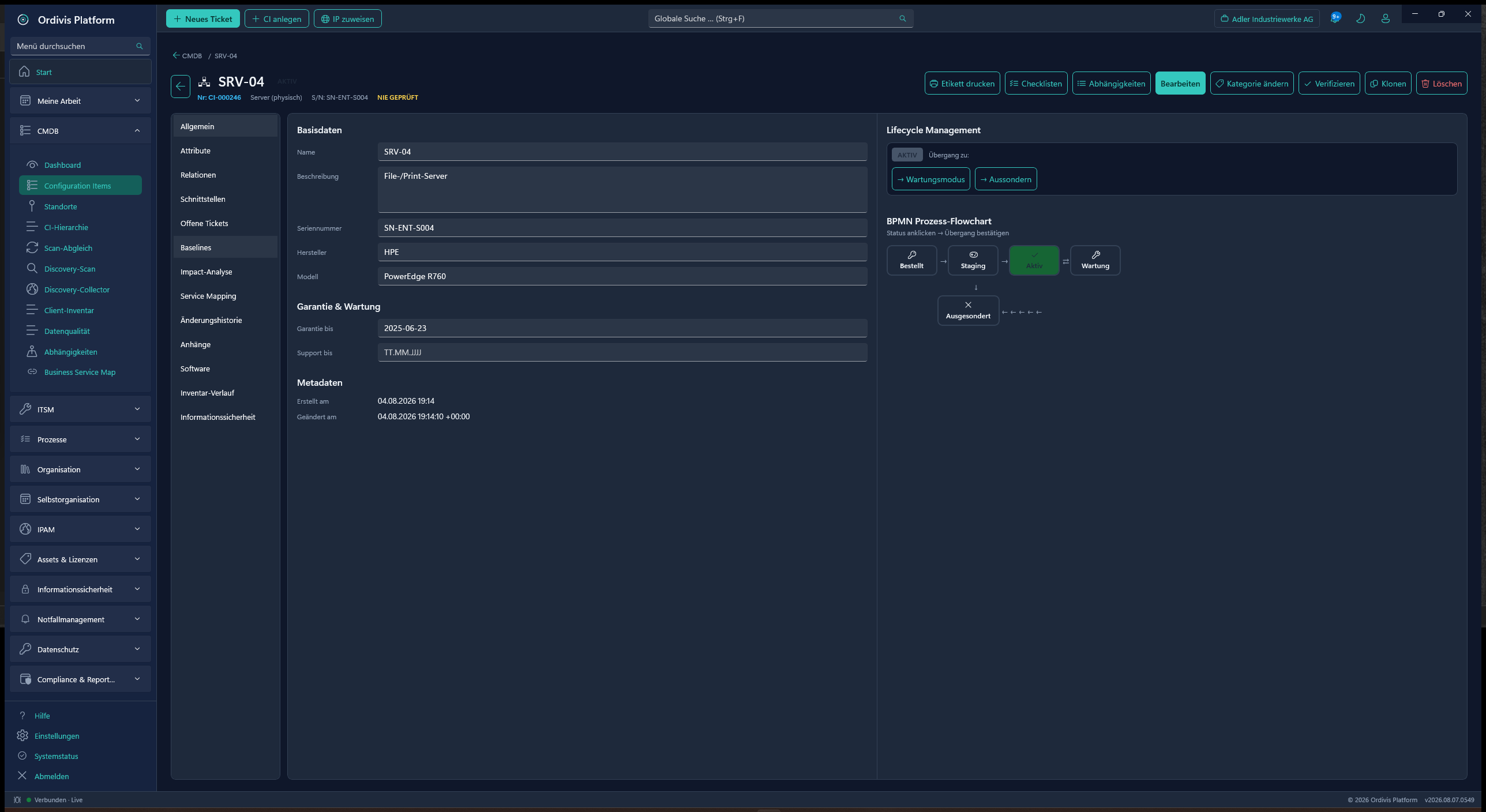
CI detail
Ordivis CI detail view
CI detail viewBase data, attributes, relations, interfaces, impact & lifecycle in one place.
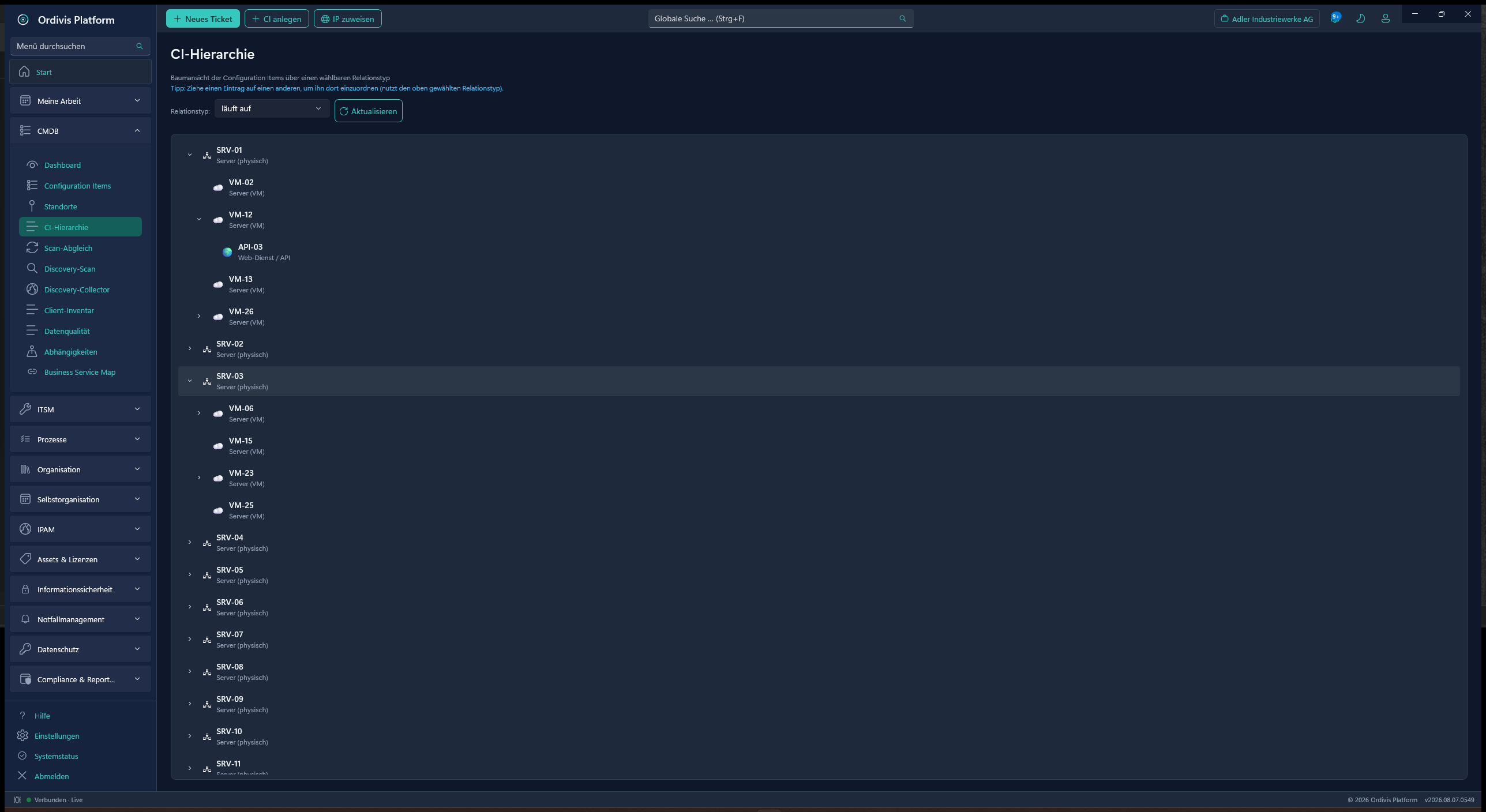
CI hierarchy
Ordivis CI hierarchy
CI hierarchyA tree view by selectable relation type – move CIs by drag & drop.
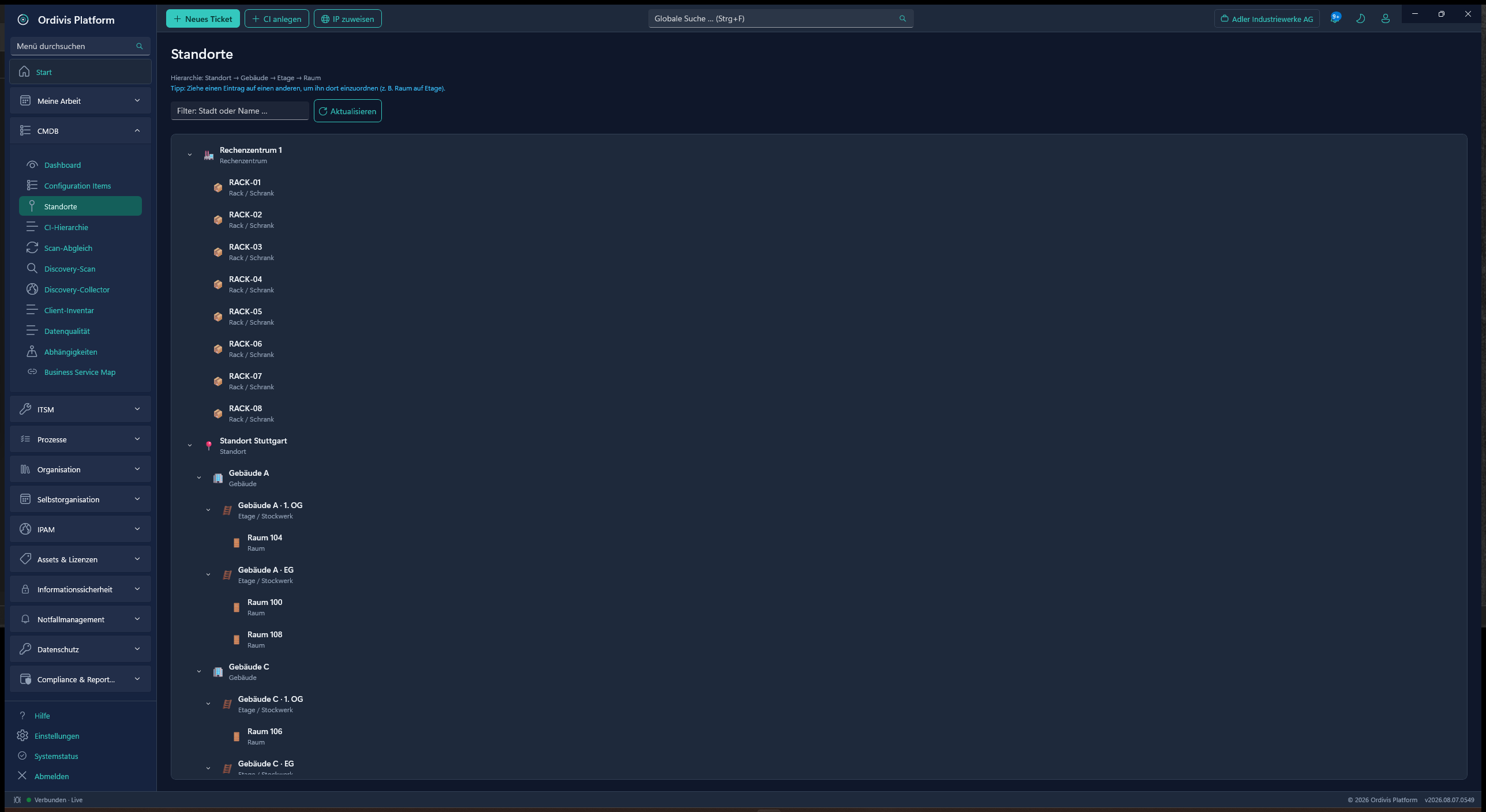
Locations
Ordivis location hierarchy
Location hierarchySite → building → floor → room → rack – all the way by drag & drop.
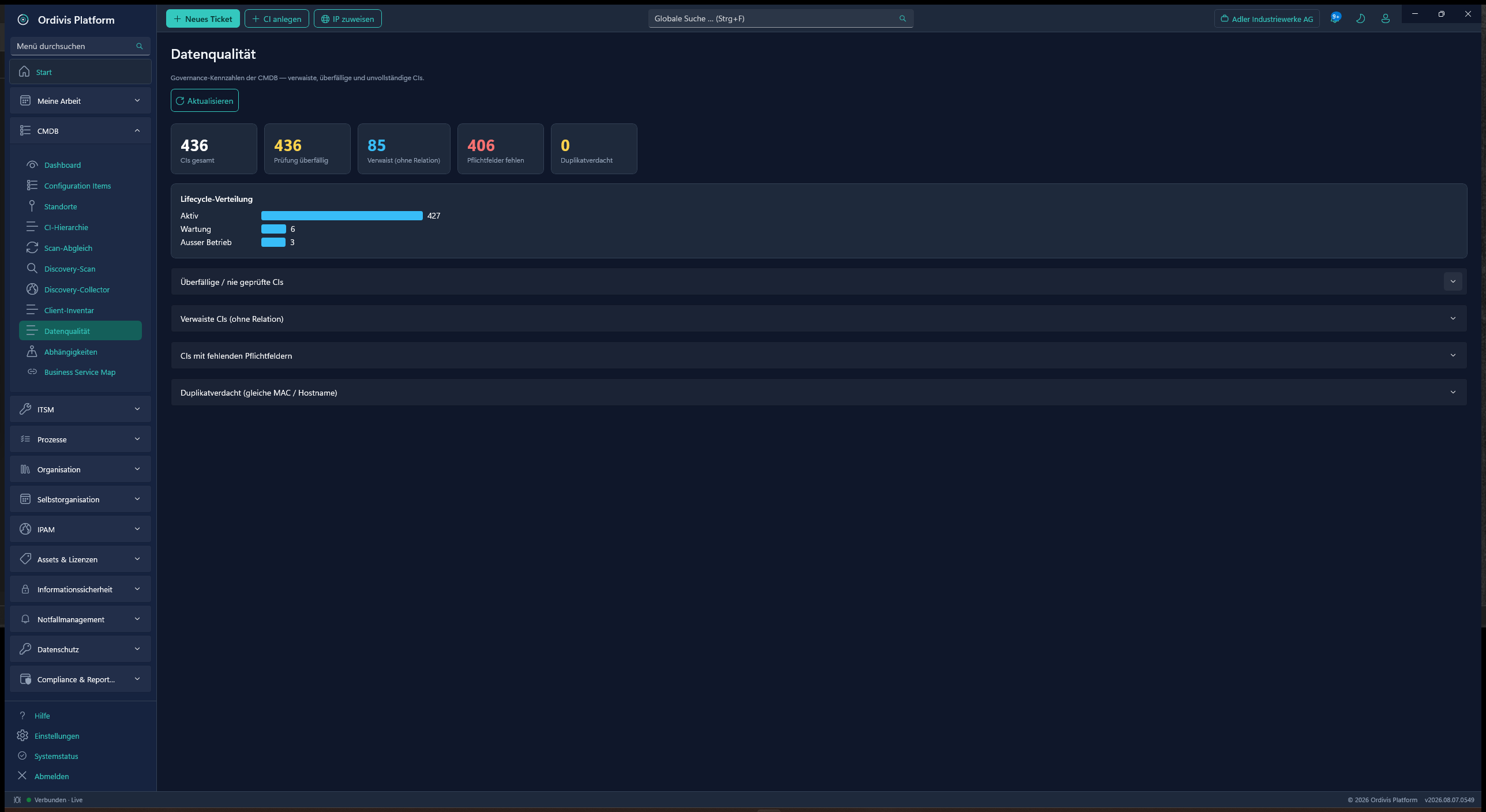
Data quality
Ordivis CMDB data quality
Data qualityOverdue, orphaned & incomplete CIs, suspected duplicates and lifecycle distribution.
Processes
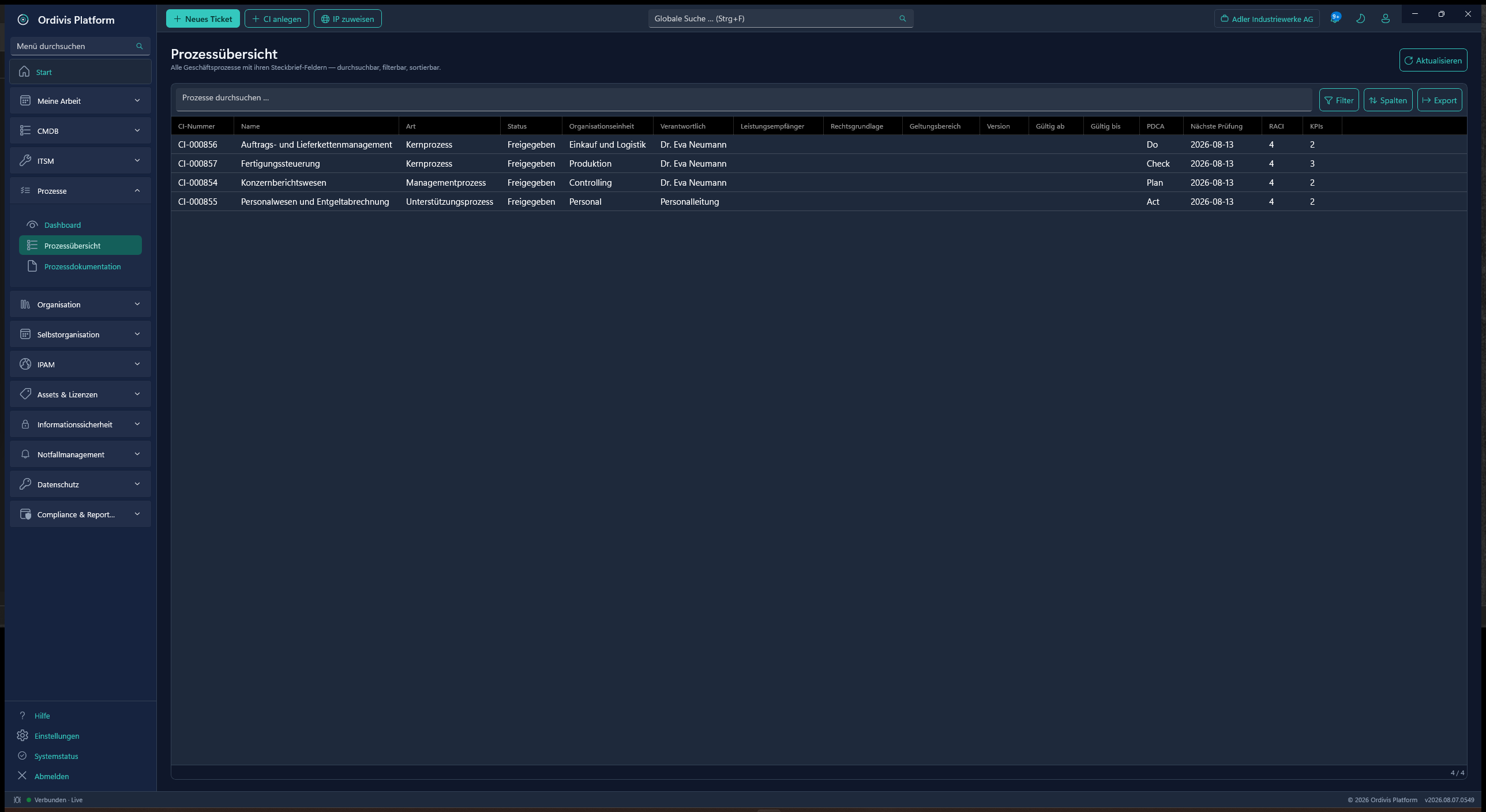
Ordivis business processes
Business processesProfile, RACI matrix, metrics and BPMN model – all on the process CI.
CI classes
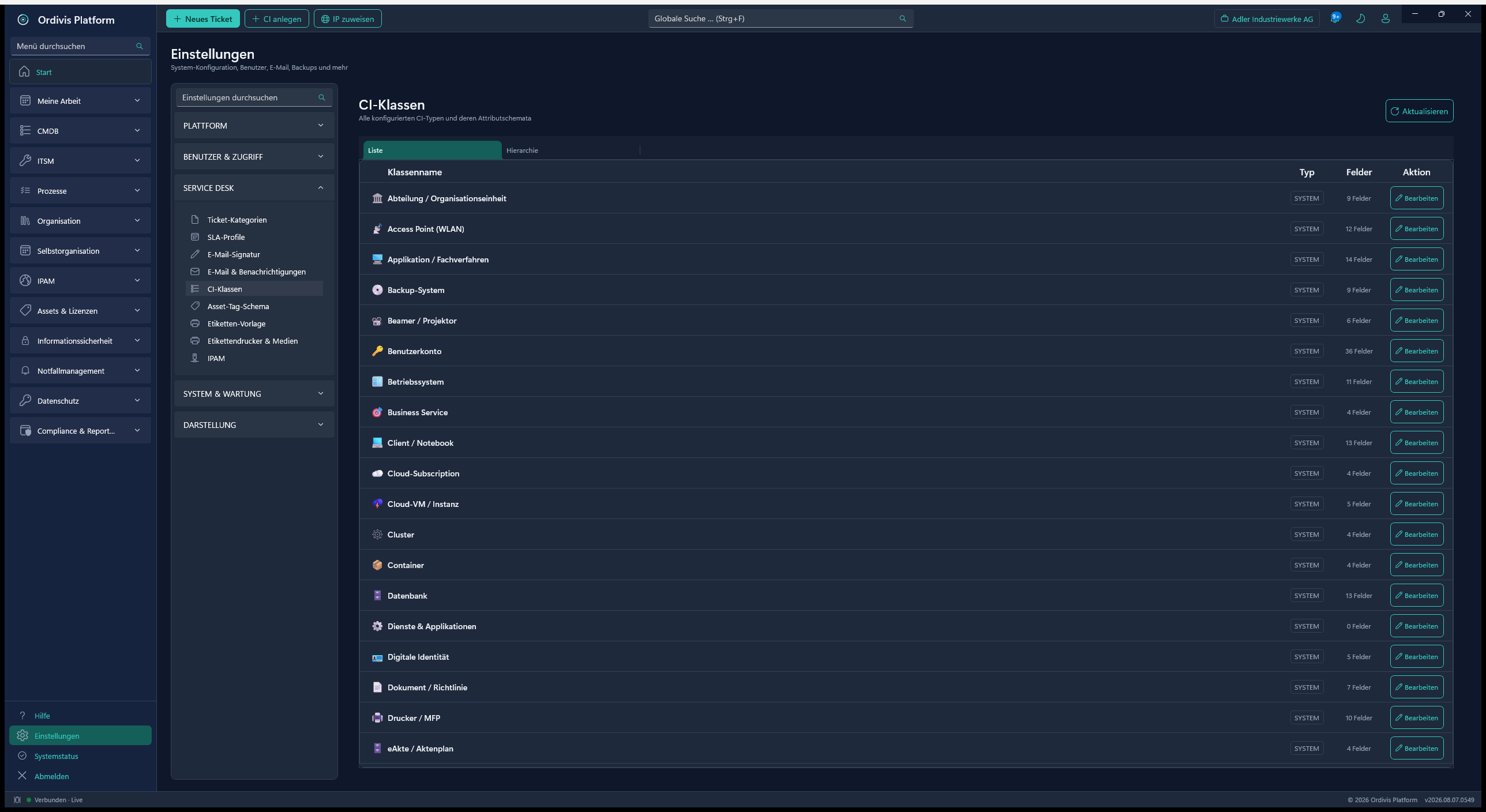
Ordivis CI class catalogue
CI class catalogueA global catalogue plus your own classes, attributes defined server-side – JSON import/export.
Network

IPAM & network

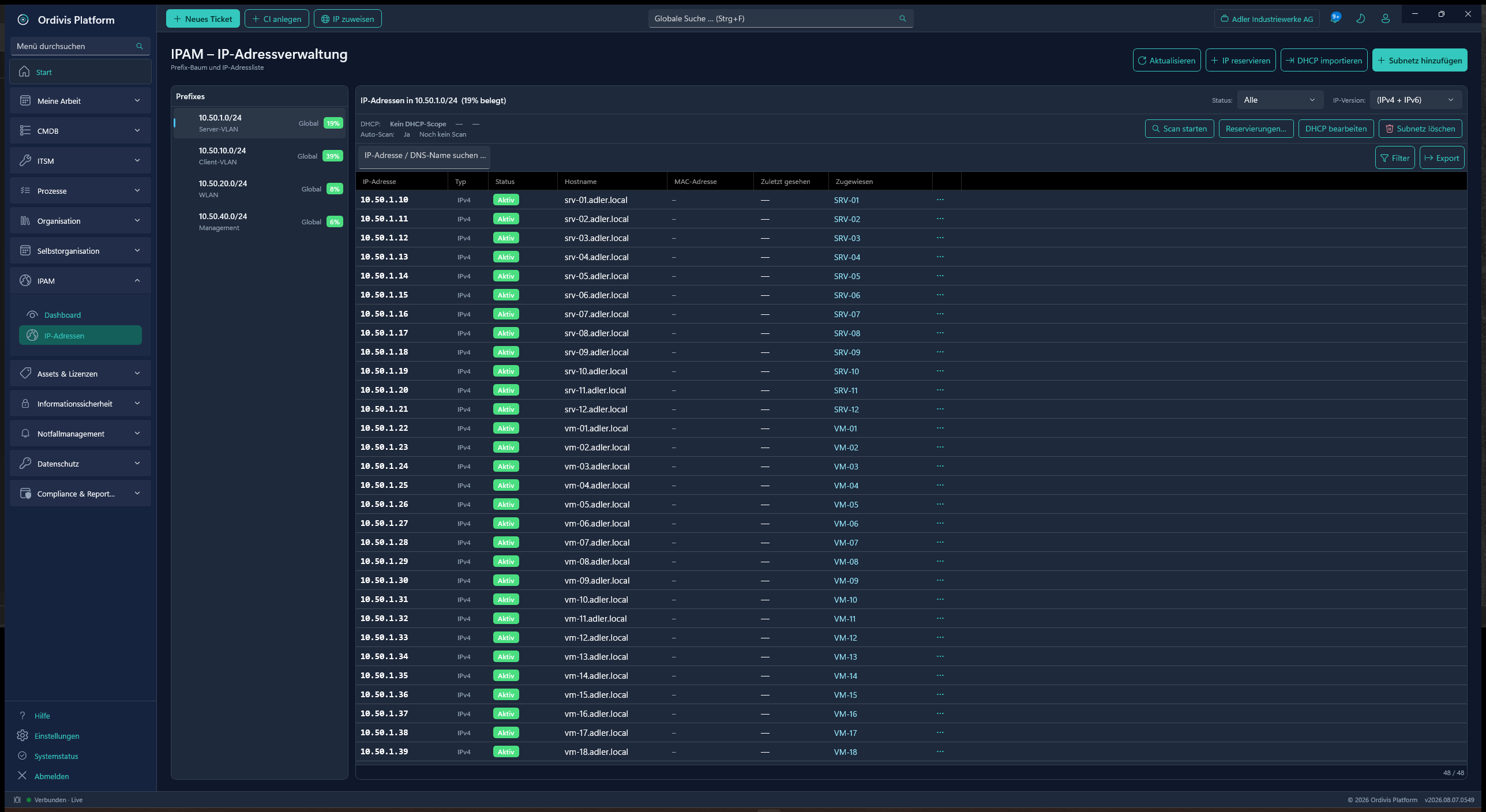
Native IP address management without node costs: prefix tree, utilisation, DHCP reconciliation, active scanning and the read-only assignment of IPs to CIs.
IP addresses
Ordivis IP address management
IP address managementPrefix tree, utilisation and IP↔CI assignment including DHCP import and scan.
IT asset management (ITAM)

Assets, contracts & licences

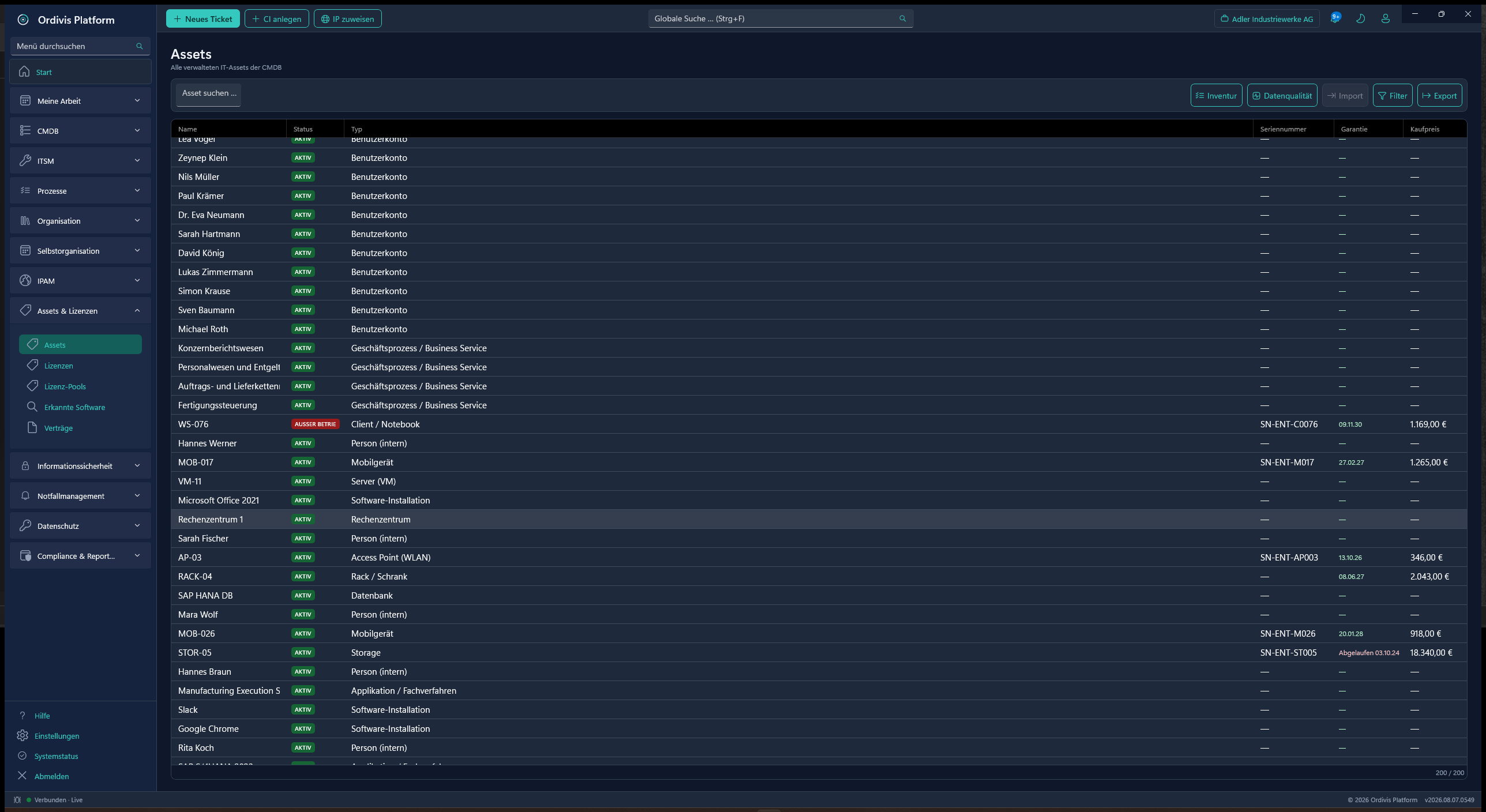
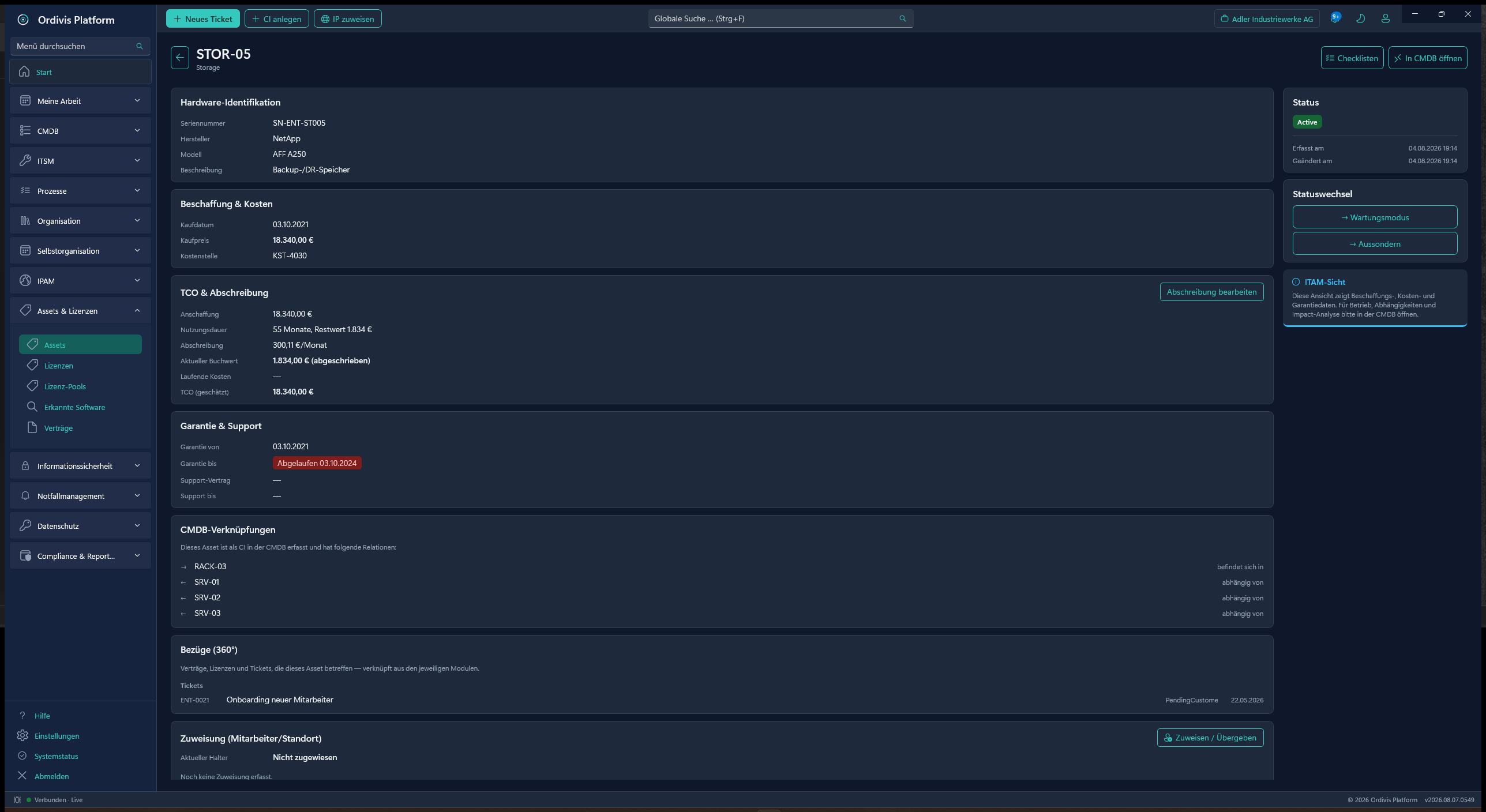
The commercial view separated from the CMDB: inventory, TCO, depreciation, warranty and contracts per device – plus software licence compliance with discovery reconciliation.
Assets
Ordivis asset overview
Asset overviewAll assets with category, location, status and cost reference.
Asset detail
Ordivis asset detail with TCO
Asset detail & TCOProcurement, depreciation, warranty and a 360° view of every device.
Licences
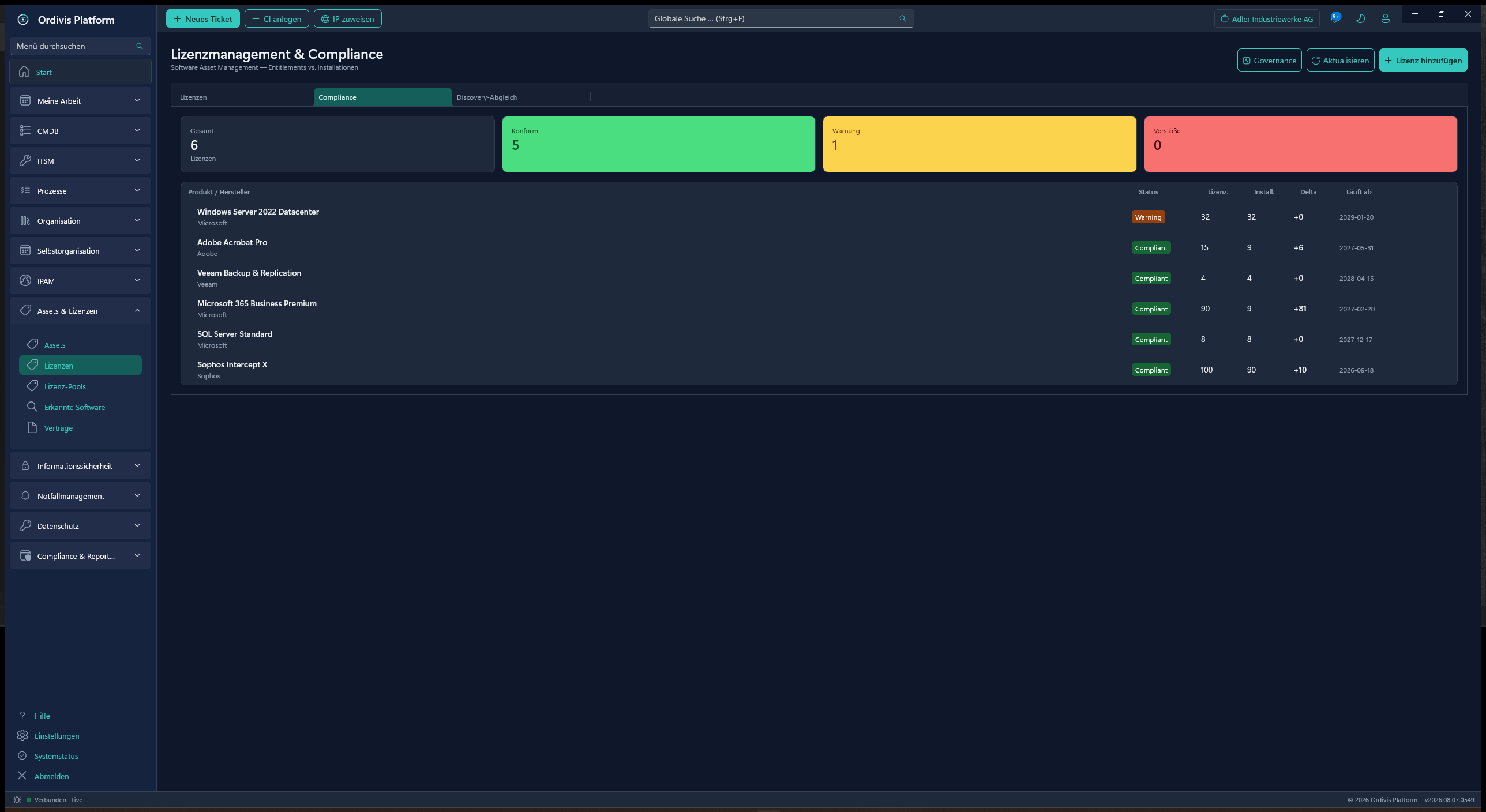
Ordivis licence management
Licence management & complianceEntitlements vs. installations, licence pools and discovery reconciliation.
Governance · security · continuity

Information security & emergency management

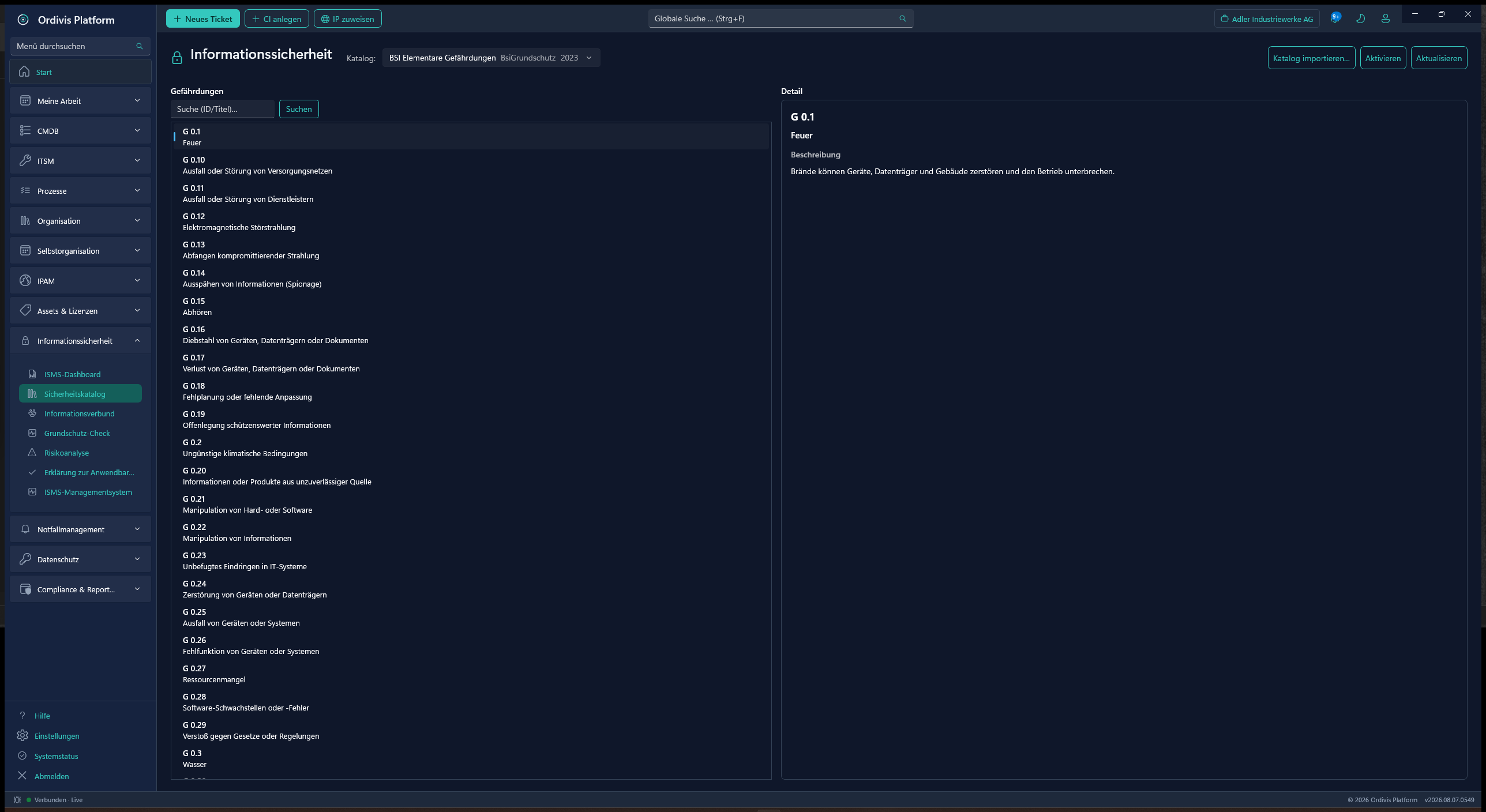
An ISMS per BSI baseline protection and ISO 27001, plus business continuity per BSI 200-4 / ISO 22301 with business impact analysis and a digital response organisation.
ISMS catalogue
Ordivis security catalogue ISO 27001
Security catalogue (ISO 27001 & BSI)Building blocks, requirements and detail – here ISO/IEC 27001:2022 Annex A.
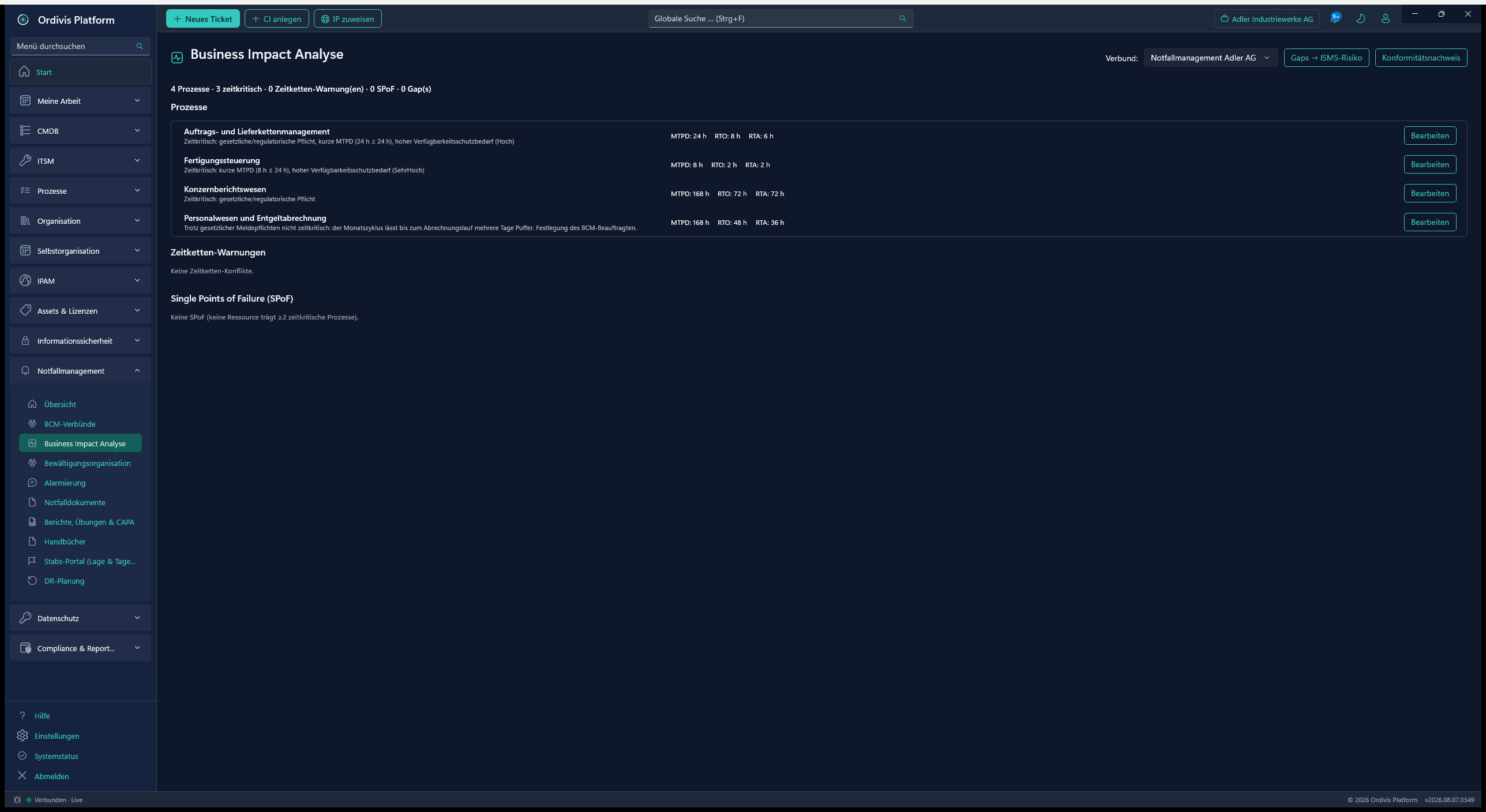
BIA
Ordivis business impact analysis
Business impact analysisMTPD, RTO & RTA per process, time-chain warnings and SPoF detection.
Crisis organisation
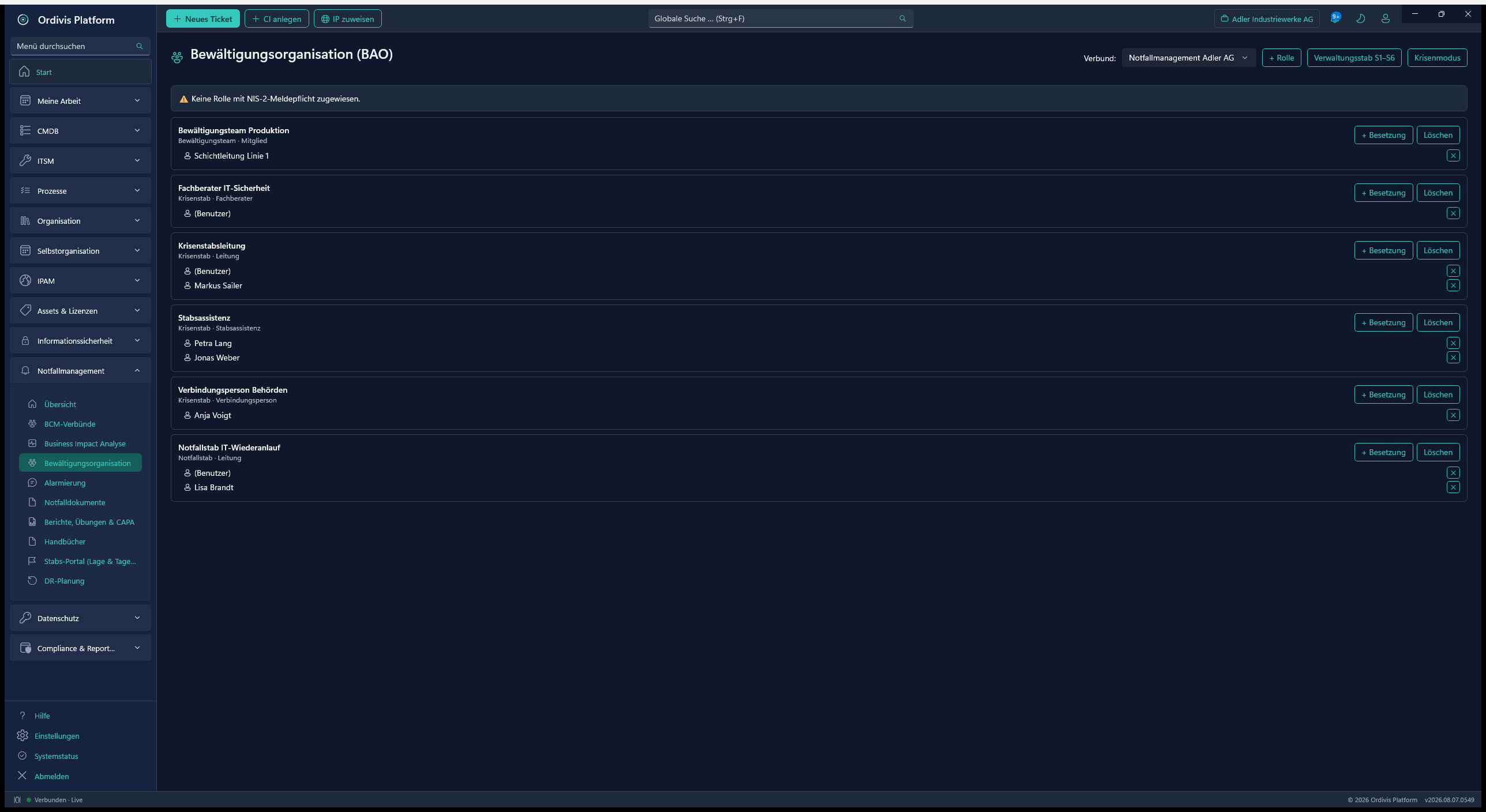
Ordivis response organisation
Response organisationCrisis & emergency teams with roles, deputies and an NIS 2 check.
Self-service (Blazor)

The portal for your end users

A separate Windows service for unlimited end users – free of licence cost. Raise tickets, order from the catalogue, track status and view permission-controlled analyses.
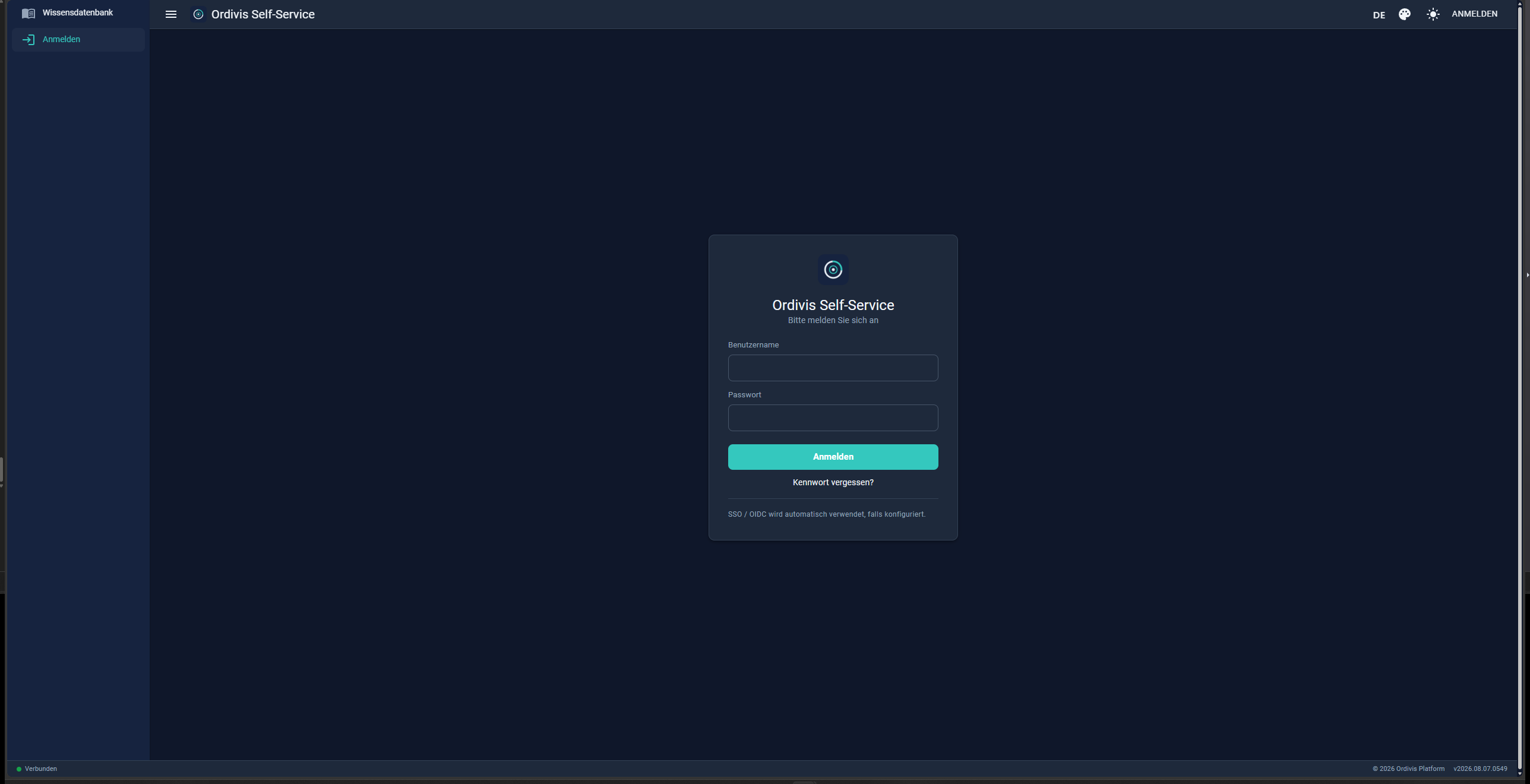
Login
Ordivis portal sign-in
Portal sign-inA lean self-service sign-in – the knowledge base is available without signing in too.
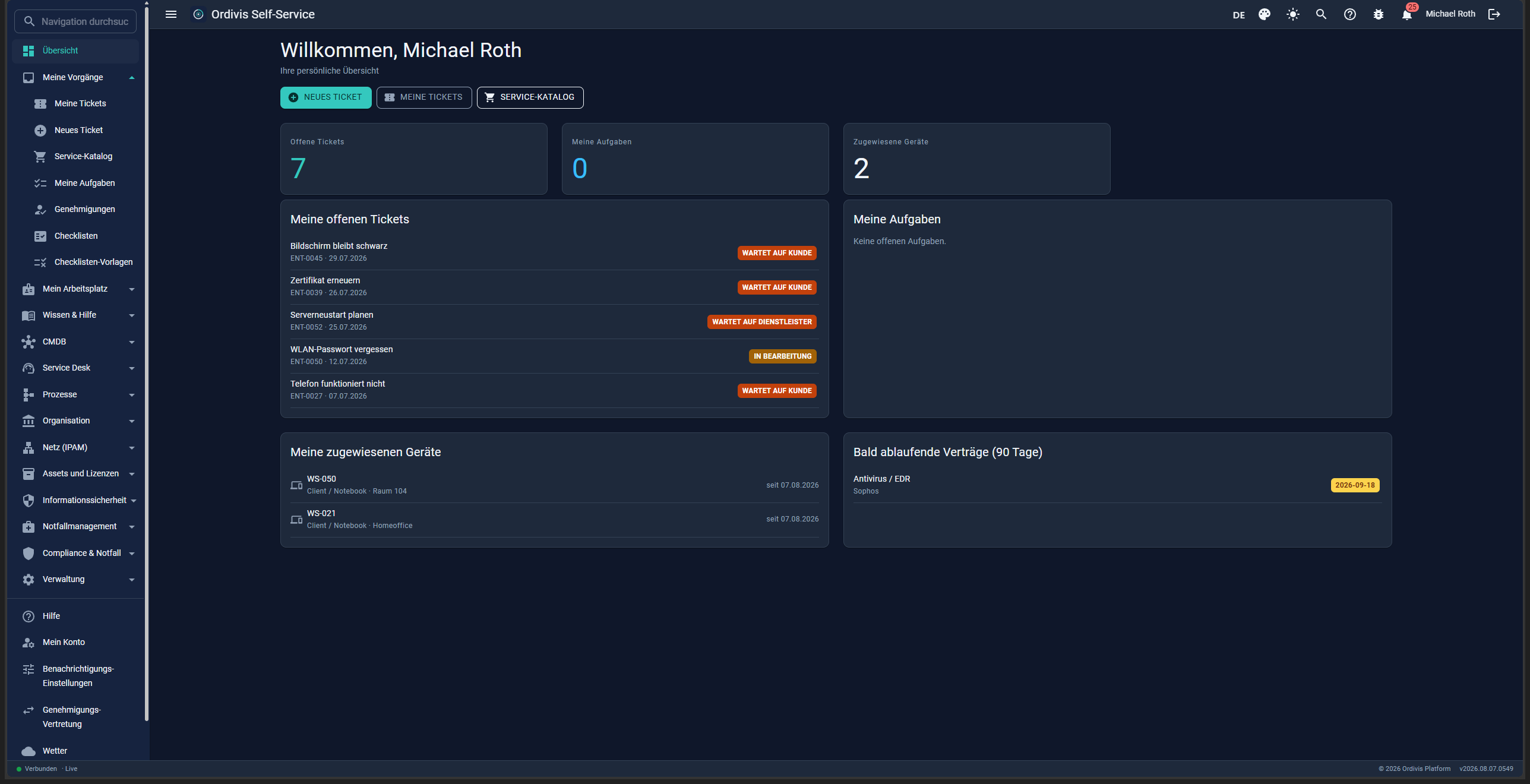
Overview
Ordivis portal personal overview
Personal overviewOpen tickets, tasks, assigned devices and expiring contracts.
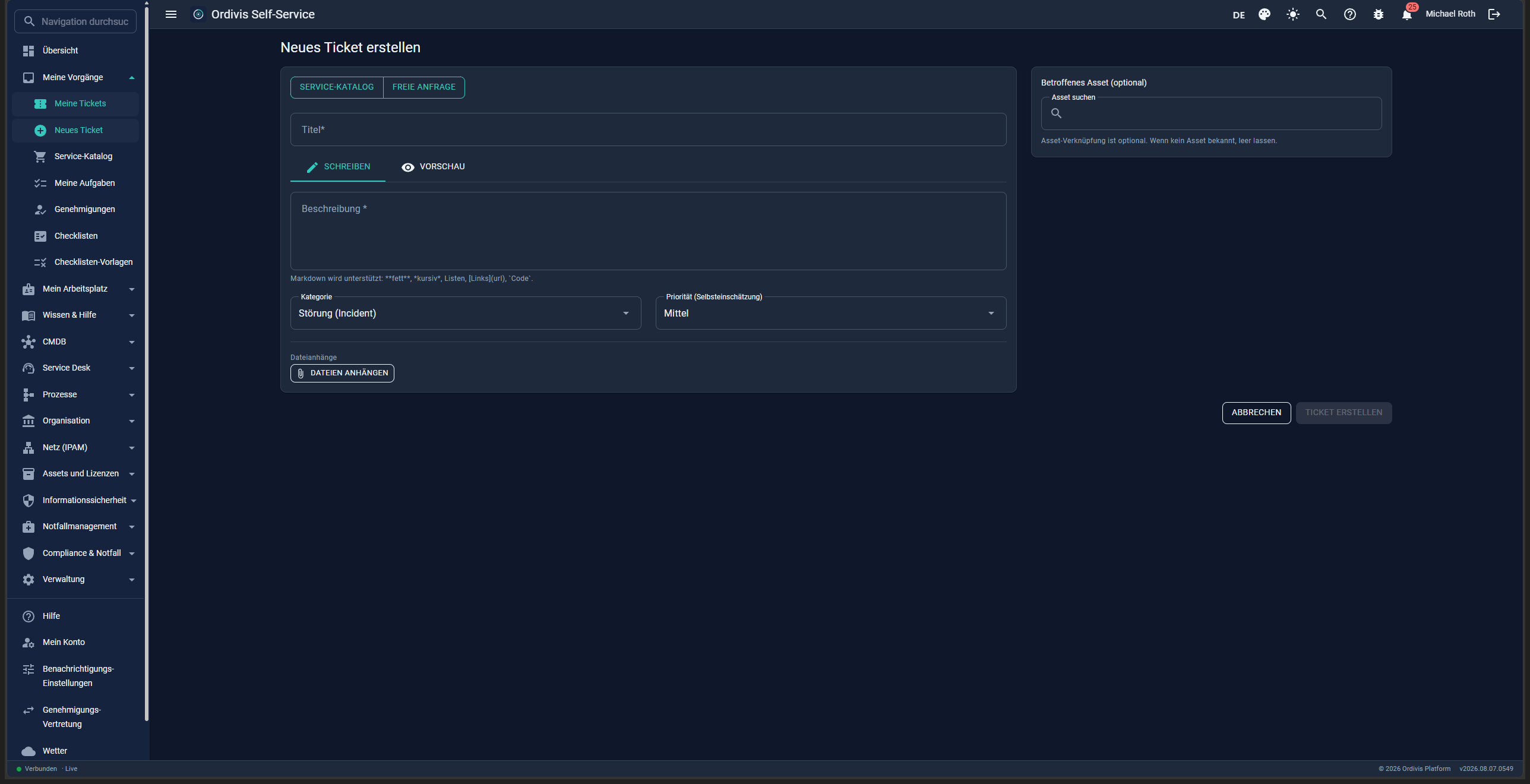
New request
Ordivis portal new ticket
New requestA guided service catalogue or a free request – with file attachments.
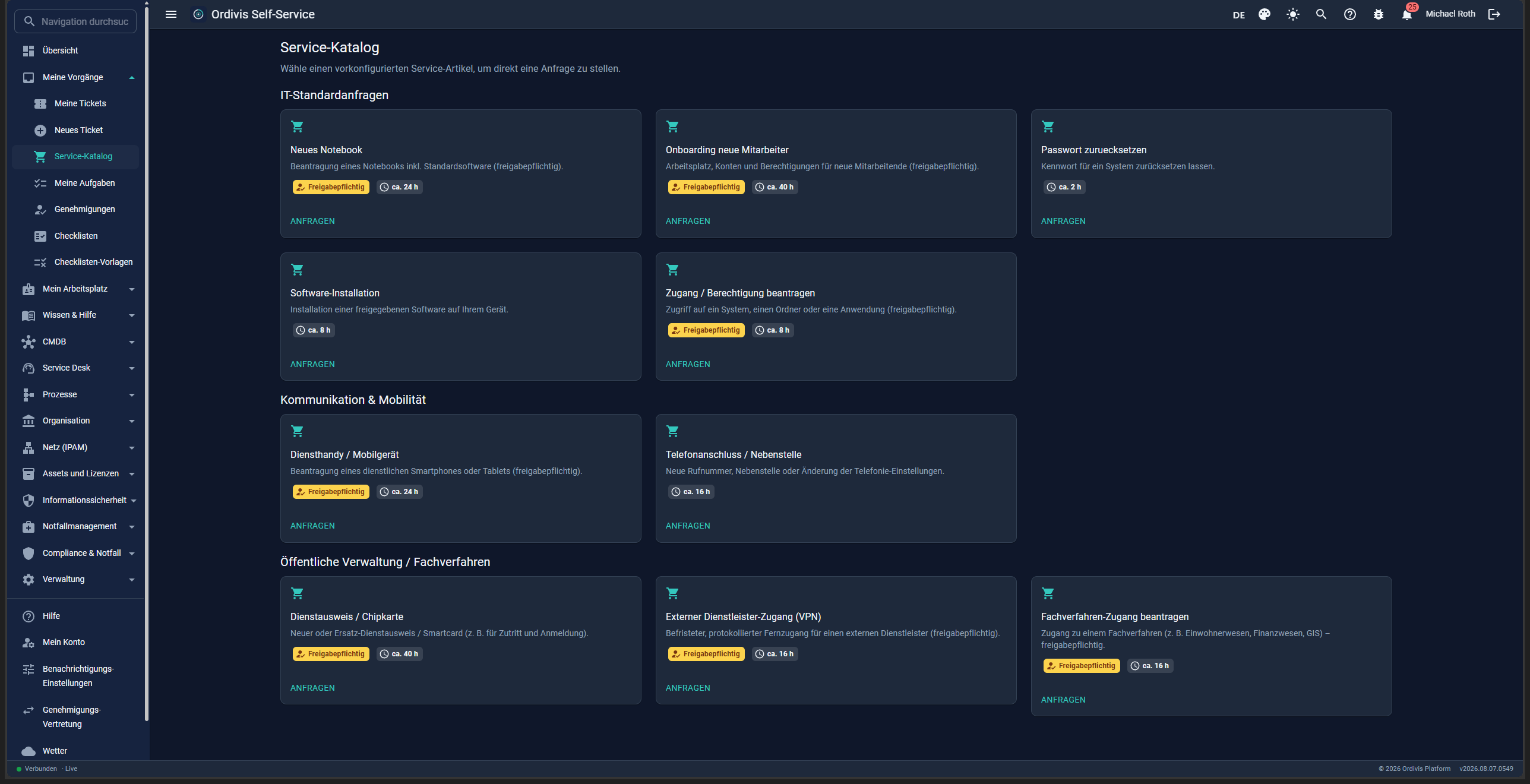
Catalogue
Ordivis portal service catalogue
Service cataloguePreconfigured items with an approval note and processing time.
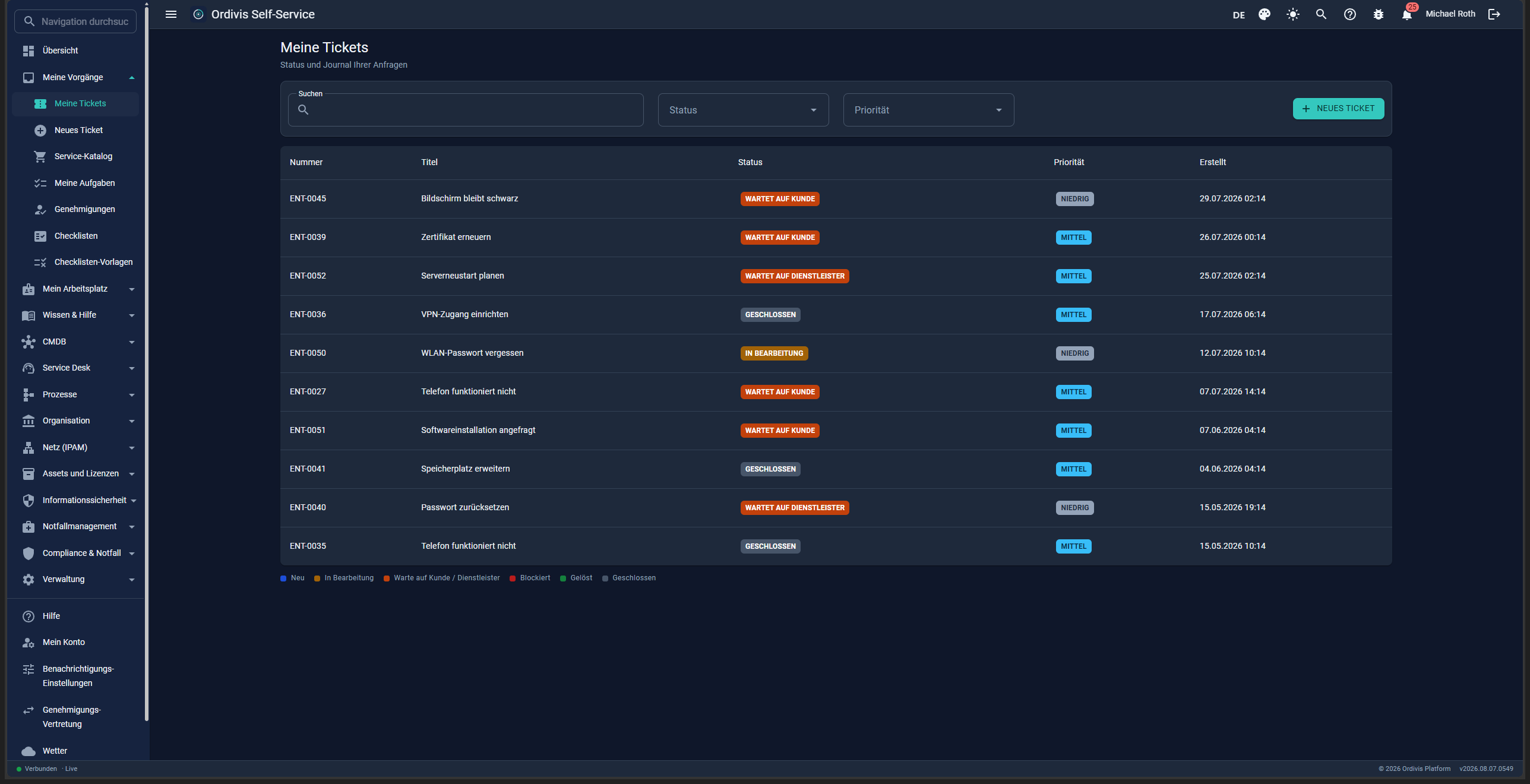
My tickets
Ordivis portal my tickets
My ticketsStatus and journal of all your own requests – filterable and searchable.
Platform & operations

Administration

Users & roles with fine-grained RBAC, read-only AD/LDAP integration, central scheduled tasks and fair, air-gapped-capable product activation.
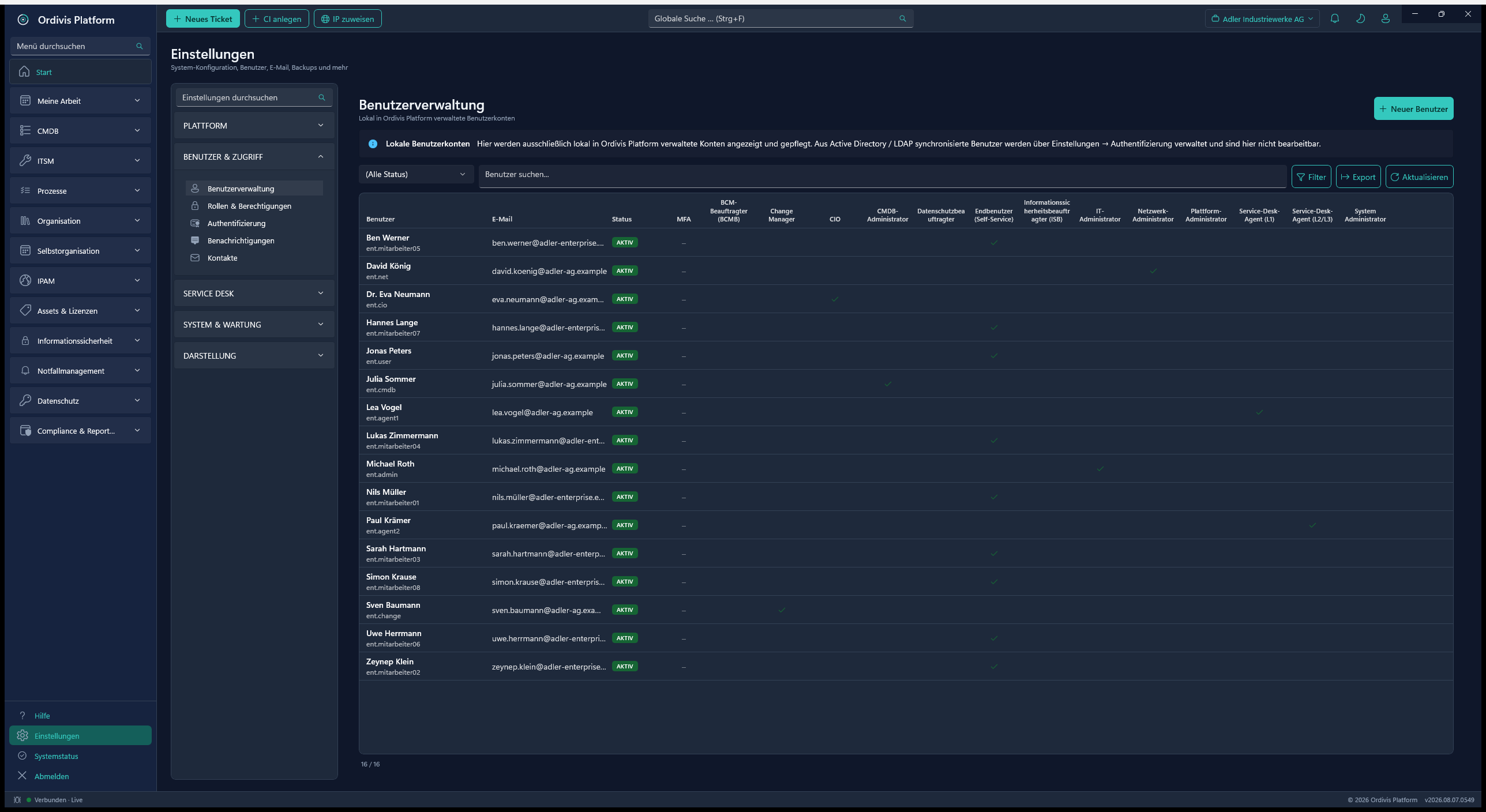
Users & RBAC
Ordivis user management with RBAC
User & role matrixRole-based rights, MFA and read-only AD/LDAP provenance.
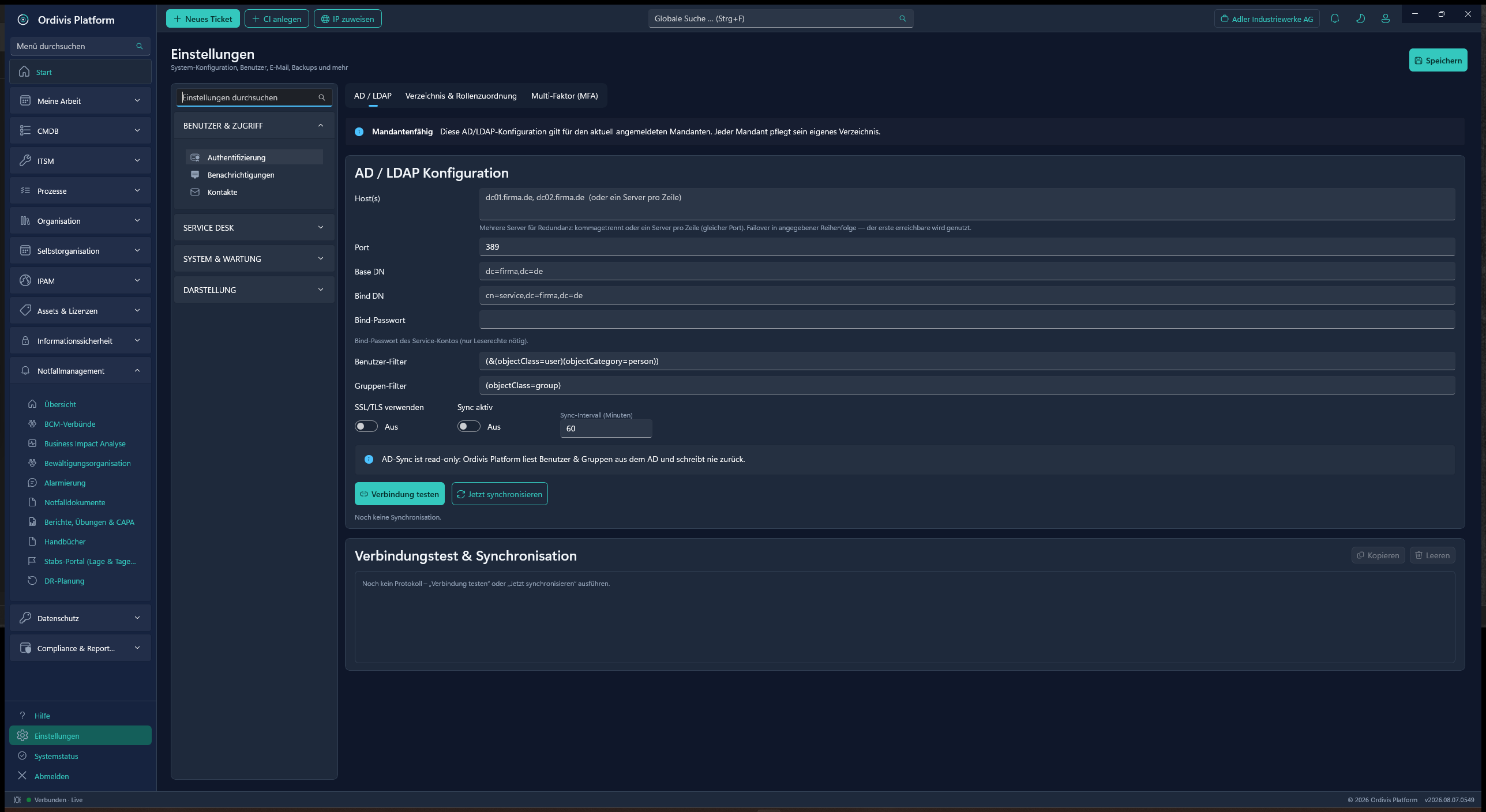
AD/LDAP
Ordivis AD/LDAP configuration
AD/LDAP configurationA strictly reading AD integration for sign-in and automatic maintenance.
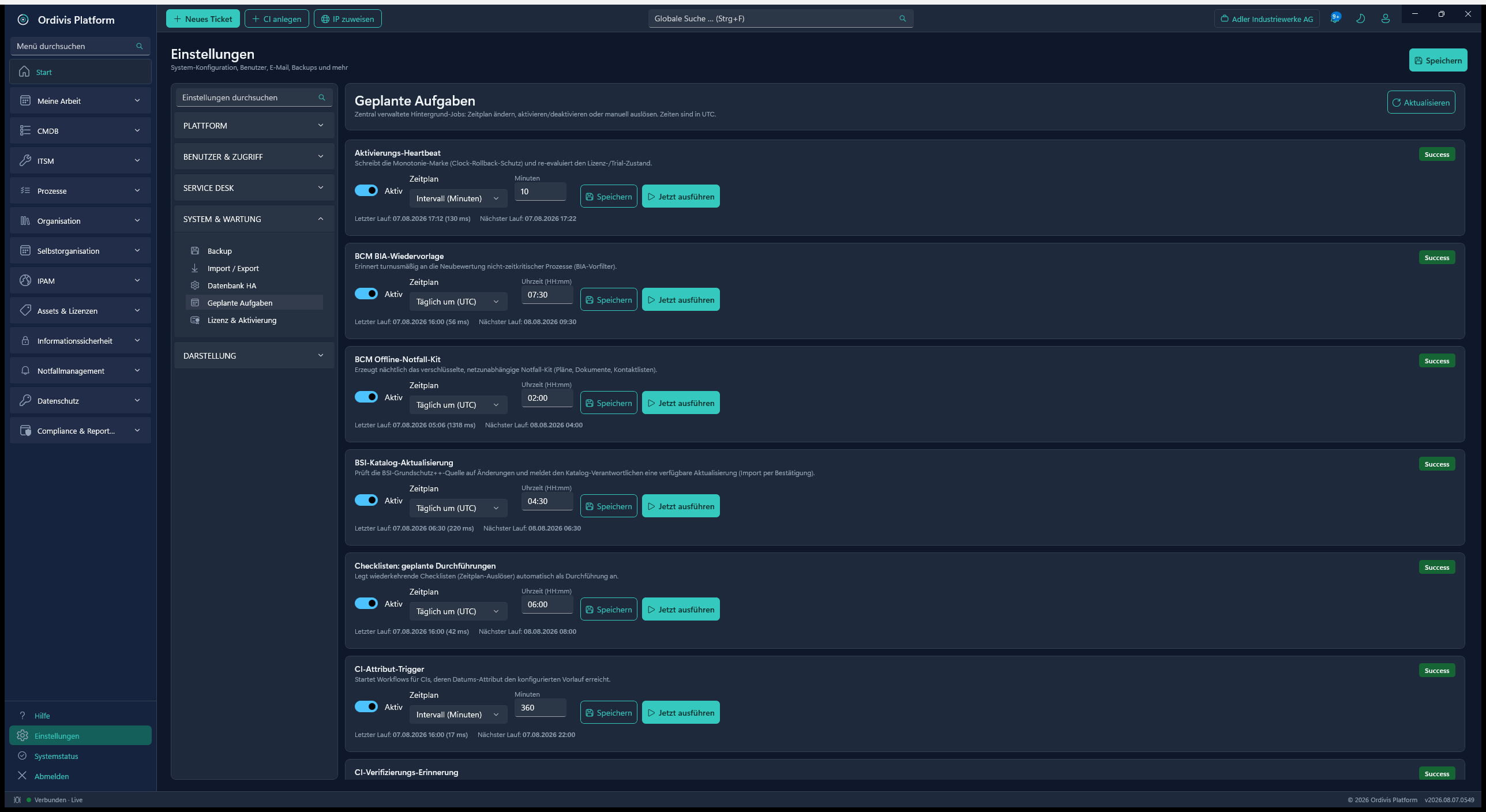
Scheduled tasks
Ordivis scheduled tasks
Scheduled tasksA central scheduler for IMAP polling, AD sync, backup and reports.
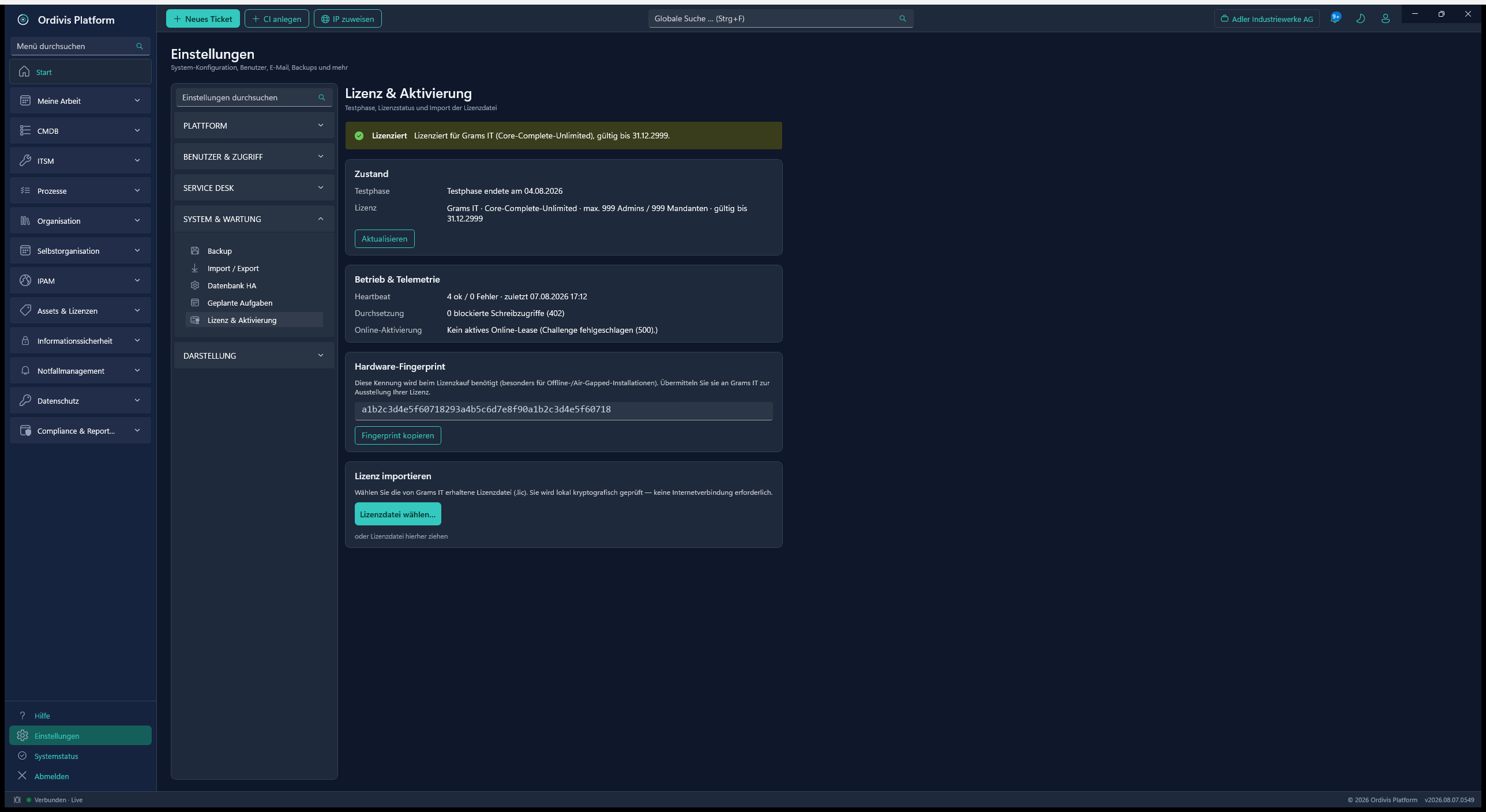
Licence
Ordivis licence and activation
Licence & activationOffline and air-gapped activation by hardware fingerprint (ECDSA).
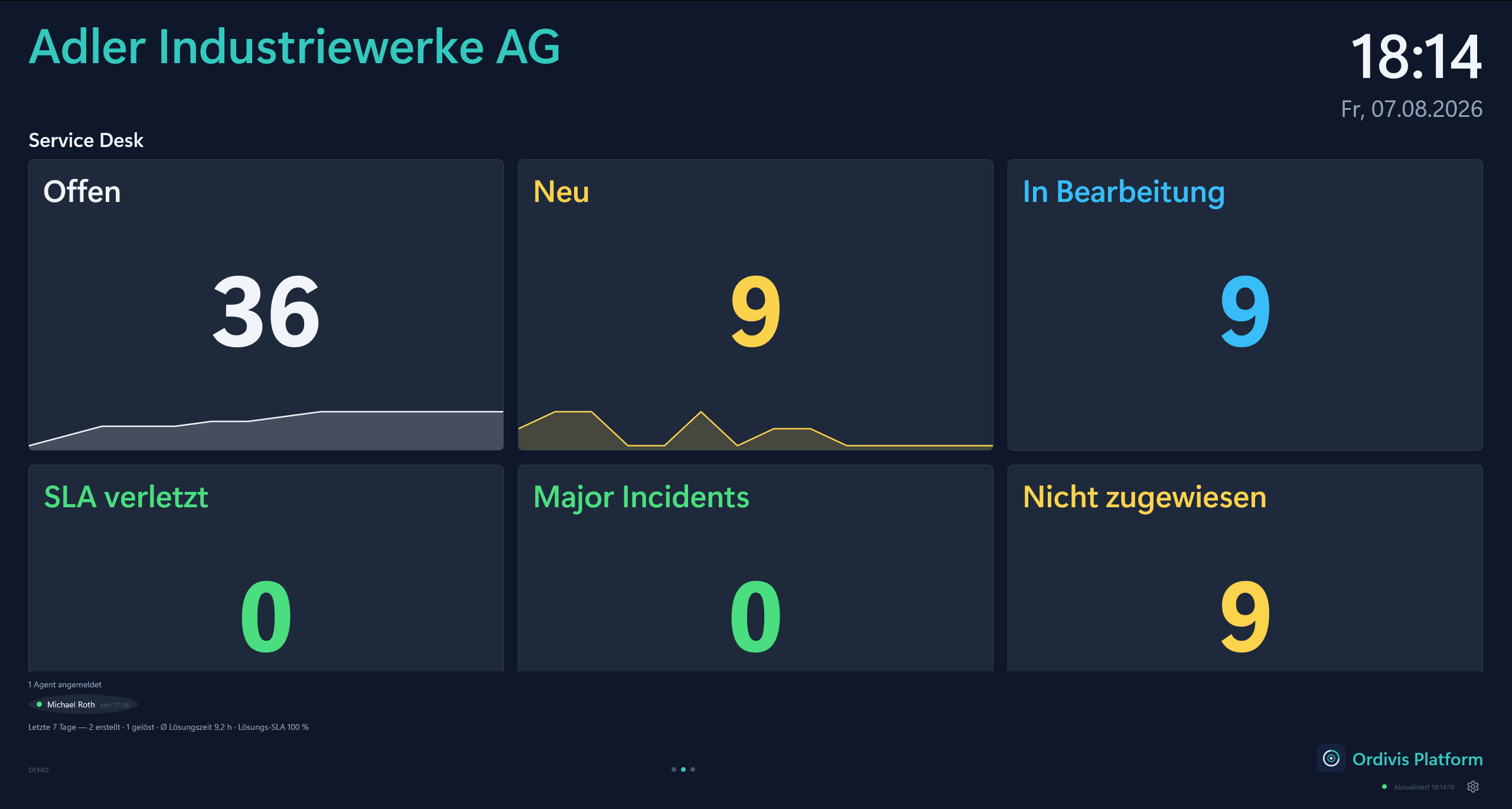
Wallboard · service desk
Ordivis wallboard with service desk metrics in full screen
Wallboard – service deskMetrics in full screen, readable from several metres away – new tickets fade calmly in and out.
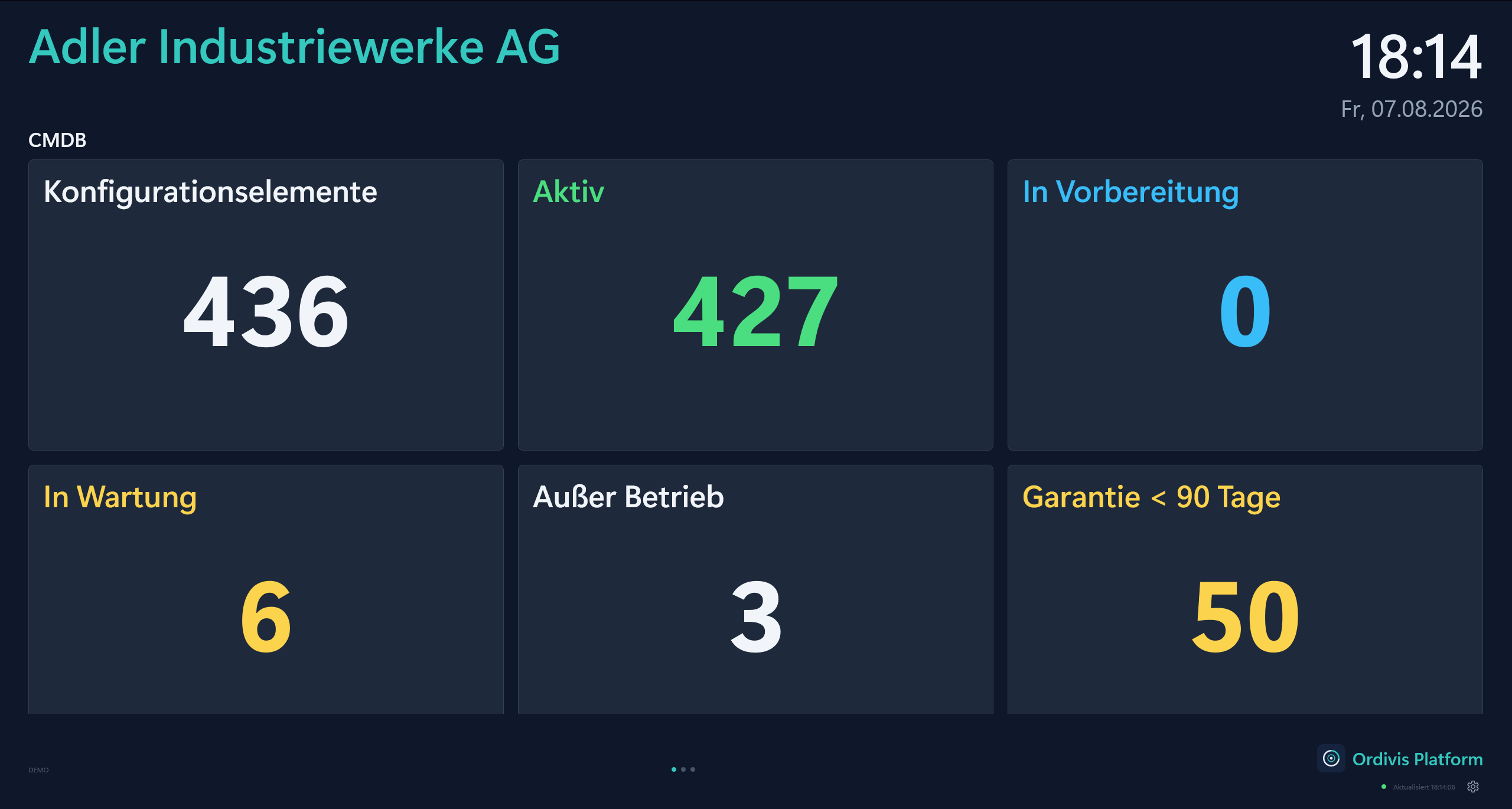
Wallboard · CMDB
Ordivis wallboard with CMDB metrics in full screen
Wallboard – CMDBThe same screen moves on by itself – inventory, lifecycle, expiring warranties.
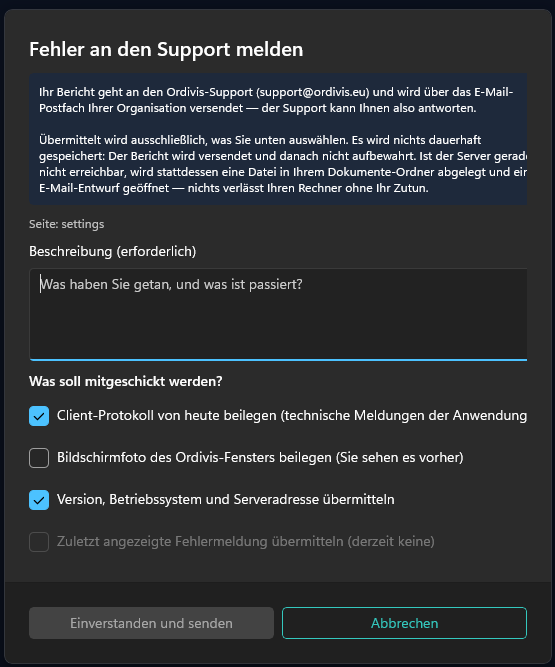
Report a problem
Ordivis dialogue for reporting a problem to support, with a privacy note and individually deselectable evidence
Reporting a problem – you decide what goes alongThe note appears before the input, every piece of evidence can be deselected individually – the screenshot is off by default.

Screenshots are nice. Live is better.

We show you every one of these areas live by video call – along your questions, not along a script.