Everything included. From day one. No feature locks.
What other vendors spread across editions, add-ons and enterprise upgrades, Ordivis Platform delivers in every licence in full. This page lists the complete feature set – module by module.
Root cause analysis and a known error database for lasting resolution of disruptions.
Root cause analysis as a ticket type of its own
Known error database (KEDB) with workarounds
Links to the triggering incidents
Links to the remedying changes
Problem status workflow through to the permanent fix
Knowledge transfer into the knowledge base
03
Change management & CAB
Controlled changes with approval chains and a change advisory board.
Change tickets with an approval workflow
Change advisory board (CAB) with approval rounds
Maintenance window planning
Audit-proof change history
Links to the affected CIs (impact)
Scheduling by time and risk
04
Service requests & service catalogue
Standardised requests through a structured catalogue with approval.
A structured service catalogue with categories
A guided ordering wizard with forms specific to each service (mandatory fields, pick lists, dates, yes/no)
An automatically and correctly categorised service request ticket, including routing to the responsible group
Approval chains per catalogue entry
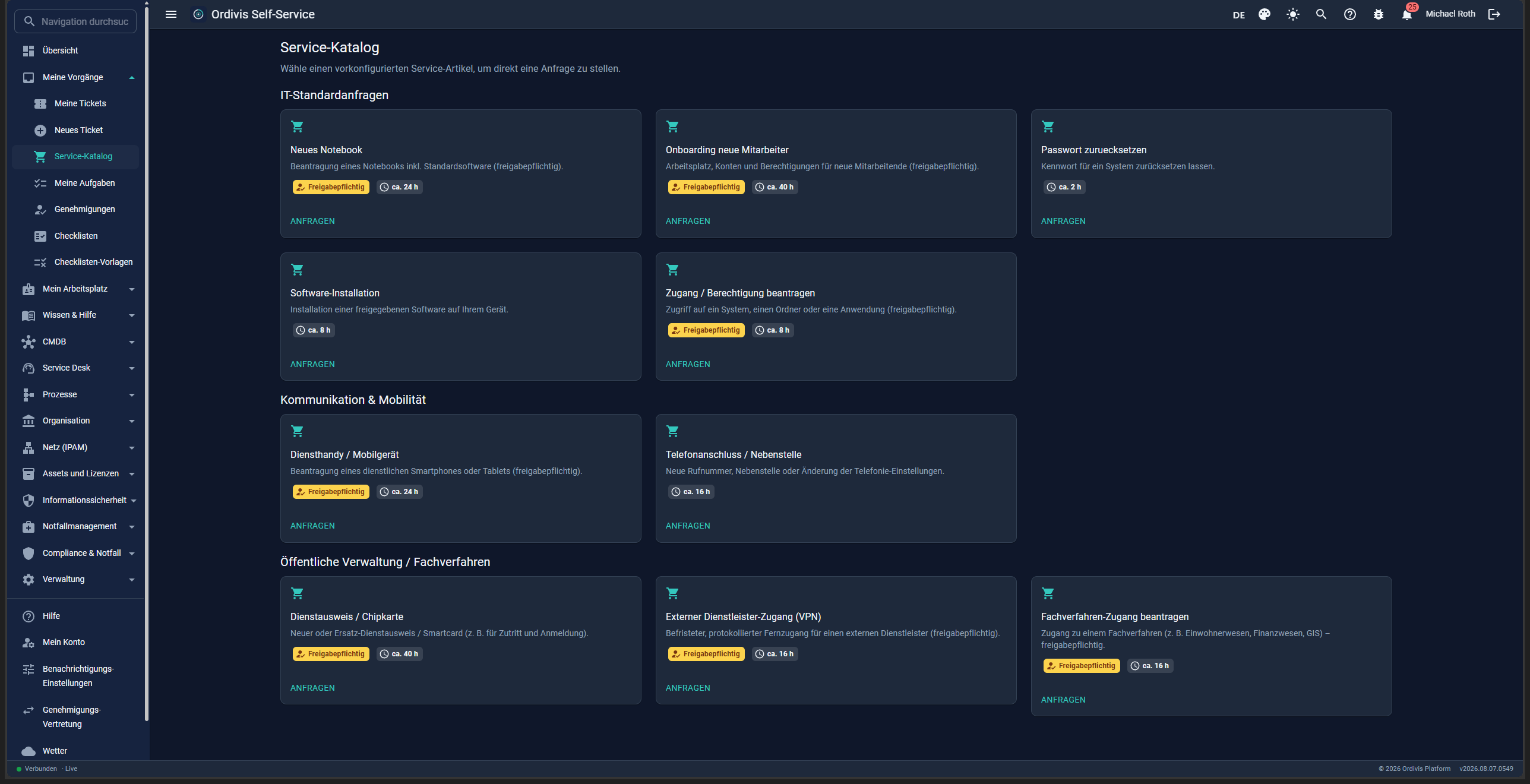
Preconfigured services including those for public administration (access to a line-of-business application, staff ID/smart card, external service provider VPN)
Self-service ordering through the portal, status tracking for end users
Coupling to the workflow engine
05
SLA & OLA engine
Multi-target service level monitoring with response and resolution times.
SLA engine with several targets per ticket
Response and resolution time targets
OLA targets at support group level
Business hours & calendars taken into account
Escalation when an SLA breach looms
SLA evaluation in reporting
SLA
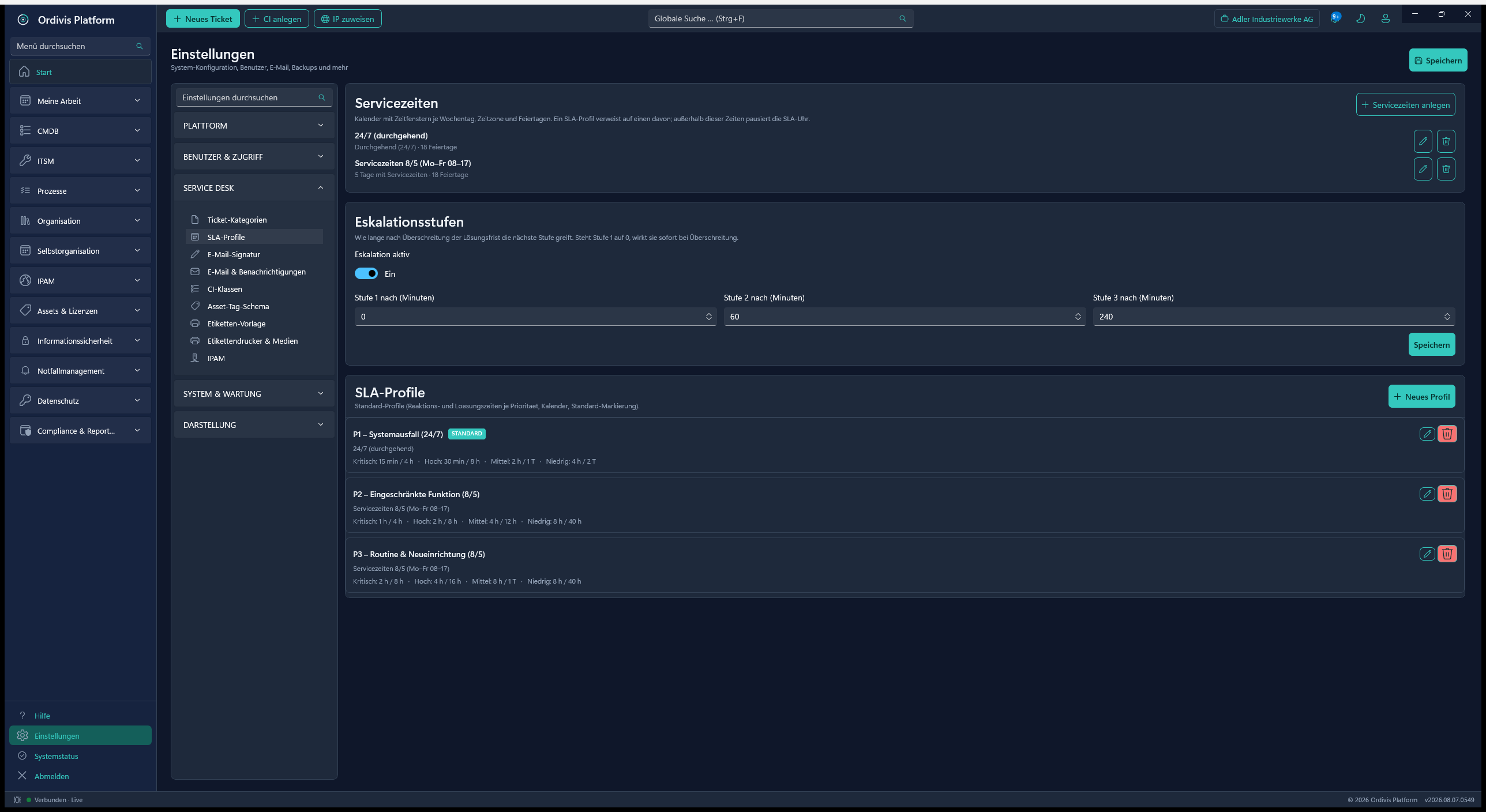
SLA profiles & service hoursResponse and resolution times per priority, either business hours or 24/7.
06
Knowledge base
Enterprise knowledge management for agents and end users.
Structured articles with categories
Publication to the self-service Portal
Deep-link filters for targeted linking
Linking articles to tickets
Versioning & approval status
Full-text search
07
CMDB & SACM
Configuration management as the operational map of your entire IT.
Attribute definitions maintained server-side (no hard-coding)
Relation type catalogue (static, ready for a clean install)
Topology map of the CI relationships
Business service map (impact analysis)
Impact computed with recursive CTEs (no graph DB)
CI network interfaces as an entity of their own
Reciprocal peer cabling of interfaces
IP display from IPAM (read-only via a link)
Location tree with drag-and-drop re-parenting
CI detail view with tabs (interfaces, relations …)
Business processes as a CI class: a guided creation wizard & a colour-coded process symbol
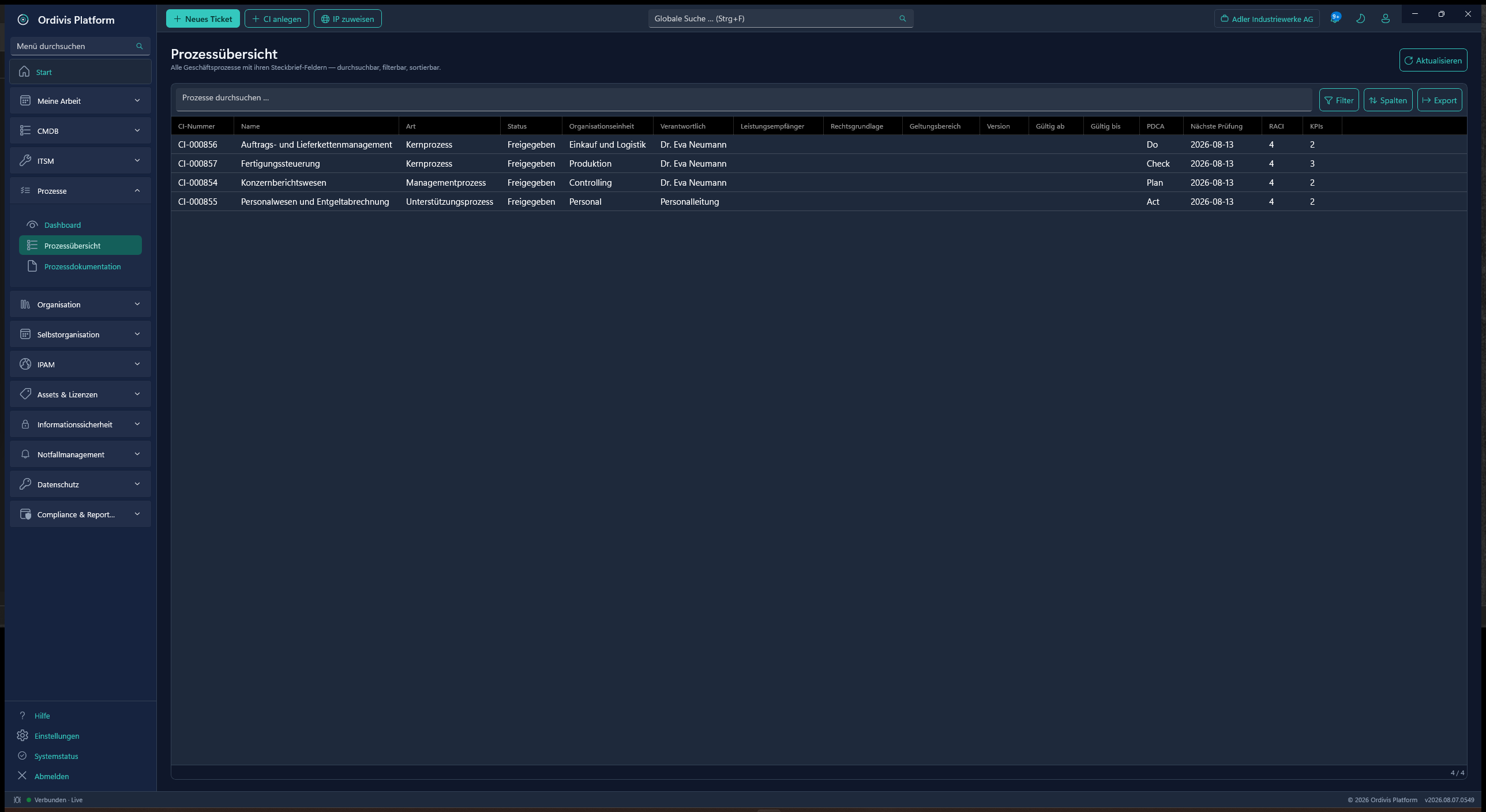
Process overview (tabular: filterable, sortable & exportable) with a detailed profile – legal basis, scope, deadlines, fees and much more
Additional fields for public administration: LeiKa, FIM, KGSt, OZG topic area, eIDAS level, federal tier, administrative act
CI class templates can be duplicated and exported and imported as JSON
Bulk import from CSV/XLSX – with a generated sample file per CI classthat carries every possible field as a header row. Create a new attribute and it appears in the template without your doing anything; a hand-maintained sample file would be out of date the moment the first new field arrived
A dry run before every import: it states how many objects would be created and objects line by line – nothing is written until you agree
Tolerant date import (German date formats), duplicate detection via the serial number
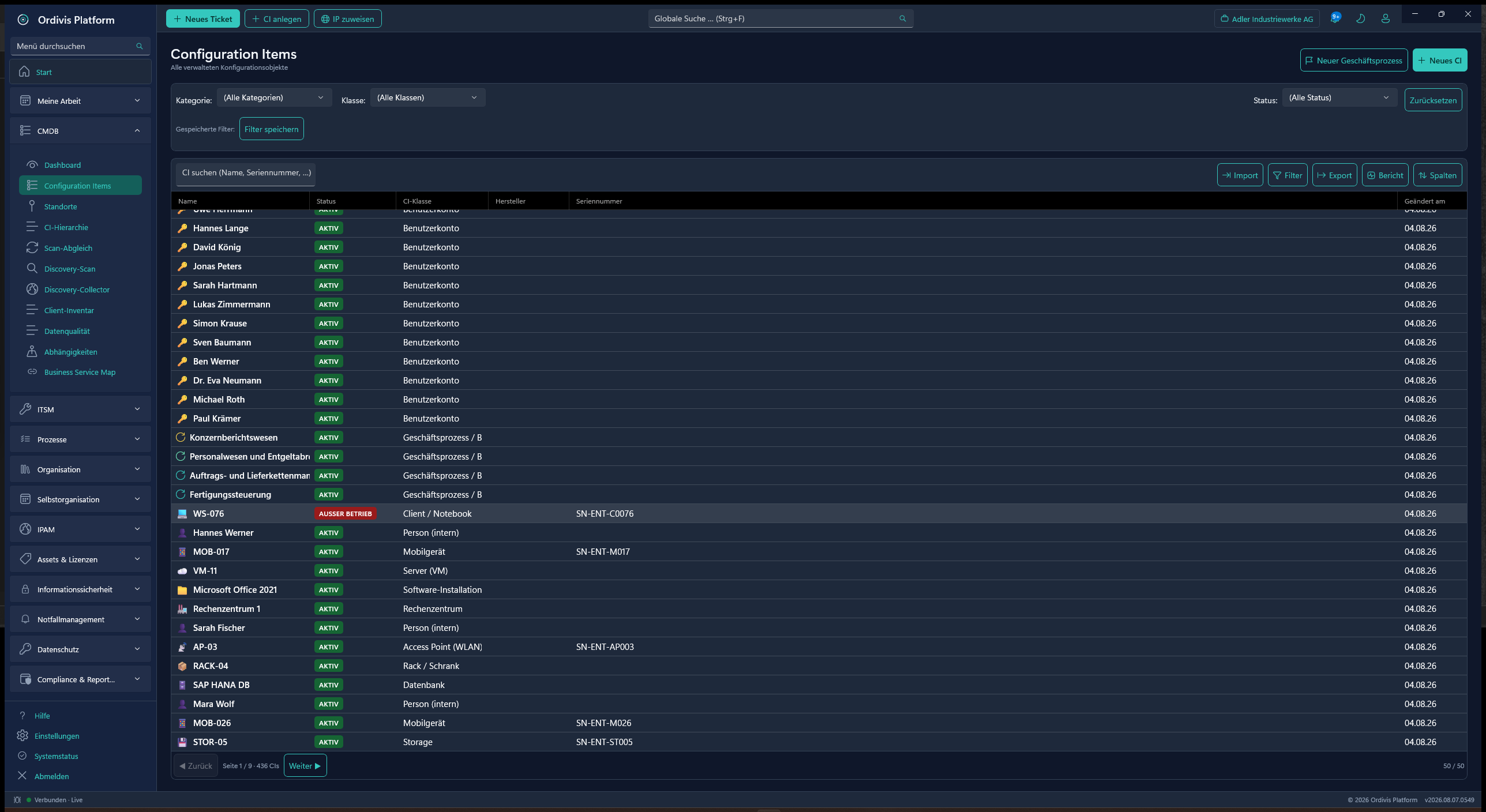
CIs
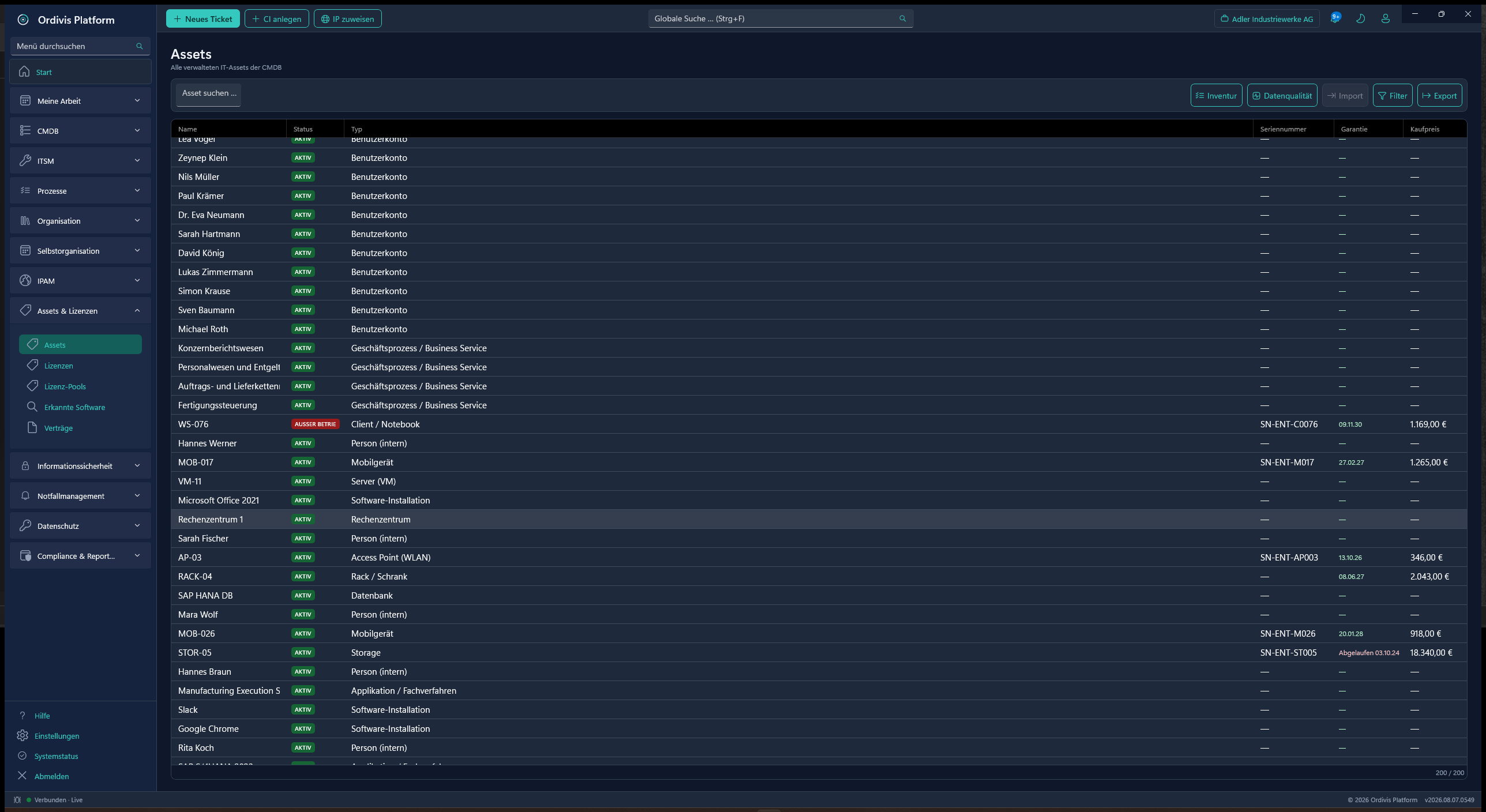
Configuration itemsUnlimited CIs across all classes – filterable, column-configurable and exportable.
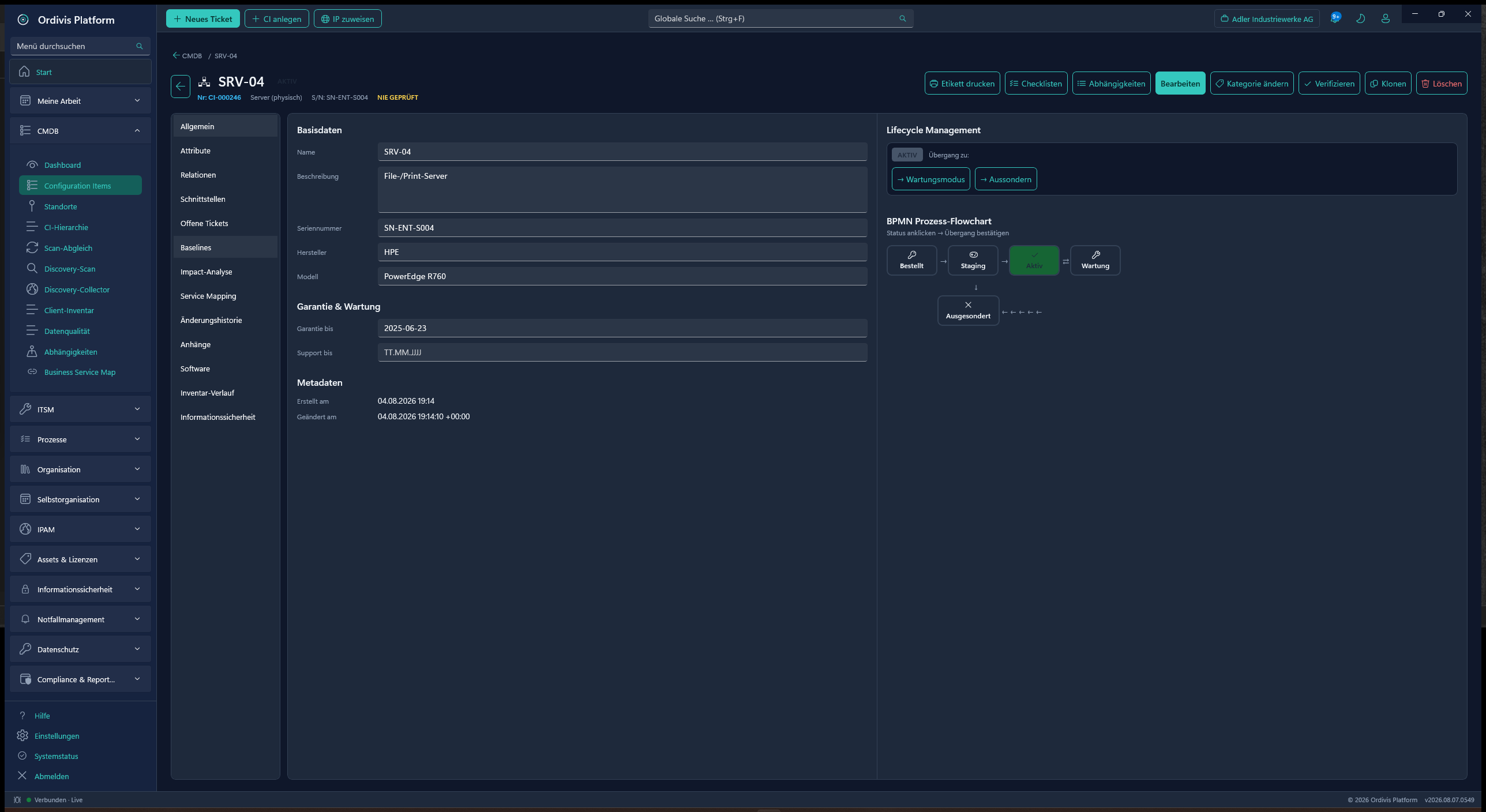
CI detail
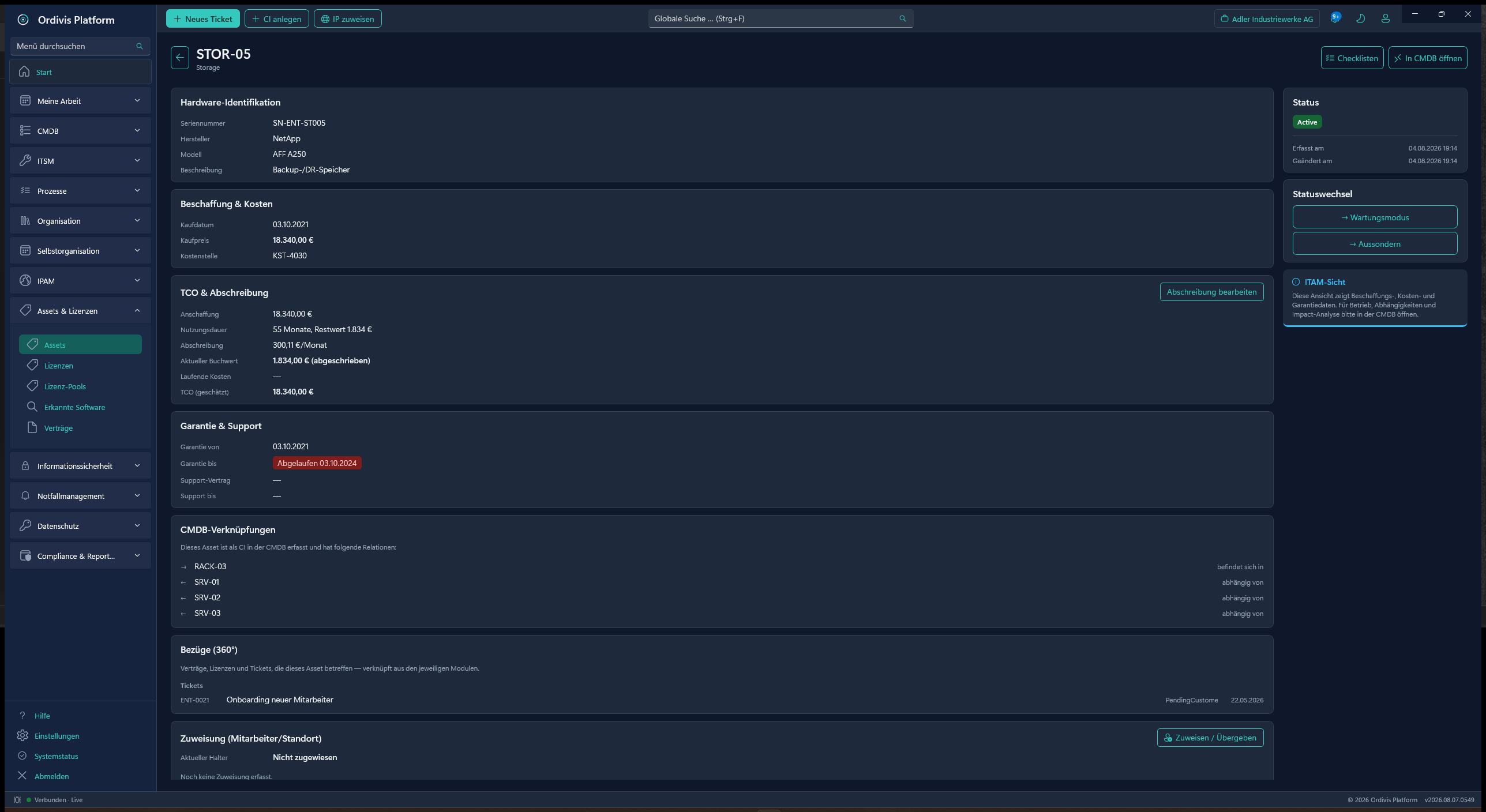
CI detail viewBase data, attributes, relations, interfaces, impact & lifecycle – all on the CI.
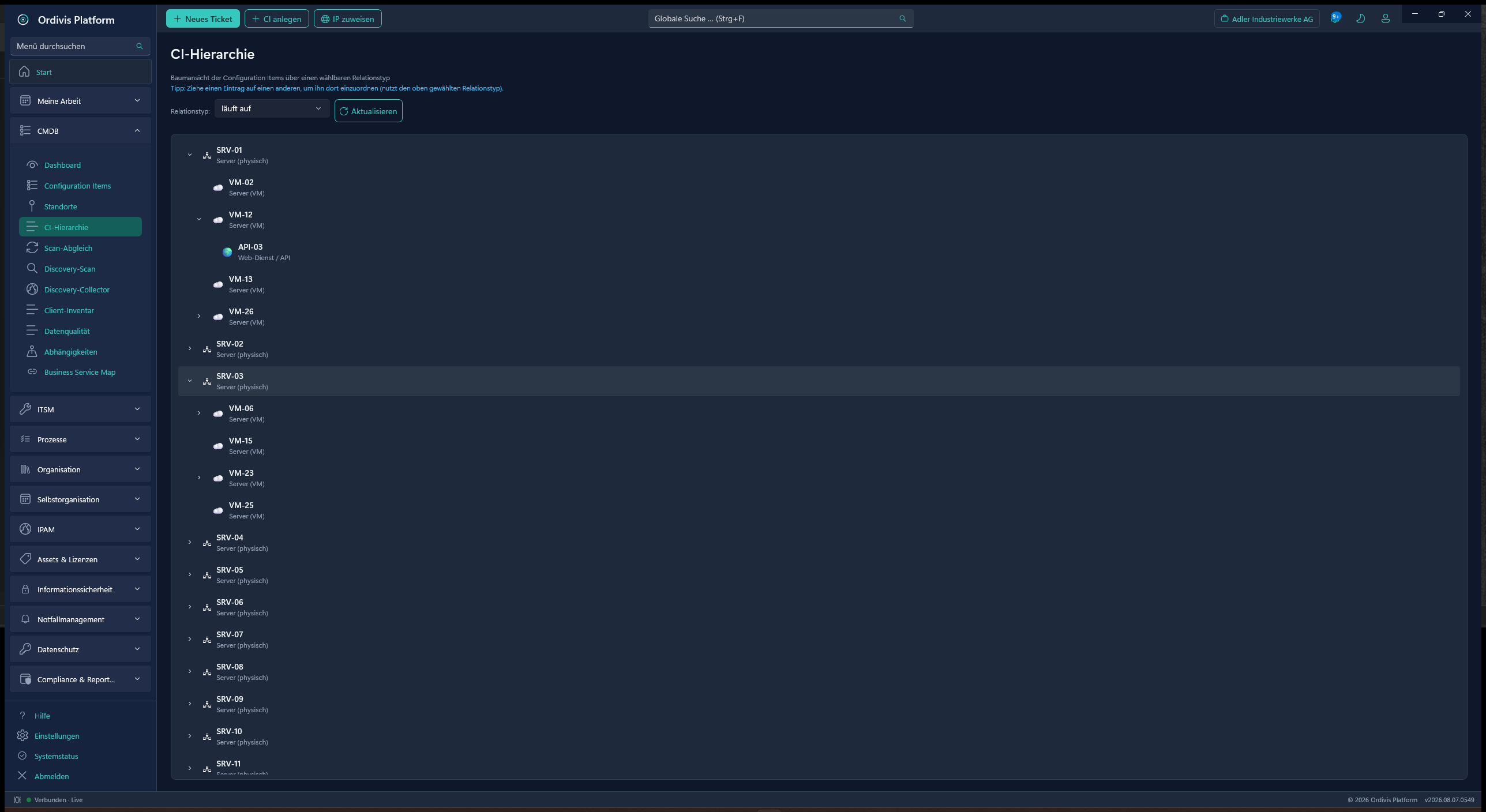
Hierarchy
CI hierarchyTree view over a selectable relation type – re-parent CIs by drag and drop.
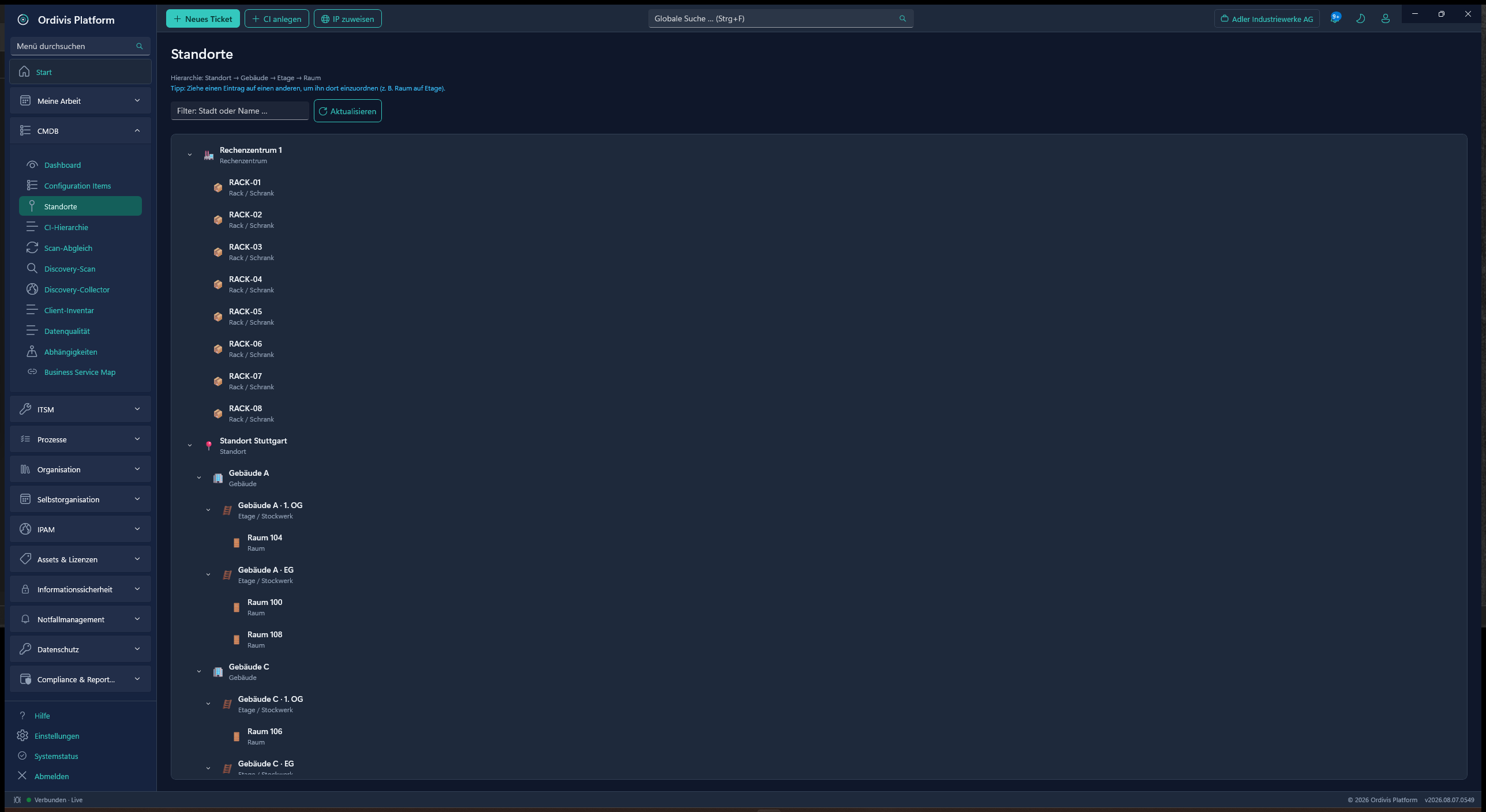
Locations
Location hierarchySite → building → floor → room → rack – by drag and drop.
Data quality
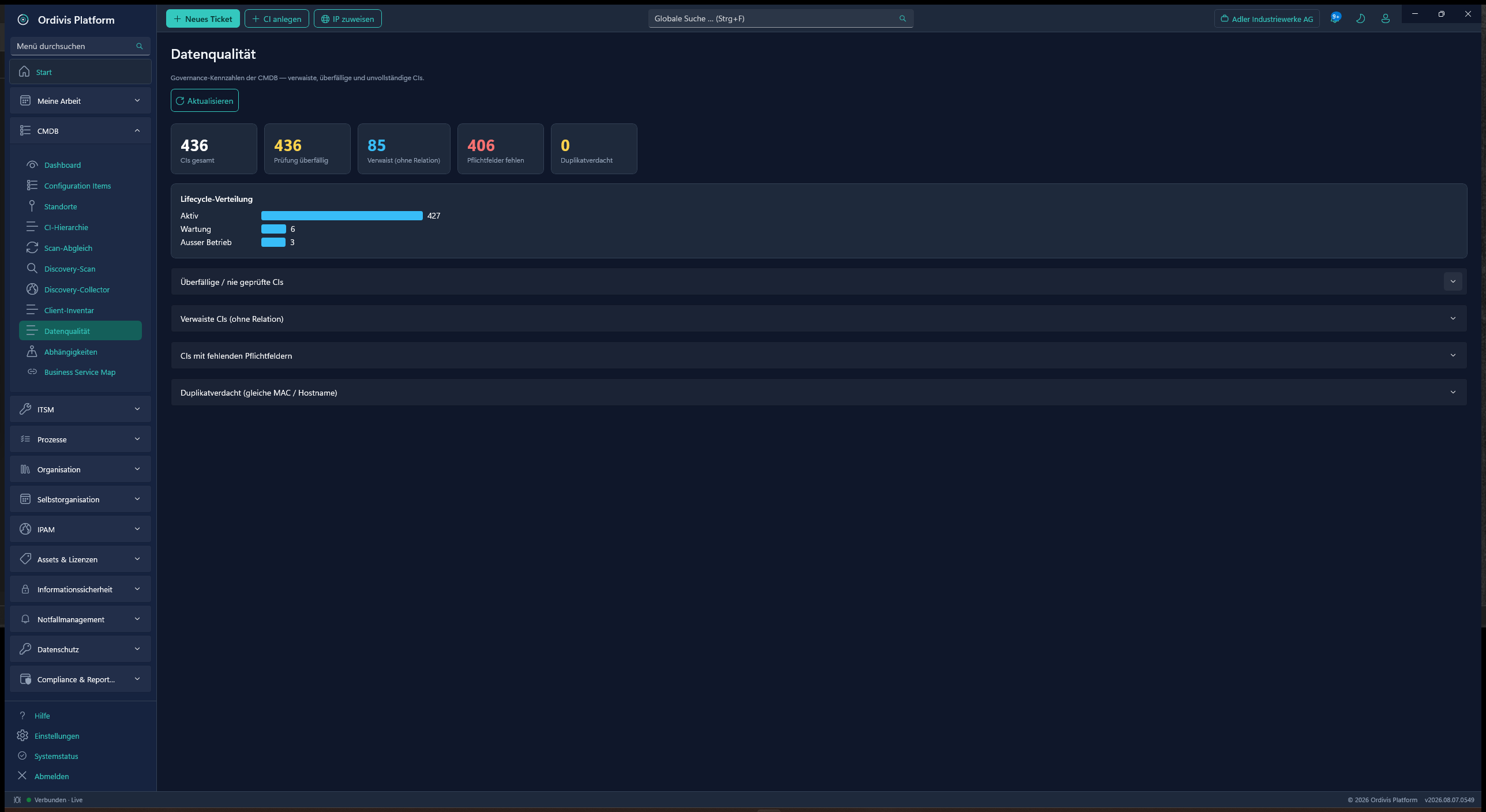
Data qualityOverdue, orphaned & incomplete CIs, suspected duplicates and lifecycle distribution.
Processes
Business processesProfile, RACI matrix, key figures and BPMN model – all on the process CI.
CI classes
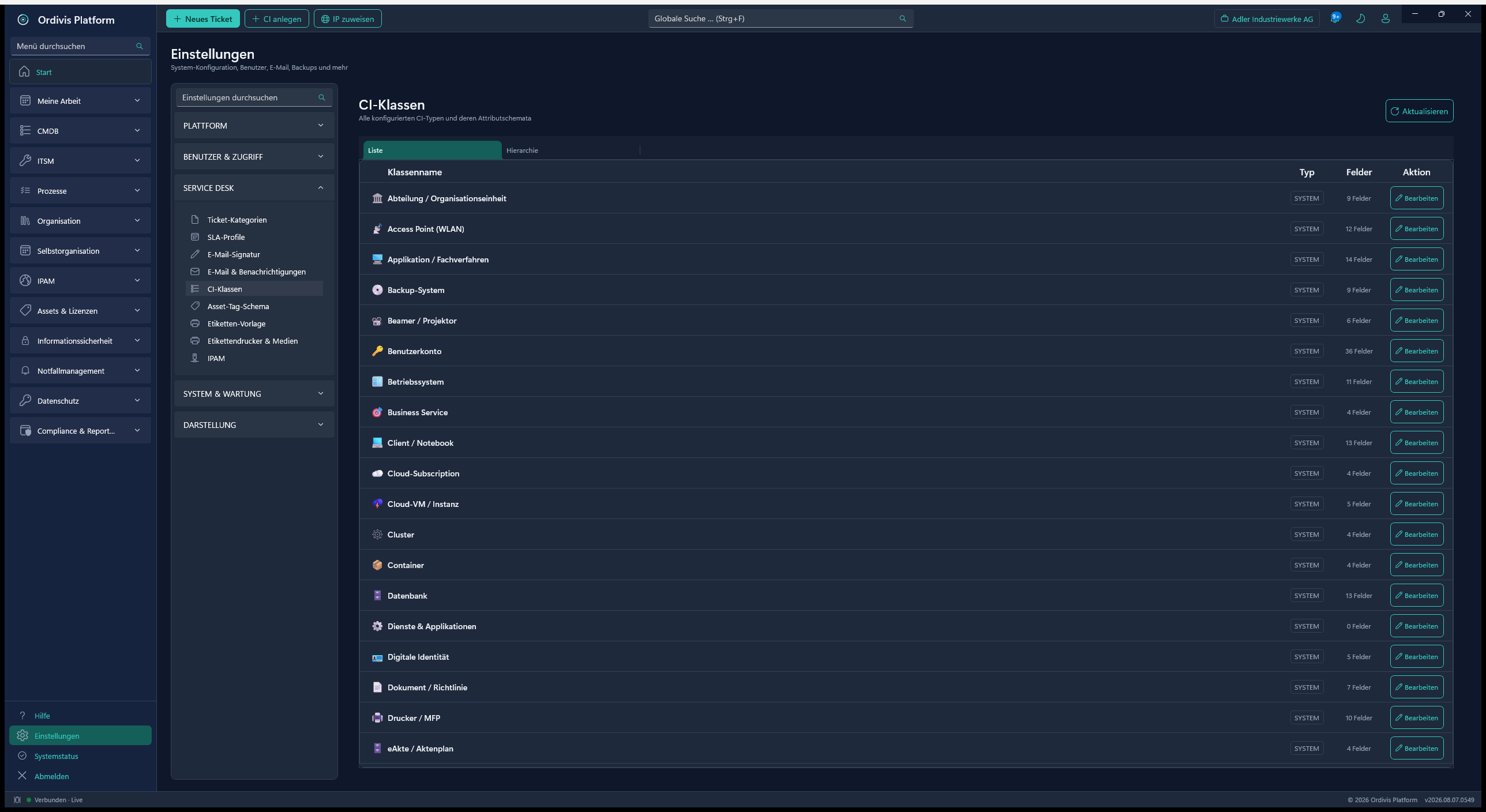
CI class catalogueA global catalogue plus your own classes, attributes defined server-side – JSON import/export.
08
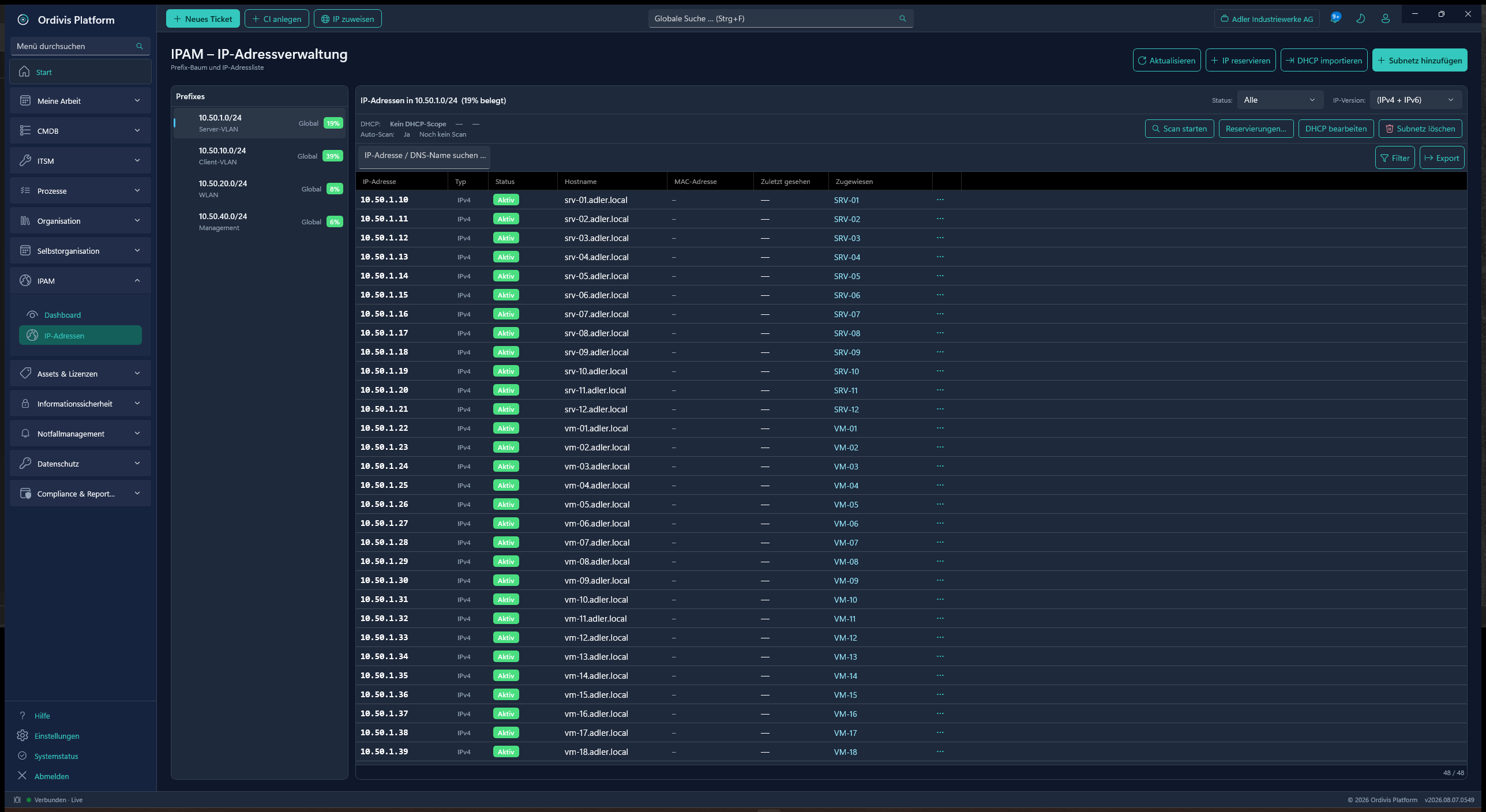
IPAM – IP address management
Native IP address management – unlimited, with no node costs.
Exercise & test management (tabletop, alerting, staff-level, full test)
Lessons learned & CAPA measures with follow-up
Conformity evidence „at the touch of a button" and a management summary as PDF
IT emergency manual generator (BSI 200-4): emergency organisation, alerting chain, immediate measures, communication plan, contacts & emergency documents – produced from the existing data
Manual chapters point to their source instead of copying it – every retrieval shows the live state, no duplicated upkeep, no stale emergency contacts
Manuals are versioned: the approved state is frozen, a revision becomes a new version
Emergency plan as PDF, encrypted offline emergency kit (scheduled job)
Approved emergency documents in the self-service portal (filtered by RBAC)
Digital administrative team (public administration): sections S1–S6 in one click
Crisis mode with alerting of the team members
Audit-proof operations log (append-only) & digital situation display
Reuses the CMDB, DR plans, ISMS protection requirements & contacts – no duplicated upkeep
BIA
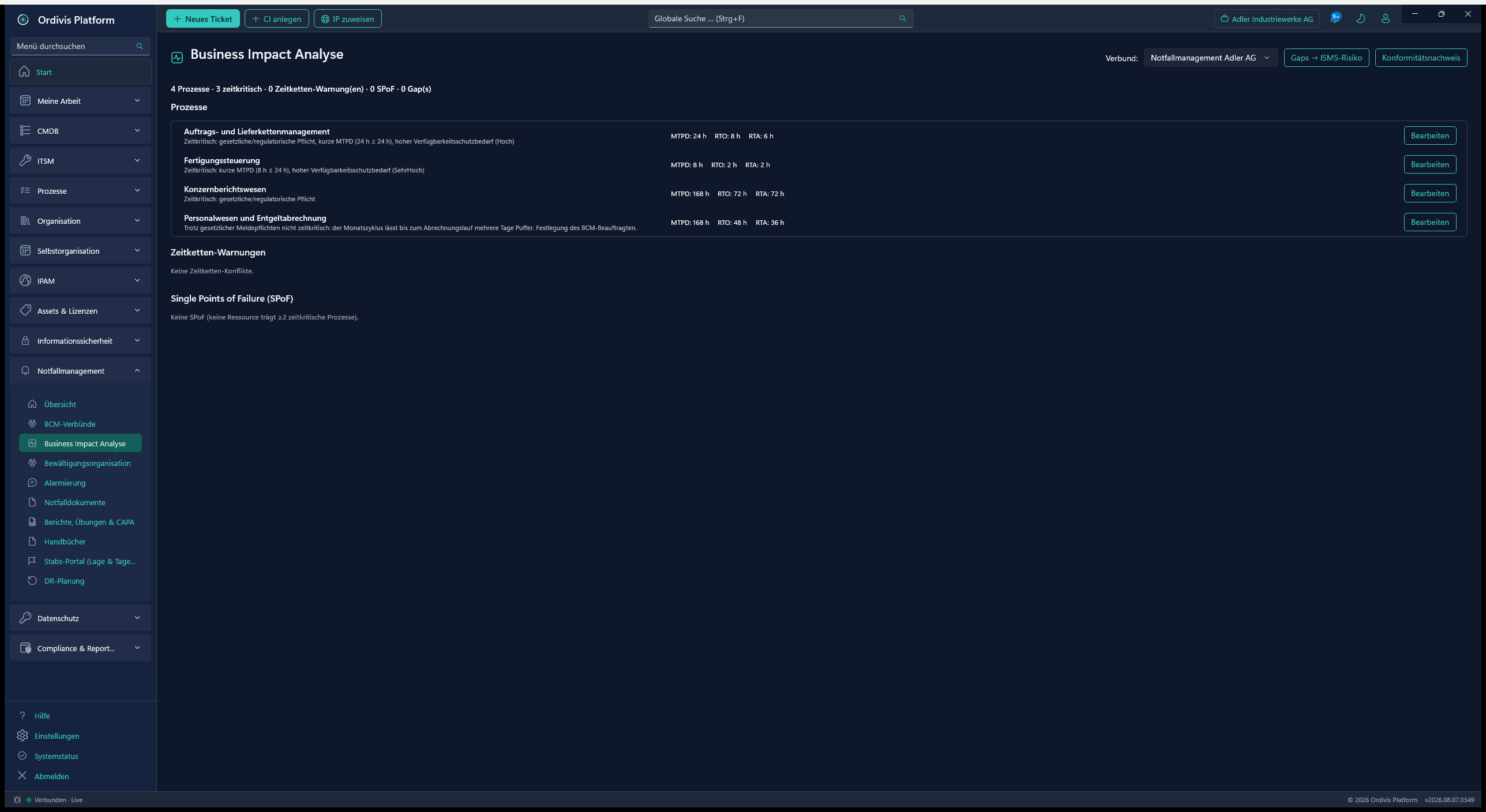
Business impact analysisMTPD, RTO & RTA per process, time-chain warnings and SPoF detection.
Crisis organisation
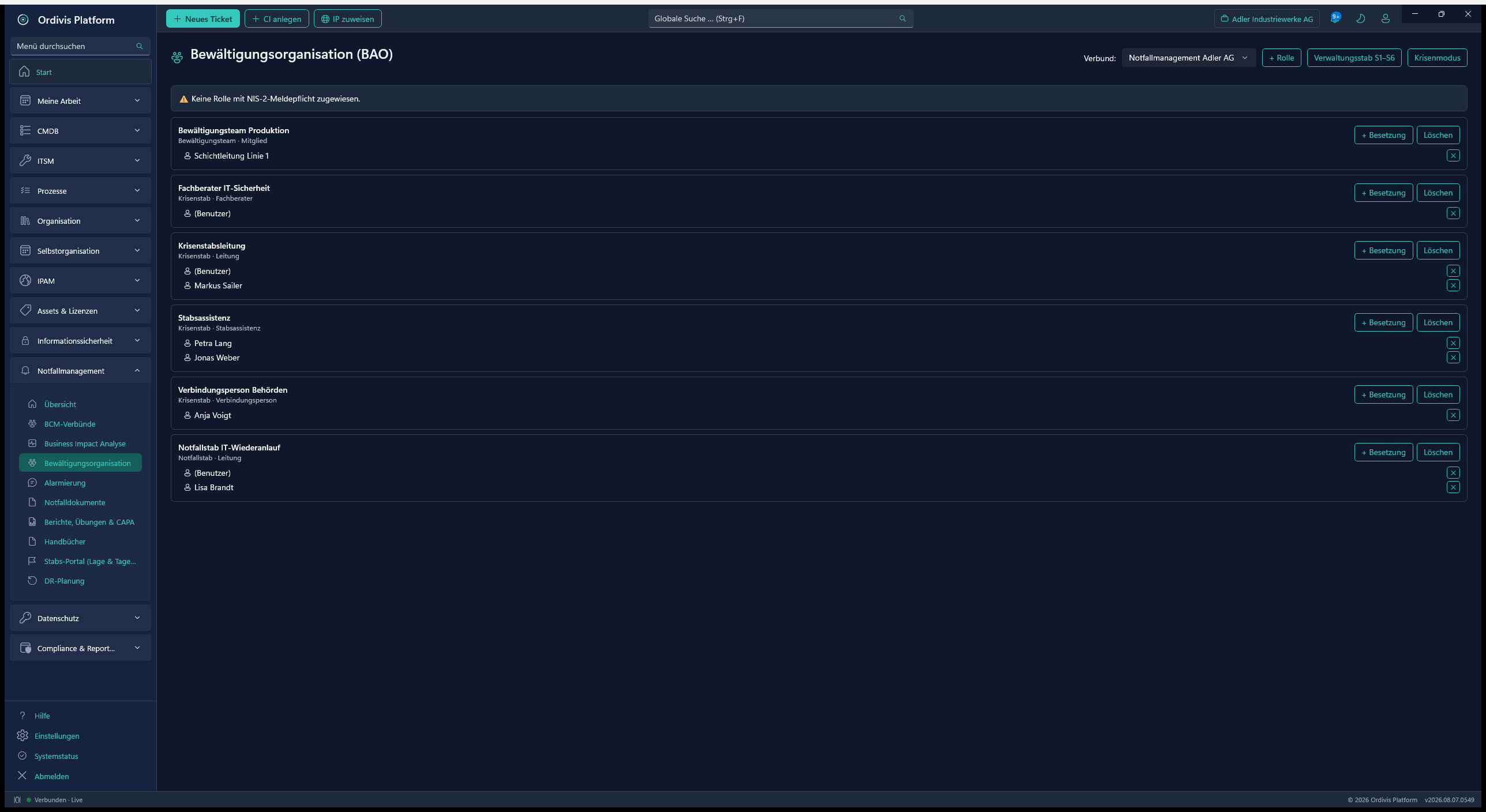
Response organisationCrisis & emergency team with roles, deputies and a NIS2 reporting-duty check.
15
Data protection – record of processing activities (Art. 30 GDPR)
The record of processing activities inside the product rather than in a spreadsheet – with breach reporting and an export for the supervisory authority.
A dedicated data protection officer role with its own hub in the client
Record of processing activities under Art. 30(1): purpose, legal basis, categories, recipients, retention periods
Legal bases under Art. 6(1) as a catalogue – the points spelled out, not as a code
For legitimate interest (point f) the balancing test is mandatory – otherwise a finding is raised
Specific statutes can be added: BDSG, LDSG, works and group agreements with a citation
Special categories (Art. 9) and criminal-offence data (Art. 10) supplied as a statutory catalogue
A matrix of data subject group × data category – „health data of applicants", not two loose lists
Retention as duration + trigger (from collection/end of contract/end of year/purpose ceasing to apply/withdrawal), per data category
Recipients & third countries (Art. 30(1)(d)/(e)): role under Art. 28/26, country of establishment, safeguard under Chapter V
A warning on a third country without a safeguard (Art. 44) and DPF evidence for the USA – the decision applies to the body, not the country
Breach reporting (Art. 33/34) with the 72-hour deadline running from becoming aware – not from the incident
No closure while a reporting duty is open; a deliberate decision not to report requires a justification (Art. 33(5))
Export for the supervisory authority as PDF, CSV or JSON – it shows gaps rather than papering over them
Field-level change record: who, when, which field, from which value to which (Art. 5(2))
The record outlives the deletion of the processing activity – otherwise accountability would be worthless
Departments report for themselves: a portal wizard in everyday language, the submission going as a draft to the data protection officer
Audience profiles SME / enterprise / public administration per processing activity
16
Audit & compliance
Complete, immutable traceability across every module.
An immutable audit log across every module
Who-what-when traceability
Audit-proof storage
A basis for BSI/ISO evidence
Dedicated audit infrastructure
17
RBAC, authentication & permissions
Role-based access control with permission-based gating – including single sign-on through your own identity provider.
Single sign-on (SSO) via OpenID Connect – Entra ID, Keycloak or any OIDC provider
Broker model: the code-for-token exchange runs server-side, no secret sits in the client, PKCE enforced (RFC 8252)
Home realm discovery: the e-mail domain determines the tenant and the sign-in service
Account creation on first sign-in (just-in-time provisioning)
Mapping of IdP groups and claims onto Ordivis roles & permissions
Single log-out and short-lived access tokens (10–15 min.) with renewal
Integrated Windows authentication (Kerberos/SPNEGO) for domain workstations
Automatic revocation on leaving: a nightly reconciliation with the sign-in service disables blocked and removed accounts – even with no session running, and without deleting the history
Tenant IdP management in the client with a discovery probe and a test connection
Role & permission model (RBAC)
Read and write gating per module ([RequiresPermission])
No direct database access – the client speaks only to the API and carries no database credentials (nothing to steal on the workstation). Every access is mediated by authentication, RBAC, tenant separation and audit – there is no way round it; PostgreSQL stays unreachable from the client network
JWT with pure permission claims
Permission-based menu visibility in the client
Case-insensitive user name (password case-sensitive)
Local user creation (no password until an admin reset)
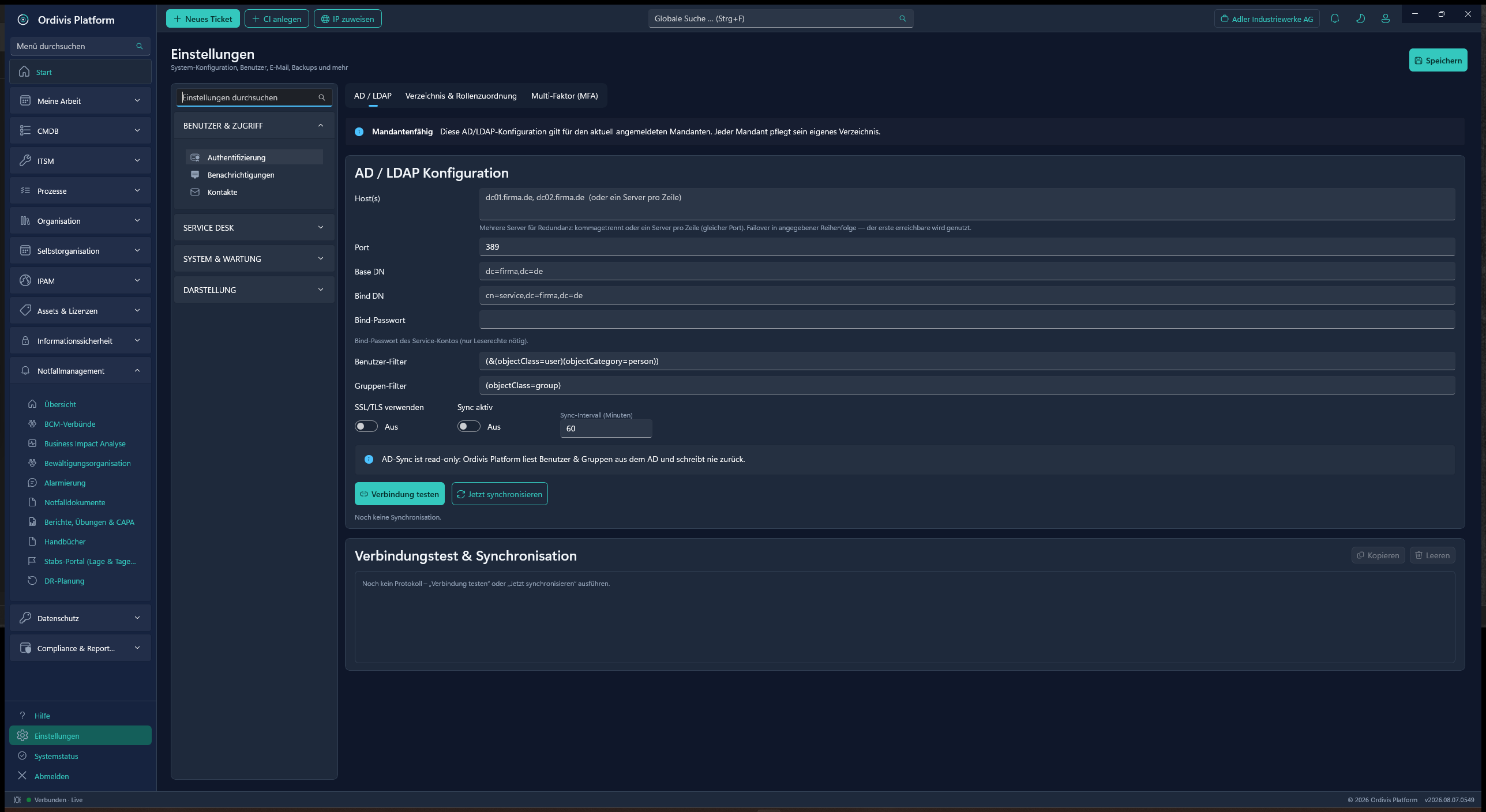
AD/LDAP integration for sign-in
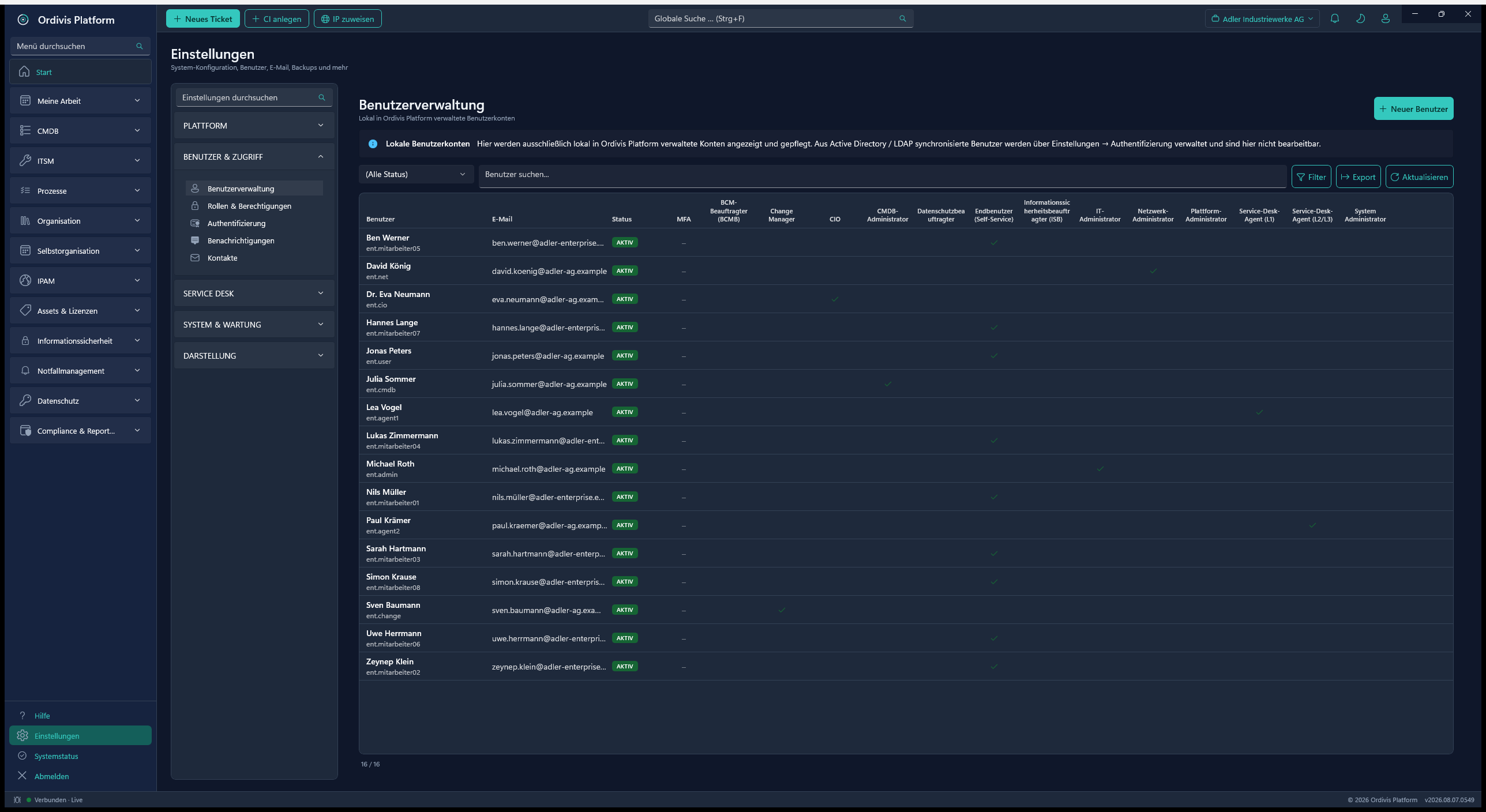
User management with tenant & roles
RBAC
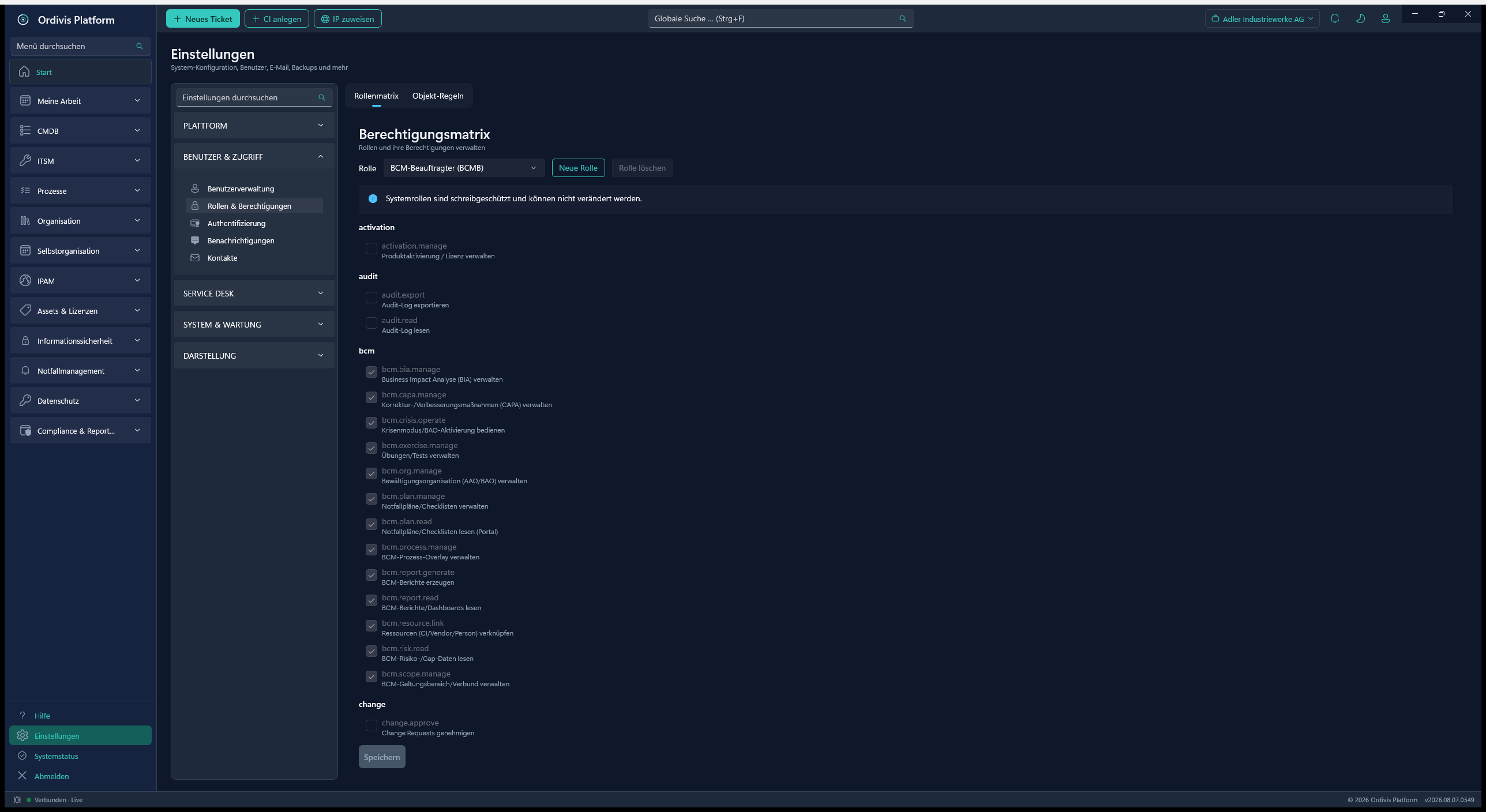
User & role matrixRole-based permissions, MFA and read-only AD/LDAP synchronisation.
AD/LDAP
AD/LDAP configurationA strictly read-only AD integration for sign-in and automatic upkeep.
Permissions
Roles & permissionsRole matrix and fine-grained object rules (ABAC) – two tabs, one place.
Branding
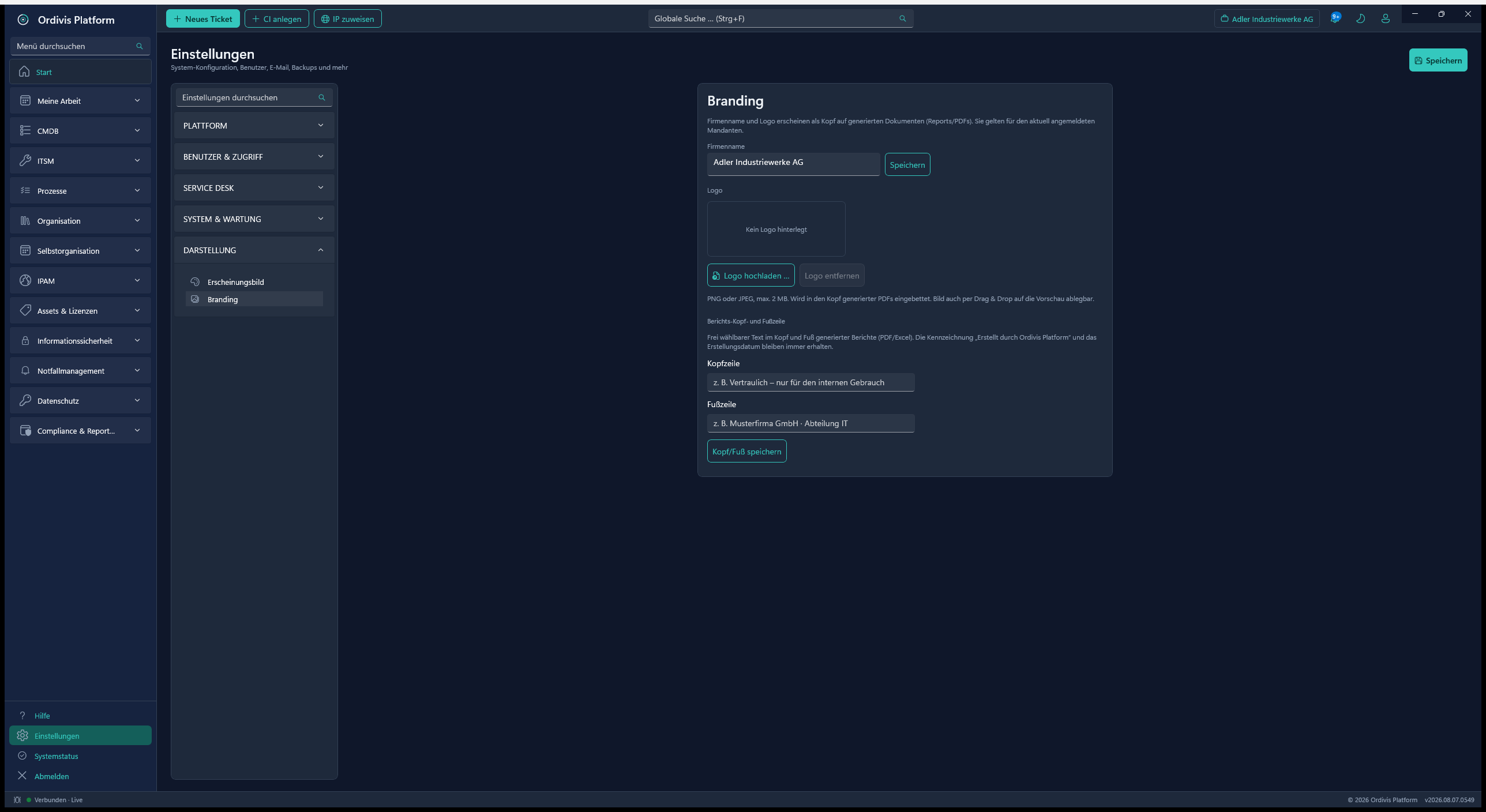
Document brandingCompany name & logo per tenant as a header on reports and PDFs.
Updates
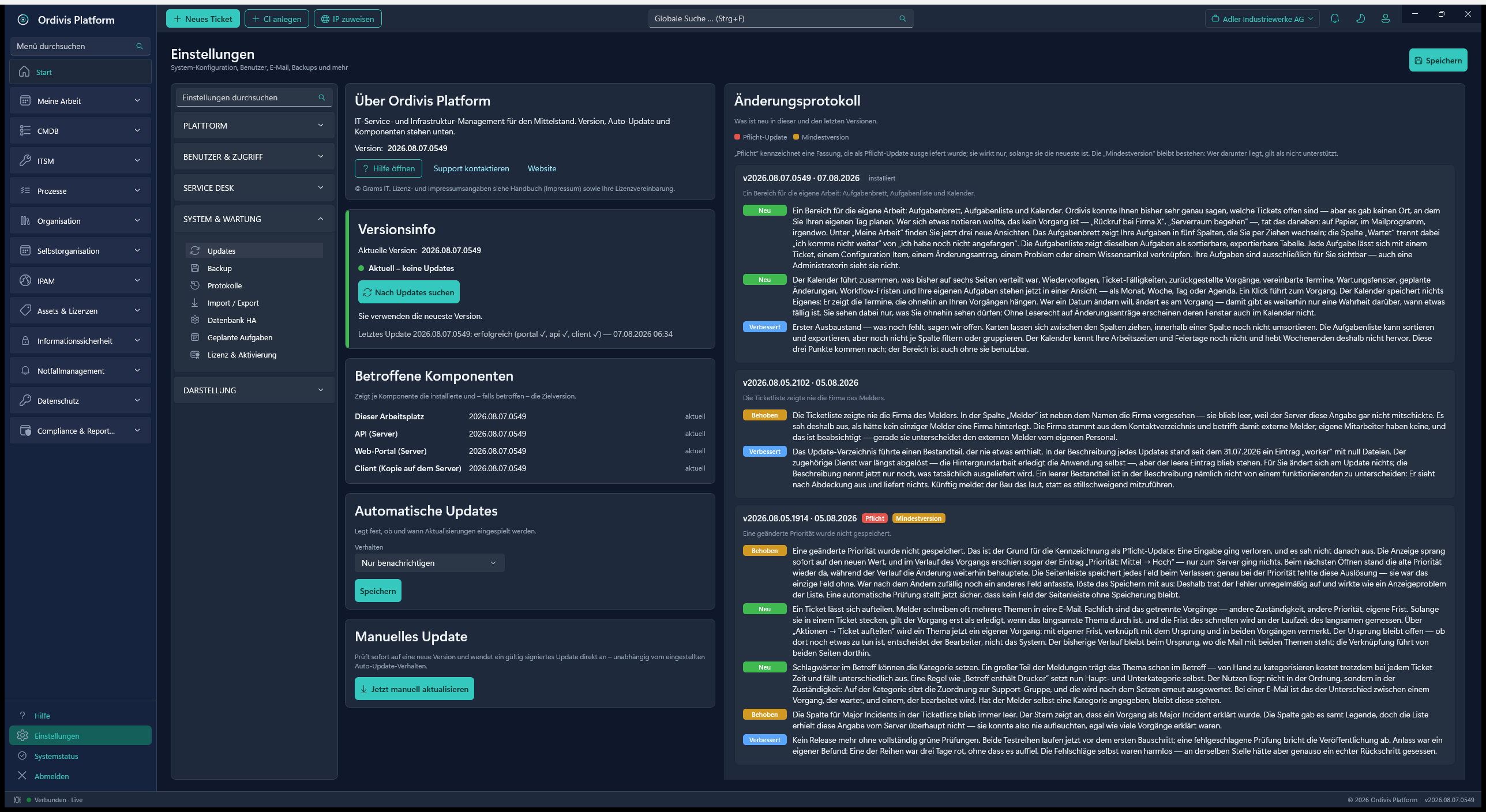
Update centreVersion status, auto-update policy and an integrated change log.
Appearance
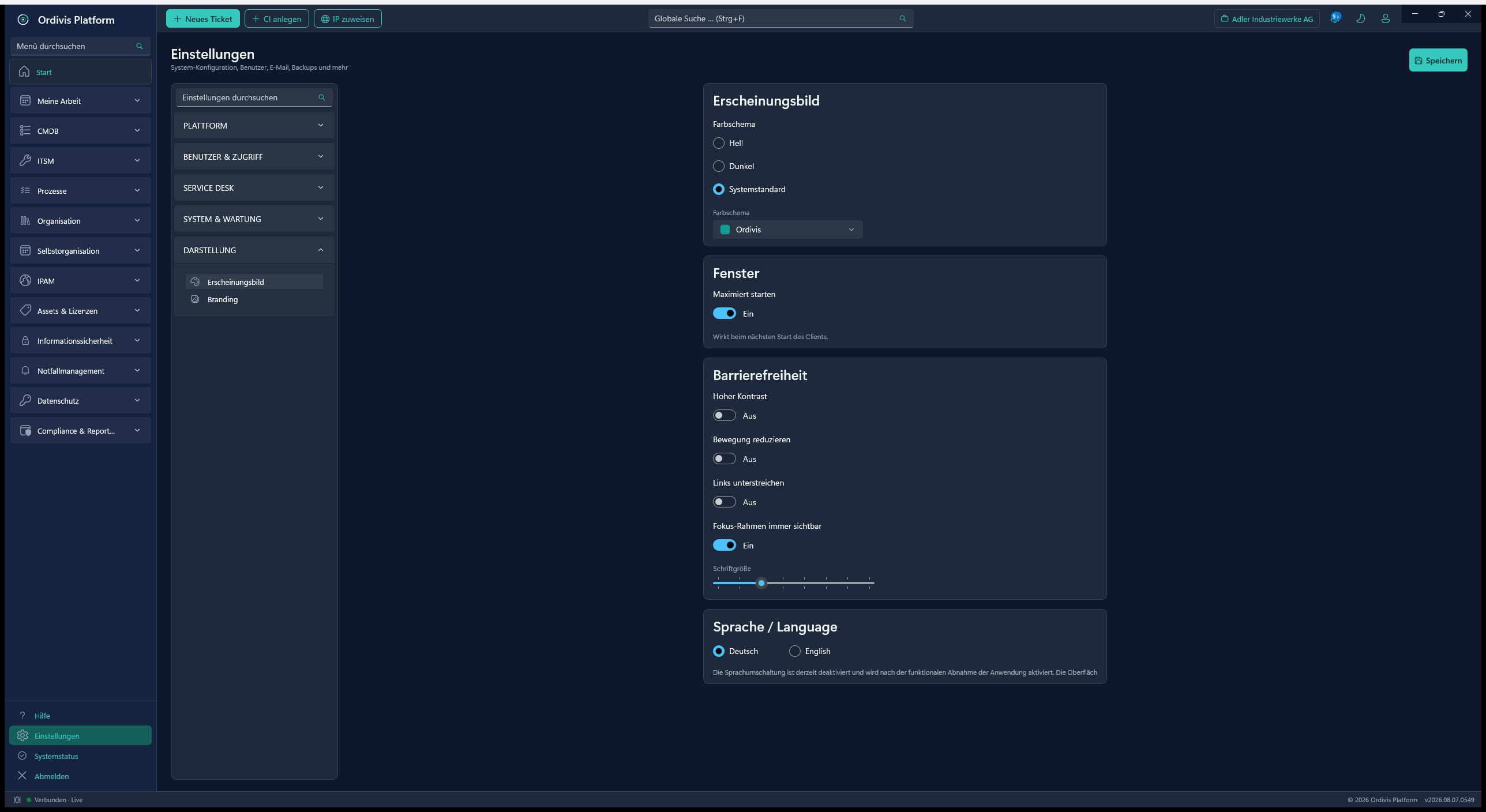
Appearance & accessibilityColour scheme, high contrast, font size and language per user.
18
Workflow engine & scheduled tasks
Cross-module automation through a central scheduler.
Cross-module workflow automation
A central managed job scheduler
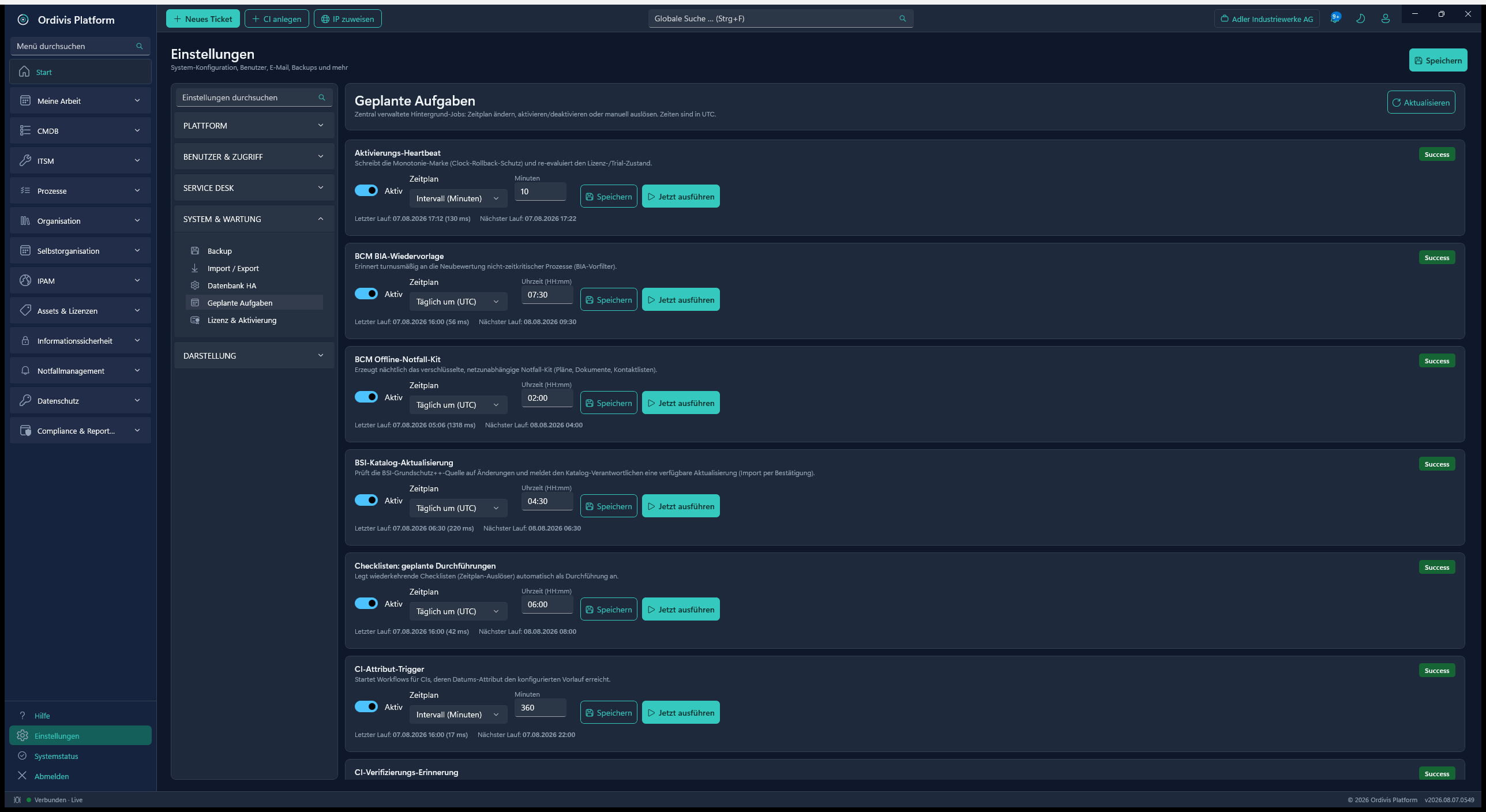
A settings area „scheduled tasks"
Recurring jobs (IMAP poll, AD sync, backup, reports)
Job status & error logging
Trigger-based notifications
Jobs
Scheduled tasksCentrally managed background jobs with schedule, status and manual triggering.
19
E-mail integration
Complete inbound and outbound ticket mail (MailKit) – including Microsoft 365 and Gmail via OAuth2.
Inbound tickets via IMAP and POP3
OAuth2 for Microsoft 365 and Gmail – no basic-auth password in the system
Send queue with retry and a sending limit
Loop protection against autoresponder chains
Evaluation of non-delivery reports (bounces)
Mailbox monitoring with a health display
Mailbox polling job across the active inbound accounts
Group & tenant routing of incoming mail
HMAC-signed reply token in the subject line
Sender verification against tampering
Replies sent through the group mailbox
Sending via SMTP/MailKit (STARTTLS)
Account management in a dedicated UI
Duplicate detection (time window)
Automatic contact creation for an unknown sender
20
Monitoring integration – alerts become tickets
Incidents from CheckMK, PRTG, Zabbix or Nagios/Icinga flow automatically into the service desk – without an alert flood.
An ingest endpoint taking a batch with a receipt per event (openly documented, any tool can be connected)
Notification templates supplied for CheckMK and PRTG
E-mail fallback: mark a mailbox as a monitoring mailbox, one parser profile per tool
Parser trial: paste a sample mail and look at the fields recognised – without creating a ticket
Deduplication: repeats become a comment on the existing ticket rather than a new one
The all-clear closes the ticket – after a configurable grace period, not immediately
Maintenance windows in scope suppress ticket creation
Storm brake: more than N events per minute and source produce a single collective ticket
Flapping detection: n state changes in m minutes record the episode as flapping
Rules per source: host, service, severity and labels mapped onto category, support group, assignee and ticket type
Severity → priority per source, preset for CheckMK and PRTG
Human work takes precedence: once someone has worked on the ticket, the automation no longer intervenes
CI assignment of the alert and a deep link back into the monitoring tool
Recurring episodes of the same alert key are made Problem visible
A technical reporter per source with no mail address – no reply mail to a monitoring system
Key figures: tickets per source, suppression rate, share of tickets resolved automatically
Alert overview: open, cleared and suppressed alerts per source, with the reason
21
Notifications
In-app and e-mail notifications through REST endpoints.
In-app notifications (the bell)
REST endpoints for retrieval & acknowledgement
An e-mail channel for notifications
Event-based triggering (e.g. ticket activity)
Recipients by role/responsibility
Delivery in the recipient's language (DE/EN/FR)
22
Multi-tenancy
Multi-tenancy through native PostgreSQL isolation.
Logical tenant separation (EF tenant filter, live TenantId) shipped
A dynamic search path per request
A registry concept for tenant allocation
Minimal RAM footprint compared with separate VMs
One service for many customers (the MSP goal)
Full database isolation per tenant in progress (~53 %, pilot scope)
An honest status: the logical separation is running; the dedicated database per tenant for productive MSP scenarios is actively being built. See module maturity.
23
Self-service portal (Blazor)
A web portal for an unlimited number of end users – free of charge.
Blazor web portal as a Windows service of its own (:8080)
An unlimited number of end users – no licence cost
Create & track tickets, tasks & approvals
Service catalogue ordering through a guided wizard
An operations dashboard with live key figures & charts (SLA, backlog, CSAT, agent load) – governed by permissions
Analyses: ISMS dashboard, reports, KEDB (known errors), dependency/topology map, network & discovery, audit log (limited to the tenant), CMDB search
Compliance views: emergency documents, alerting, DR plans, contracts, approvals
Complete ticket journal (traceability); a Markdown editor with a preview for long text entries
Dashboard export „print / PDF"; personalisation (appearance & menu are retained)
„My account": change password (local accounts), collapsible menu sections
Knowledge base access (reachable without signing in)
Cookie/bearer-based sign-in against the API, responsive design (MudBlazor)
Login
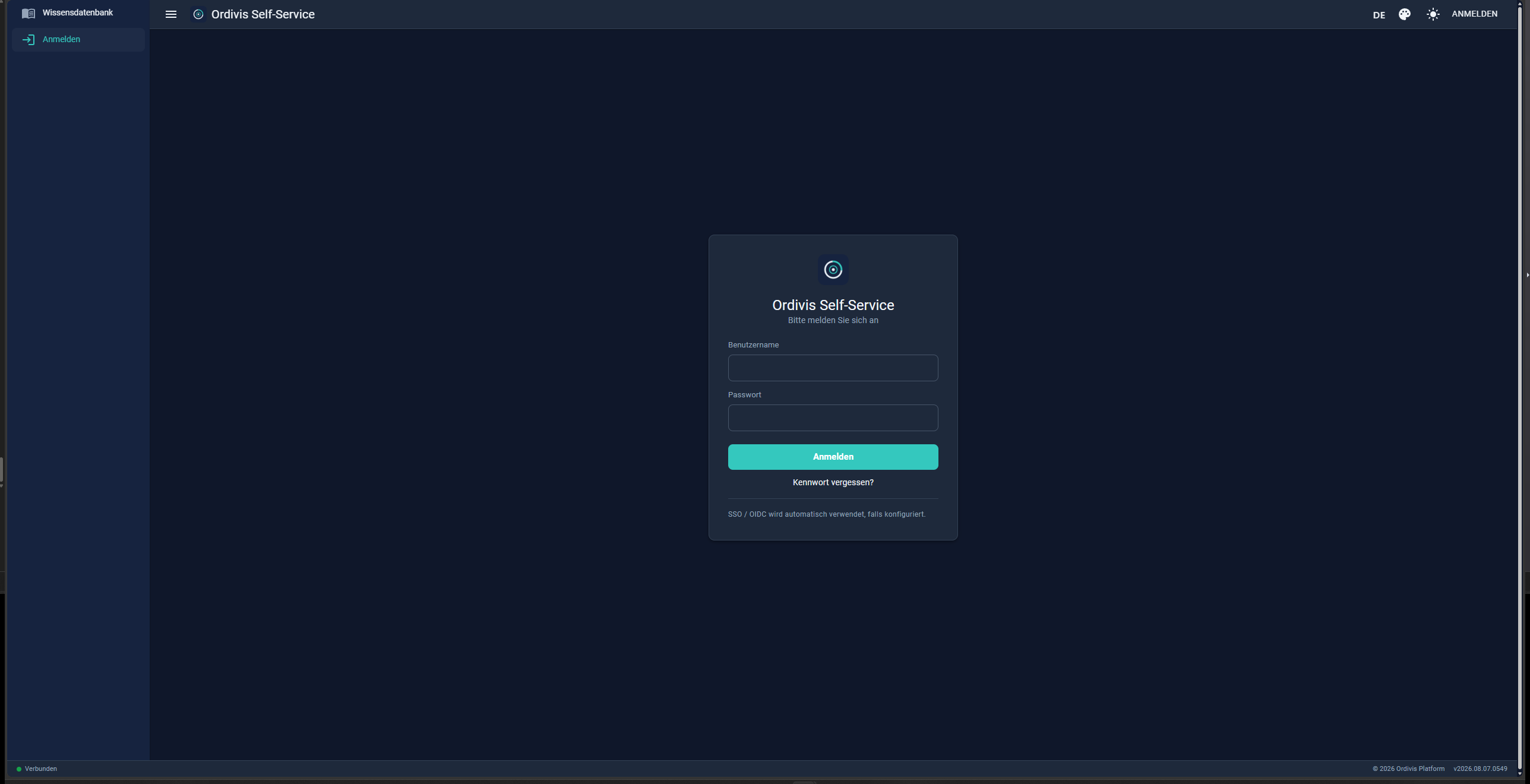
Portal sign-inA lean self-service sign-in – the knowledge base is available without signing in.
Overview
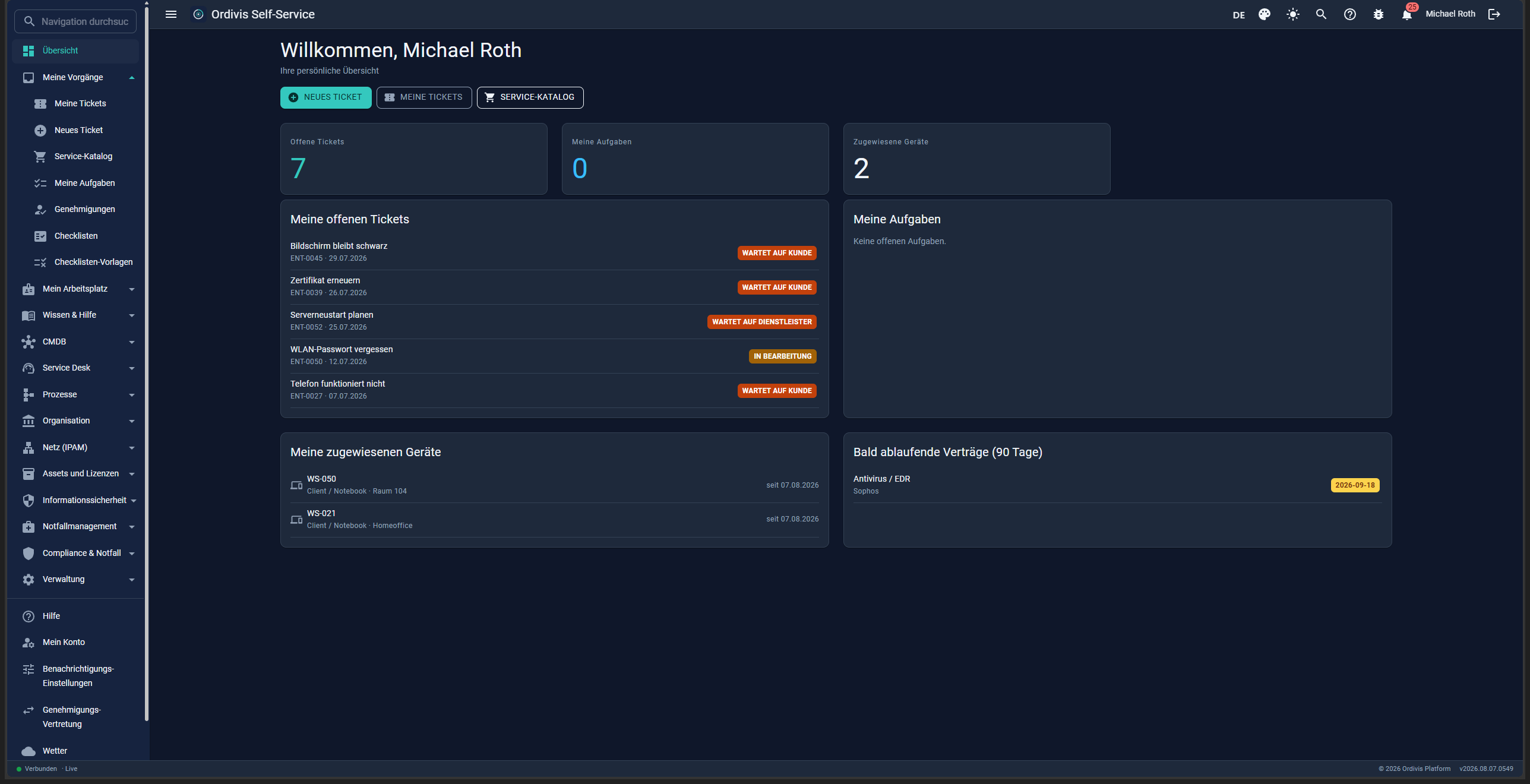
Personal overviewOpen tickets, tasks, assigned devices and expiring contracts.
New request
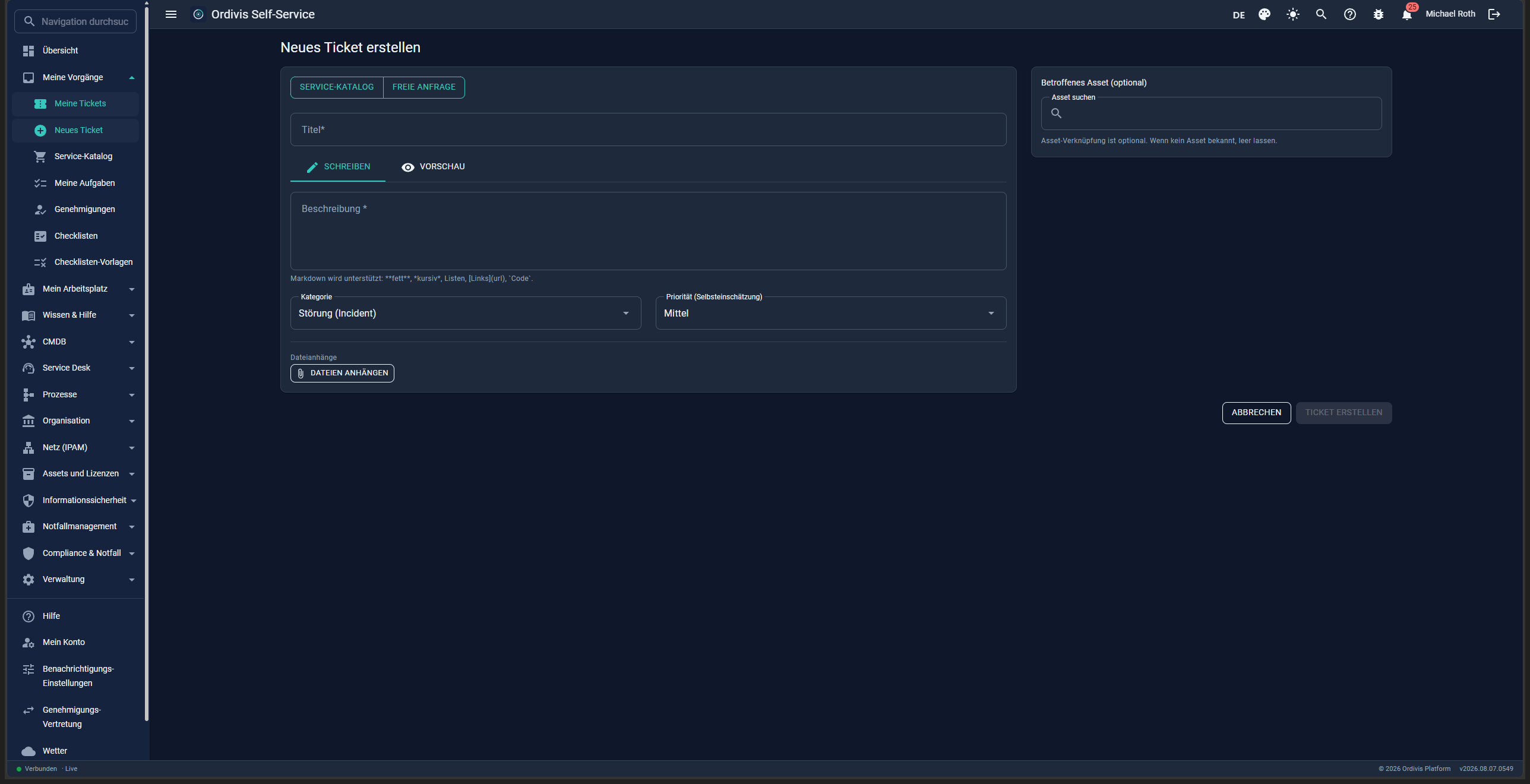
New requestA guided service catalogue or a free-form request – with file attachments.
Catalogue
Service cataloguePreconfigured items with an approval note and processing time.
My tickets
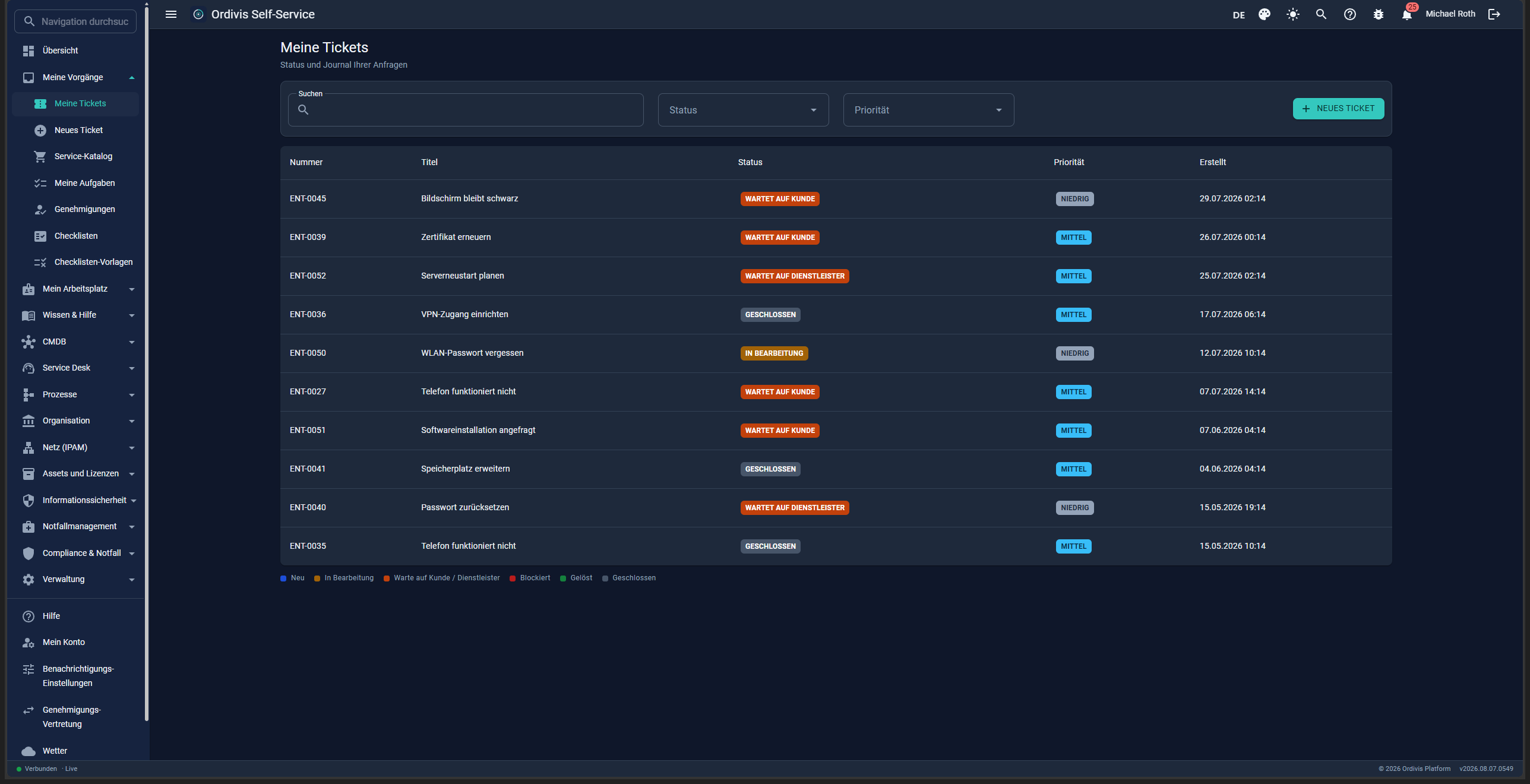
My ticketsStatus and journal of all your own requests – filterable and searchable.
24
WinUI 3 desktop client
A native high-performance client for IT administrators.
A native WinUI 3 desktop client (unpackaged)
Real-time updates via SignalR push
Millisecond latency instead of a sluggish web UI
Material Design 3 tokens adapted to Fluent
Role-based, personal dashboards
Usable across sites – the client speaks only to the REST API (never directly to the database). It runs over VPN, across several sites, and with a securely published HTTPS API also worldwide; the database stays on the server
The API address is freely configurable – at installation and at any time in the client (SuperAdmin)
The manual directly in the client – built from the same sources as the printed one, so always at the level of your installation; it works without an internet connection
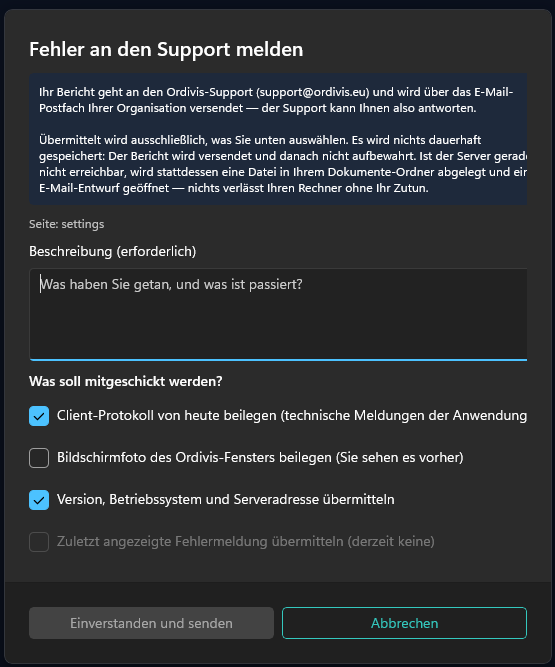
Report a fault straight from the application – a bug icon in the status bar sends the current page along as context. Every attachment can be deselected individually (today's log, a screenshot, system data); the screenshot is off by default and is shown to you before sending. The report goes through your own organisation's mailbox – not through one belonging to the vendor
If the server is unreachable – often exactly when people report a fault – the client writes the report to a file and opens a mail draft. Nothing leaves your machine without your doing it
Relevant for billing: only named admins
Report a problem
Reporting a fault – you decide what goes with itA data protection notice before above the input, every attachment individually deselectable, the screenshot off by default.
25
Reporting & dashboards
A report builder for business users, SQL for the experts – plus role-based dashboards per module and per person.
Report builder: assemble columns by drag and drop from the module in question
A live preview – and raw SQL queries for the experts, with a documented database reference
69 ready-made standard reports for management (at least five per module)
Export as PDF, Excel and CSV – with a configurable header/footer and creation date
Reports can be saved and sent by e-mail through the job scheduler
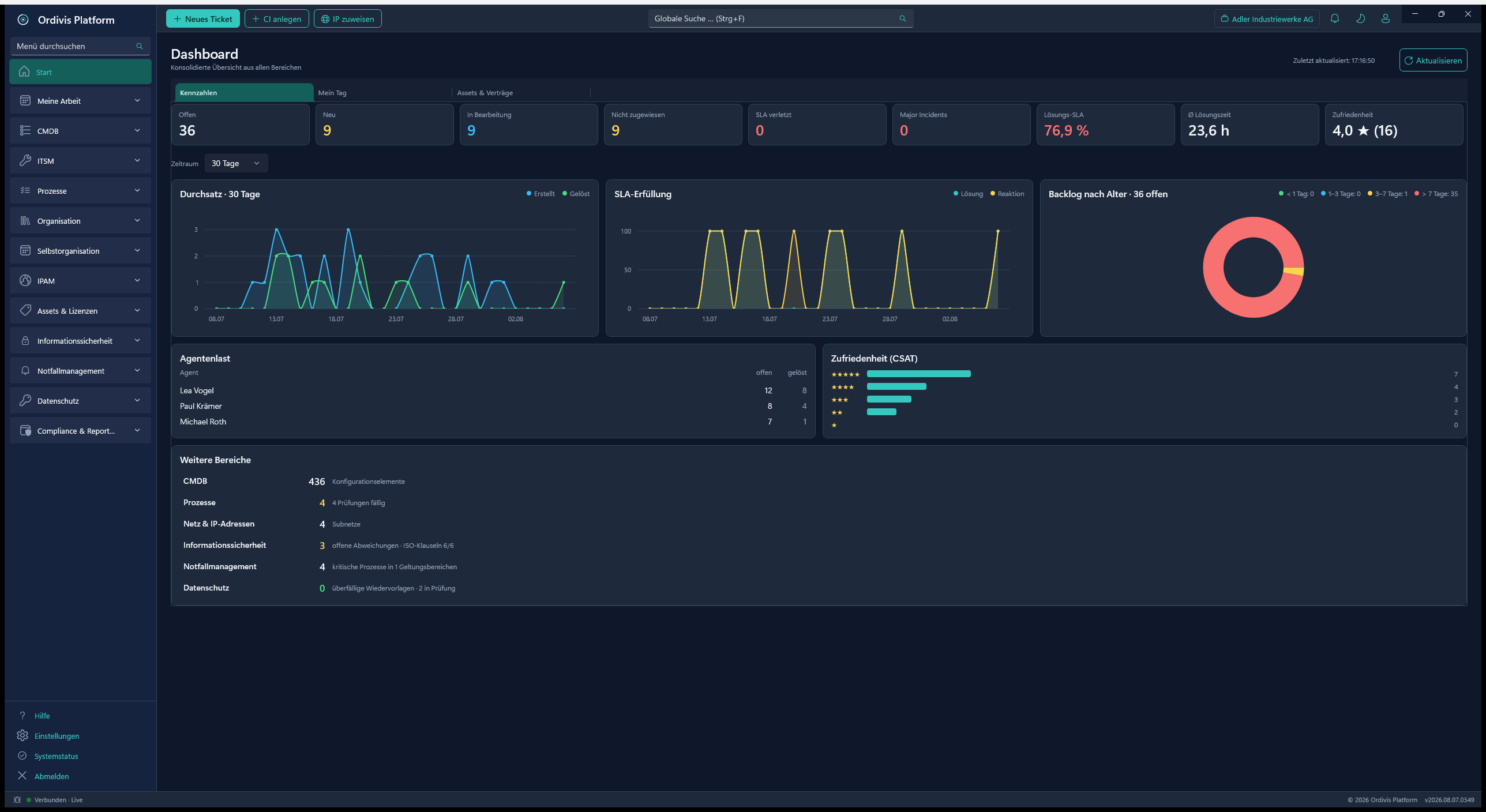
A personal dashboard after signing in; role-based dashboards (C-level / manager / agent)
Dashboards per module (CMDB, service desk, assets); ticketing reporting (volume, SLA, CSAT)
Dashboard
Role-based dashboardKey figures, ticket overview, pending changes and expiring contracts.
26
Architecture, security & operations
A sovereign on-premises platform on .NET 10 and PostgreSQL.
modular monolith on .NET 10 (15+ modules)
Native Windows services: API and portal
No Docker, no Kubernetes
PostgreSQL natively on Windows (€0 database licence)
A ten-minute setup including database provisioning
A transactionally safe update run
Platform monitoring: database metrics (connections, cache hit ratio, long queries, size), sessions and sign-ins – broken down per tenant
Security events in the Windows event log (its own source „Ordivis Platform“): sign-ins, permission, service, update & licence events – SIEM-ready with no extra effort, configurable; the audit-proof audit log is unaffected by this
Multilingual (DE/EN/FR) in client and portal, switchable per user – further languages without a code change
AES-256 encryption of sensitive data
100 % data sovereignty in your own data centre
Air-gapped operation possible
Made in Germany
27
Licensing & product activation
Fair, offline-capable activation with no cloud requirement.
A 30-day trial with the full feature set
ECDSA P-256 offline activation (JWS)
Binding to a device fingerprint
Can be activated fully air-gapped
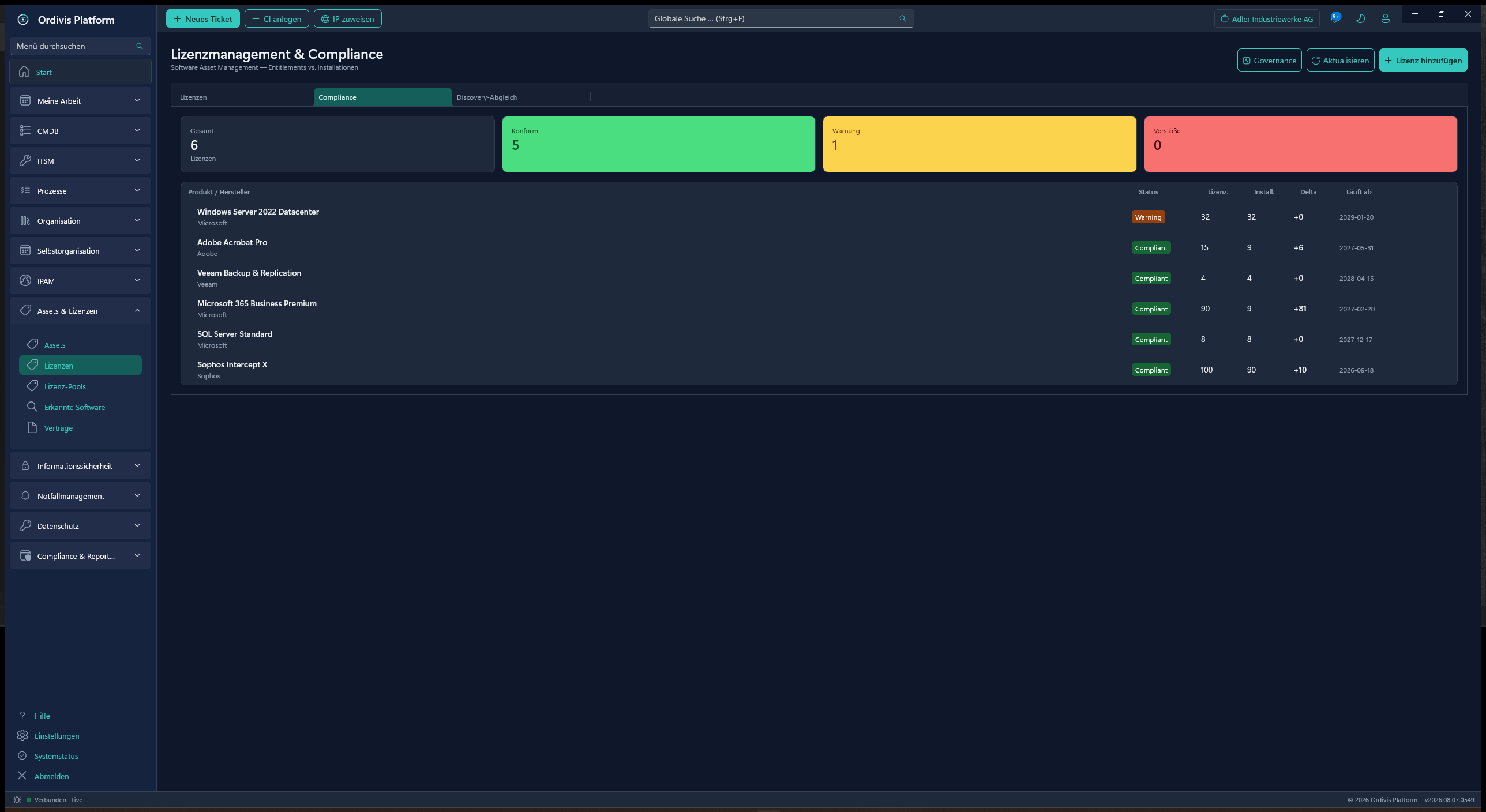
Billing by named admins and service desk agents
Unlimited assets, CIs, IPs & end users
Every module active in every licence
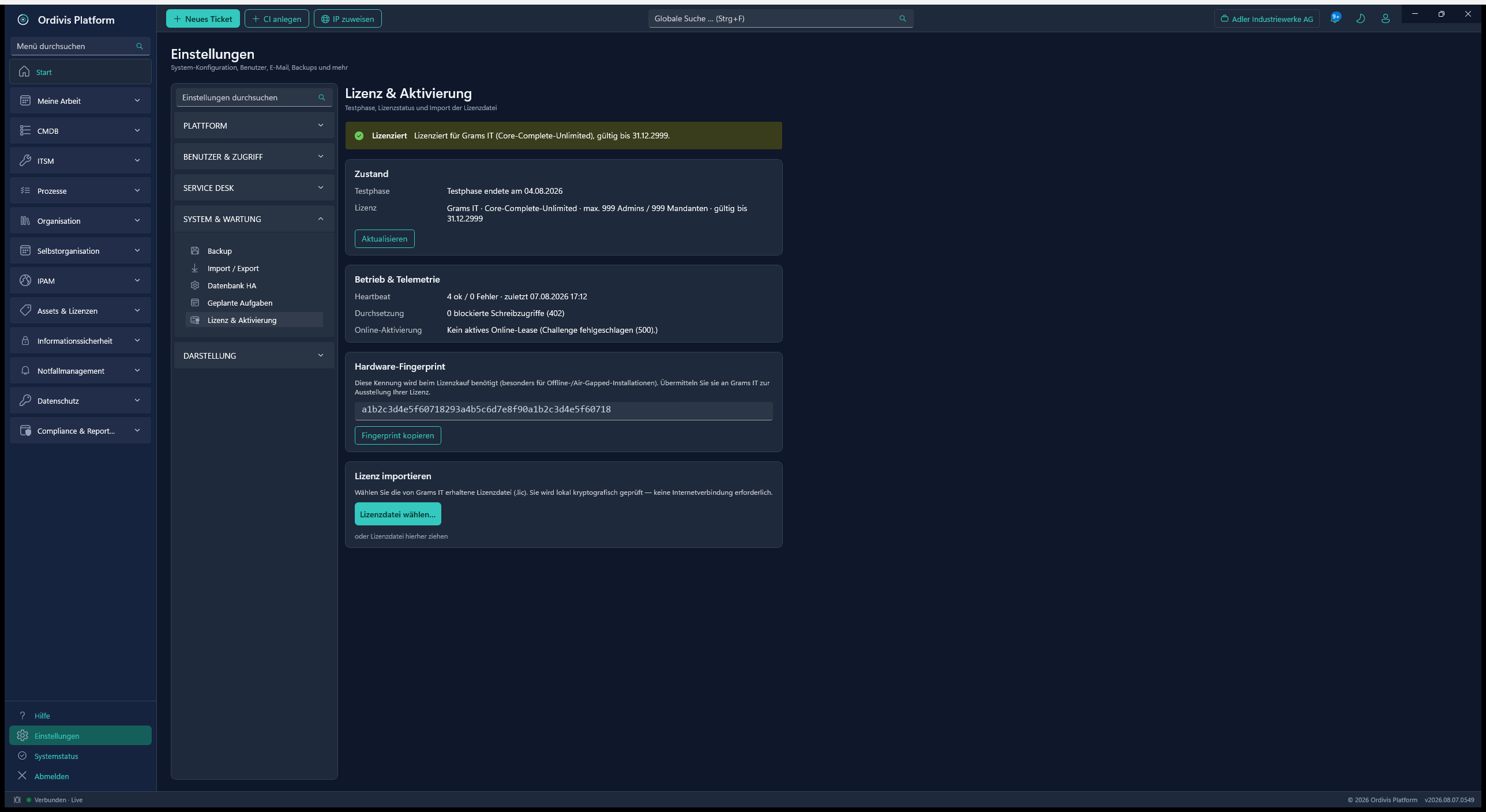
Licence
Licence & activationOffline and air-gapped activation by hardware fingerprint (ECDSA).
28
Delta update & self-update
Updating as a signed delta – from the client, plannable, with rollback. No migration project. And a maintained support window keeps your installation secure and current.
Signed delta update (ECDSA): only changed, content-addressed files instead of a full setup
A three-level auto-update policy: off / notify only / fully automatic
Fully automatic within a Maintenance windows (weekdays + several times per day) – with no action by the admin
A manual update at the click of a button: check immediately and apply a validly signed delta directly
A rolling support window: your version stays within the supported period; as it nears the end, Ordivis Platform warns in good time and predictably – to your benefit: current security patches, fixes and features
Security releases are flagged as priority; the update is firmly requested – but your operation always keeps running, never locked out (offline / air-gapped too)
Automatic rollback on failure + a pre-update database backup and a health check per component
Self-update of the running services (API/client) through a decoupled bootstrapper
Multi-host orchestration: API → portal → client in the correct order, an update agent per host
Component overview: installed and target version per API/portal/client, marked as „affected“
An integrated change log in the client (new / improved / fixed / security), with new entries highlighted
Fully on-premises and air-gapped capable – no cloud requirement, a complete update log & an audit entry
29
Backup – planning, record & control
Ordivis does not perform the backup itself. It plans the backup, records it and proves that someone looked.
Backup plans and jobs with a protection class, an owner and a recurrence model (daily, weekly, monthly)
Tiered chains with their own cadence, retention and target per tier
Target/actual reconciliation: a daily run reports what should have run and did not
Ingestion of results from the backup product's report mail – rules per job
A batch endpoint for connecting any backup product, plus a Veeam connector
Review periods as a verifiable record of their own – with one-click closure and an evidence snapshot
A findings path per failed run: cause, action, follow-up – only then can the period be closed
An incident from a failed run in one click: a ticket with a prefilled subject and reference
Media management for tape and removable media: pool, barcode, condition, off-site location
Rotation as weekly rotation, GFS (grandfather-father-son) or Tower of Hanoi
A 3-2-1-1-0 rating per plan – computed from the maintained data, not a box to tick
Backup windows reconciled against the existing maintenance windows
Restore tests as an entity of their own – the result feeds back into DR planning and the BIA
A backup policy document generated from the maintained data
Evidence linked to ISO 27001 A.8.13 and to the SoA entry
A capacity forecast per target from measured growth
Outstanding reviews visible in the web portal and in the app too
30
Self-organisation – tasks, board & calendar
Your own working day in the same system as the tickets – rather than in a second tool alongside.
Personal tasks with a due date, priority and a link to a ticket, CI, change, problem or knowledge article
Create a task straight from the ticket, CI or change detail – with a jump back to the origin
A Kanban board with drag and drop; rename, reorder, add and remove columns
A team board for support groups and organisational units, not just for yourself
Hand a task to another person: request, acceptance or refusal, with a history
A task list in the fully featured data grid: filters, grouping, export
A calendar in month, week, day and agenda view – fed from follow-ups, due dates, appointments and change windows
An ICS subscription feed for Outlook, Thunderbird or a phone; the feed address can be regenerated at any time
Exchange integration (EWS) per tenant: read appointments and and write them back as real calendar entries
A „free/busy only“ mode for data-minimising installations – busy periods without a subject
Mailbox binding per user: switch it on yourself, revoke it yourself, both are logged
Reminders with a lead time per user
Board, list and calendar in the web portal as well – not only in the desktop client
31
Checklists & tasks
Reusable checklists with evidence – triggered manually or by rule.
Templates with sections, mandatory/optional items and role allocation
A standard library: 40 practical templates across eight areas per tenant
Automatic triggering by schedule (daily/weekly/monthly), on a new ticket, a crisis or an approved change
Execution with progress, assignment, due date and a closing signature as evidence
A crisis board in the emergency dashboard (open / in progress / done)
Evaluation of open, overdue and completed runs in the report builder
32
Wallboard – key figures on the wall
A standalone full-screen app for display devices in the service desk, the corridor or the control room.
Dashboards in full screen, legible from several metres away – tile size and font size follow the screen
Automatic rotation between the dashboards; selection, order and cadence freely configurable
New tickets fade quietly in and outfor as long as any are waiting – noticed even by someone just walking past
The last 14 days as a line along the bottom of the tile
Shows who is currently signed in – without device and IP address, which would amount to attendance monitoring
No password on the device: a dedicated wallboard token, revocable at any time, stored encrypted (Windows DPAPI) and bound to the device's account
The screen's permissions are those of the stored account – a read-only account shows only what it is allowed to see
Your company logo and name in the header (the same branding as on the reports)
Starts with Windows and updates with every release like any other component
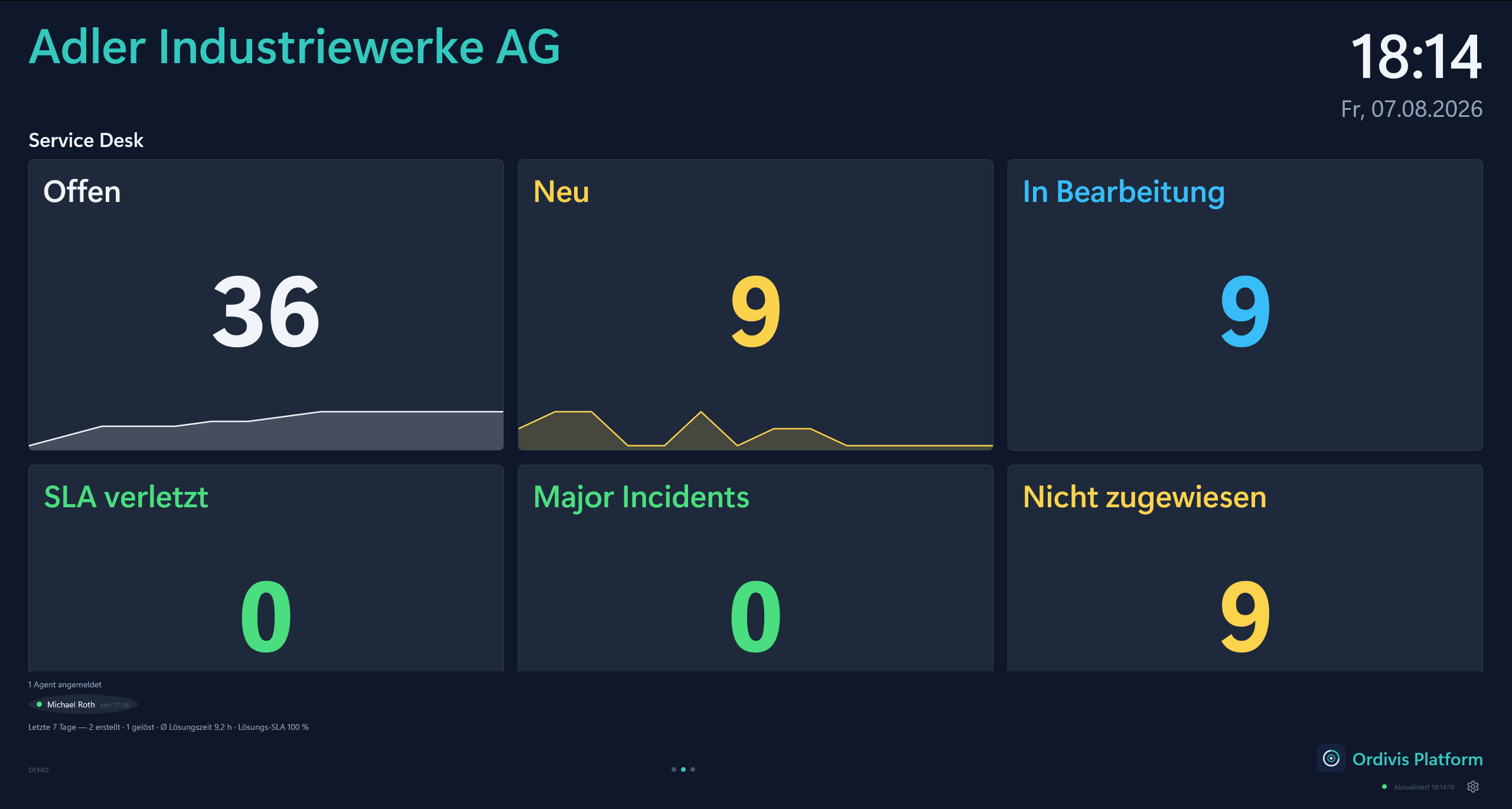
Wallboard
Wallboard – service deskOpen, new and unassigned tickets in full screen, with a trend line and the agents signed in.
33
Official severe weather warnings (DWD)
Weather conditions and official warnings from the Deutscher Wetterdienst, Germany's national meteorological service – for the control room, the works yard, the fire service and anyone who has to plan around storms or heat.
Per municipality, not per nearest weather station: the DWD issues warnings for warning cells, not for stations. A station in the neighbouring district could report calm weather while a warning was in force for your own town – the page names the warning cell explicitly
The The location follows from the postcode in the tenant profile, not from a fixed setting; a station can deliberately be overridden
The official warning map with a selectable warning type and zoom – otherwise a heat warning would blanket everything else
Precipitation radar can be switched on, deliberately above the warning areas: rain beneath an opaque warning area would be invisible
Forest and grassland fire indices from the DWD open data – both indices, not just one
Notification on new warnings to the „weather warning“ role (in the application and by e-mail). A pure distribution role with no authority, granted in addition to the actual role – and a note per warning, so that the same warning does not wake anyone twice
Visible in the WinUI client, the web portal and on the wallboard; switchable off per user
One fetcher for every display: the application fetches the data once and caches it – three interfaces do not produce three requests to the DWD
★
Ordivis Toolbox – a free admin toolkit
Not an Ordivis module but a free companion tool from Grams IT – fully usable today and the field assistant for Ordivis Platform.
More than 30 tools in one fast WinUI 3 app: network monitoring, Active Directory, PKI, IP tools, scanners, DNS & diagnostics
There is no public trial version yet; the 30-day trial starts with general availability on 1 January 2027. Until then we will demonstrate every module to you live by video conference – the same modules the first pilot customer is already working with – and tell you what is still missing.