Ordivis Service
Four ITIL ticket types in one process, priority derived from urgency and impact instead of gut feeling, and a portal your entire workforce may use – end users cost nothing.
# Priority is derived, not guessed
Urgency  high    (3 levels)
Impact     medium  (3 levels)
                 ↓
Priority      2 – High

SLA target  response  1 h   Business hours
SLA target  resolution    8 h   Escalation at 80 %
Group    2nd level network
A Service desk is the central and only point of contact – the single point of contact – between users and the IT organisation. It receives incidents and requests, classifies them, steers their handling across every group involved and owns the communication through to closure.
The decisive part is that last clause: the service desk stays accountable even when the actual fix happens elsewhere. A ticket handed to the network team is not „gone“ – it remains a case someone answers for towards the user. This is exactly where most shared-mailbox arrangements fall apart.
A helpdesk resolves incidents: a user reports, someone fixes, case closed. A Service desk is broader and responsible for the entire service relationship – alongside incidents that means service requests from a catalogue, changes, information and the ongoing development of the services themselves. Put briefly: the helpdesk reacts, the service desk also steers.
In practice one single question reveals the difference: can a user order something from you – an account, a laptop, an approval – or only reportsomething? If only the latter works, you are running a helpdesk.
A shared mailbox works surprisingly long and then collapses all at once. It knows no status, no ownership and no deadline; nobody can tell whether a message is being worked on or twice over, and nothing at all can be evaluated. At the latest when you have to prove how fast you responded – to management, to an auditor or to a supervisory authority – a mailbox is not evidence.
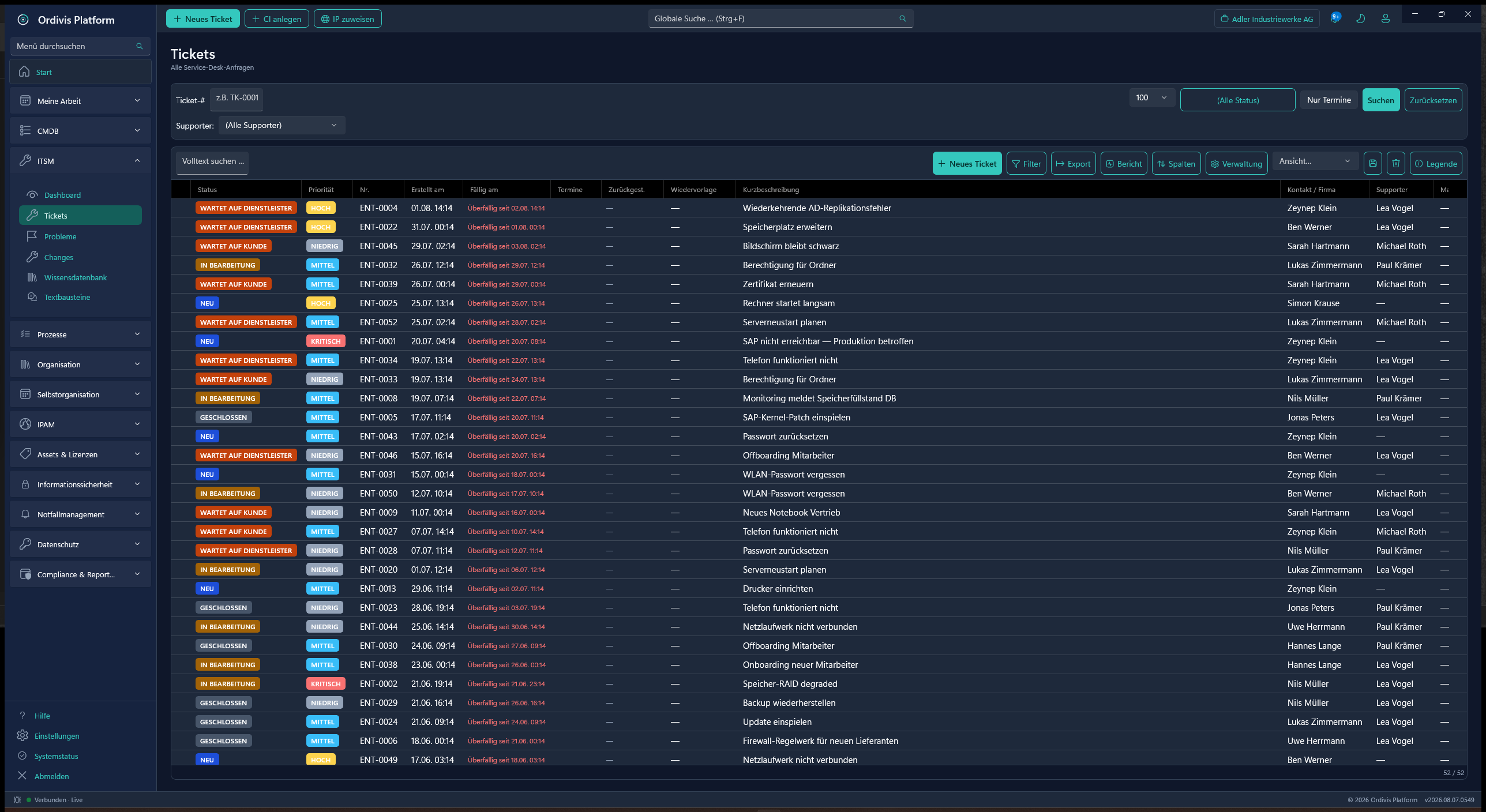
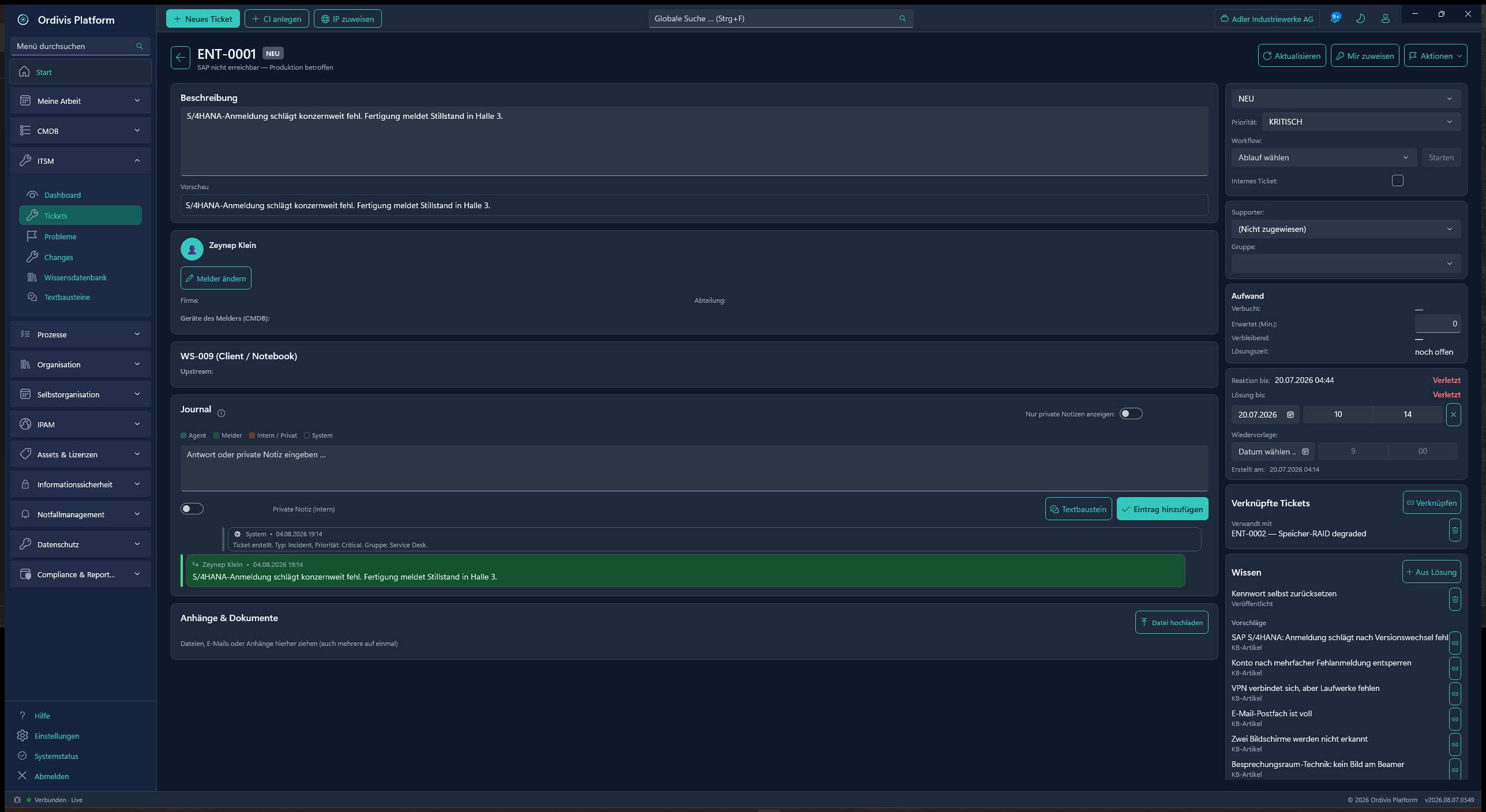
All four ITIL ticket types run through the same ticket lifecycle – with the same journal, the same groups and the same SLA rules.
A disruption: something does not work as promised. The aim is to restore the service as fast as possible – by workaround if need be; the root cause comes later.
The cause behind recurring incidents. Incidents are bundled, the workaround is documented and the permanent fix is tracked.
A planned change with risk class, approval path and CAB date. Standard, normal and emergency changes with configurable approvers.
A standard request from the catalogue – account, device, approval. With a form, an approval step and a defined procedure instead of a shout across the room.
Urgency and impact, three levels each, yield the priority – derived rather than freely chosen. Ten agents therefore prioritise comparably, and the decision can be justified afterwards.
The activity history is structured by indentation: what happened, who did it, what was communicated. The originating e-mail sits in the journal as well.
Tickets are visible per group – membership by user or by role. The 2nd level sees what concerns it, not everything.
Several targets per ticket, response and resolution time, business hours and calendars taken into account. Escalation when a breach looms – beforehand, not in the monthly report.
Tickets are created from a monitored inbox. Unknown senders are added automatically to the local contact directory, replies return into the ticket via reply-to.
A Blazor portal for end users: report a ticket, track its status, read knowledge articles, order standard requests. Unlimited users, free of charge.
Solutions are findable and linkable straight from the ticket. Published articles appear in the portal – that lowers ticket volume instead of merely administering it.
Tickets hang on configuration items. Through the CMDB it is immediately visible which services are affected – the basis for impact statements that hold up.
A satisfaction survey after ticket closure. Categories and subcategories are freely maintainable, so evaluations fit your organisation.
Incidents from CheckMK, PRTG, Zabbix or Nagios/Icinga automatically become tickets. Repeats land as a comment on the existing ticket, the all-clear closes it again – and an active maintenance window suppresses creation entirely.
A storm brake bundles mass events into a single collective ticket, and flapping services are recognised as such. An agent who has already worked on the ticket keeps precedence over the automation.
Sign in at your own identity provider – Entra ID, Keycloak or any other OIDC provider, plus integrated Windows authentication via Kerberos. Groups and claims are mapped onto Ordivis roles.
Many ticket systems bill per user – and mean everyone by that. It leads to an absurd situation: access to the self-service portal is restricted to save licences, and the tickets arrive by e-mail and telephone instead. The software gets cheaper, running it gets dearer.
Ordivis Platform bills by named users in two roles: administrators with the full feature set, and service desk agents for ticket handling alone. End users in the portal are unlimited and free of charge – as are assets, CIs and IP addresses.
| Role | What it may do | Licensed |
|---|---|---|
| Administrator | Full feature set including service desk, configuration, all modules | Yes, named |
| Service desk agent | Ticket handling – the cheaper role for handling alone | Yes, named |
| End users in the portal | Report and track tickets, read knowledge articles, order services | No – unlimited |
A service desk is the central and only point of contact (single point of contact) between users and the IT organisation. It receives incidents and requests, classifies them, steers their handling across every group involved and owns the communication through to closure – even when the actual fix happens elsewhere.
A helpdesk resolves incidents: a user reports, someone fixes, case closed. A service desk is broader and responsible for the entire service relationship – alongside incidents that means service requests from a catalogue, changes, information and the ongoing development of the services. The helpdesk reacts, the service desk also steers.
From two dimensions of three levels each: urgency (how fast does it have to be resolved) and impact (how many users or how critical are the processes affected). The priority is derived from them instead of being freely chosen – which makes prioritisation comparable between agents and justifiable afterwards.
No. Billing is by named users in two roles: administrators and service desk agents. End users who report and track tickets in the self-service portal are unlimited and free of charge. Rolling the portal out to the entire workforce is therefore not a budget question.
Yes. Tickets are created from a monitored inbox and the originating message stays visible in the journal. Unknown senders are added automatically to the local contact directory, replies return into the ticket via the reply-to address.
The SLA engine keeps several targets per ticket – typically response and resolution time – and takes business hours and calendars into account. OLA targets can additionally be kept at support group level. When a breach looms it escalates before the deadline is missed; the evaluation lands in reporting.
Yes. Ordivis Platform runs as native Windows service infrastructure with its own PostgreSQL database entirely in your data centre. For ticket systems that matters particularly, because tickets regularly contain personal data and details of security incidents.
An Android app is built and runs on the device – with an offline queue so that entries made in the field are not lost without a connection. It is, however, not yet generally available: hardened sign-in, push notifications and the distribution channel are still outstanding. The current state is in the app changelog and in the roadmap.
Yes. Incidents from CheckMK, PRTG, Zabbix, Nagios/Icinga or any other tool become tickets through a batch endpoint; alternatively a monitoring mailbox with a parser profile is enough. What matters is what does not happen: a repeat does not create a second ticket but a comment on the first. The all-clear closes the ticket itself after a grace period. An active maintenance window suppresses creation, a storm brake gathers mass events into a single collective ticket, and flapping services are recorded as flapping rather than as an avalanche of tickets.
Yes, via OpenID Connect – Entra ID, Keycloak or any other OIDC provider. The code-for-token exchange runs server-side (broker model), no secret sits in the client, PKCE is enforced. The e-mail domain determines the tenant and the sign-in service, accounts are created on first sign-in, IdP groups are mapped onto Ordivis roles. For domain workstations there is additionally integrated Windows authentication via Kerberos. A nightly reconciliation disables accounts that have been blocked or removed at the sign-in service.
All ITIL practices in one suite – from incident to change, without module surcharges.
CI context on the ticket: prioritisation by real dependencies instead of by feel.
Security controls run as tickets in the same system – no Excel alongside.
From the e-mail through the SLA clock to the CSAT survey – in a demo by video conference.