Ordivis Config
A configuration management database is only as good as the relationships it knows. Ordivis Platform models configuration items, relations, locations and business processes in an on-premises CMDB on PostgreSQL – with unlimited CIs in every plan.
# Impact analysis via recursive CTEs
Business process: Bürgerservice Meldewesen
 └─ Application  Fachverfahren MESO
     └─ Service  app-srv-04 (IIS)
         └─ Server VM-HOST-02
             └─ Switch CORE-SW-01  ← Incident

Affected: 1 process · 3 services · 41 CIs
Computed by:  PostgreSQL, no graph DB
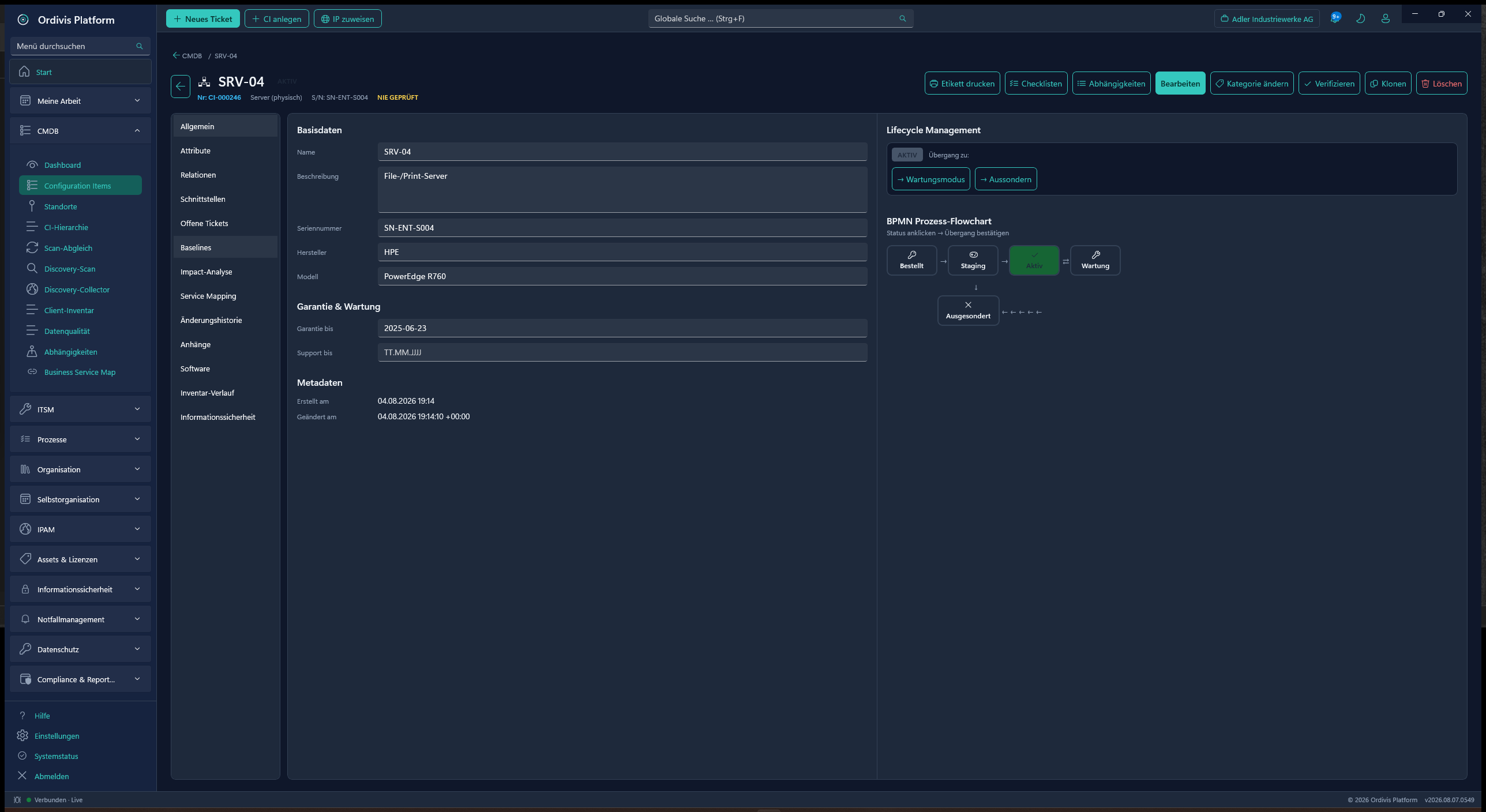
A CMDB (configuration management database) is a database that maps every operationally relevant IT component – the configuration items (CIs) – with their attributes and their relationships to one another . It is the backbone of configuration management under ITIL.
The difference from an inventory list lies not in the number of fields but in the edges between the objects. A spreadsheet knows that a switch exists. A CMDB knows which servers hang off that switch, which services run on those servers, which line-of-business application needs those services and which business process comes to a standstill when the switch fails.
That chain is precisely why the CMDB turns up at so many points in ITIL: incident management needs it for prioritisation, change management for risk assessment before a change, problem management for root cause analysis and business continuity management for the question of which systems have to come back up first.
A configuration item is any object that has to be controlled in order to deliver an IT service. That means not only servers and network components but also applications, databases, contracts, locations, user accounts and – often overlooked – business processes themselves. Which object types you keep is decided by your modelling, not by the vendor.
Both, and thought of separately. IT asset management views a device commercially across its lifecycle: procurement, contract, warranty, licence, depreciation, disposal. The CMDB views the same device operationally: state, dependencies, impact when it fails. A written-off laptop in the store room is commercially relevant and operationally uninteresting. A rented cloud service is operationally central and appears in no asset ledger.
Ordivis Platform keeps both views on a shared data basis without mixing them – which saves the duplicated upkeep of two separate systems.
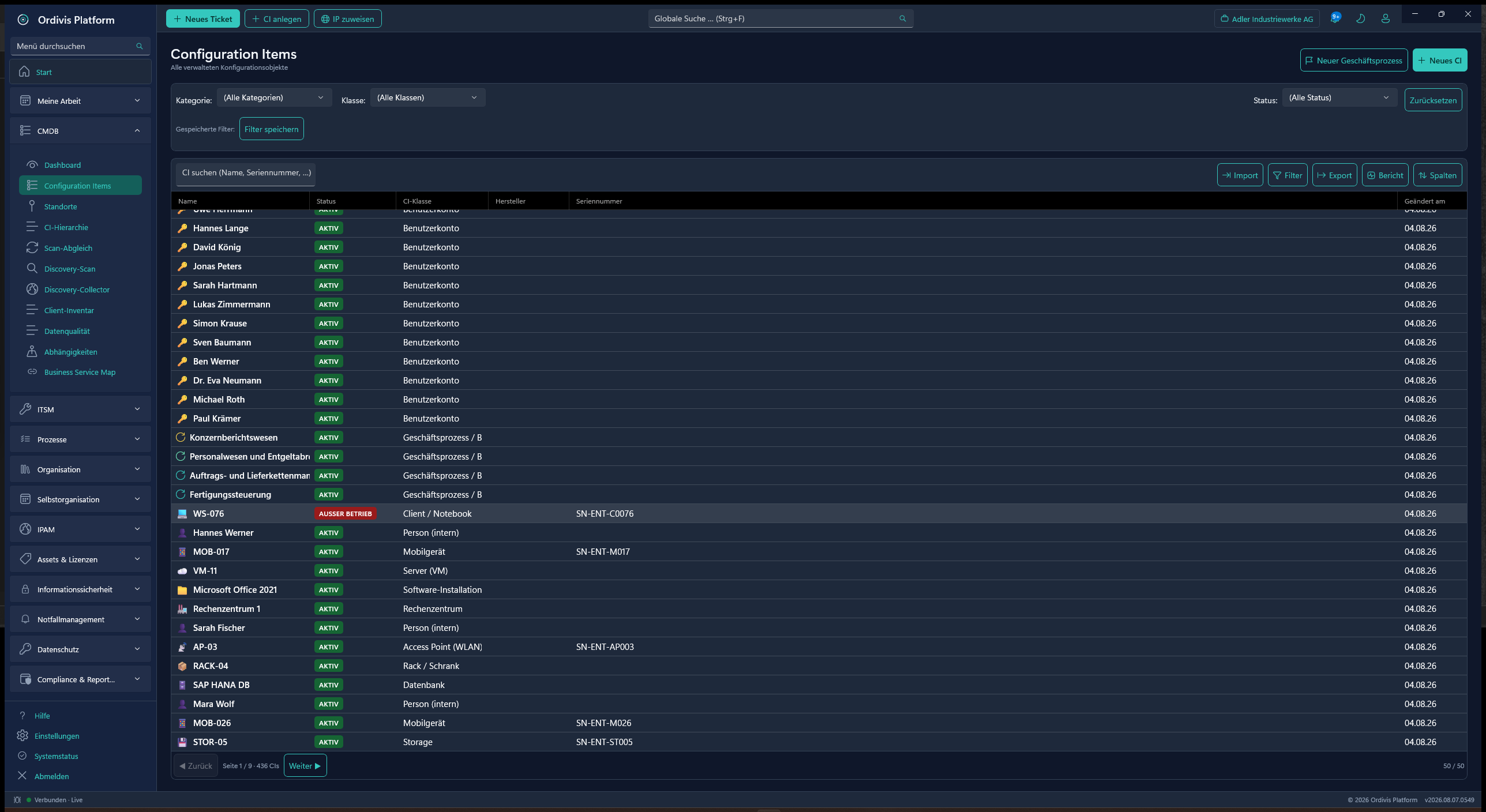
CI classes and their attribute definitions are maintained server-side – no hard-coding, no vendor ticket for a new field. Class templates can be duplicated and exported and imported as JSON.
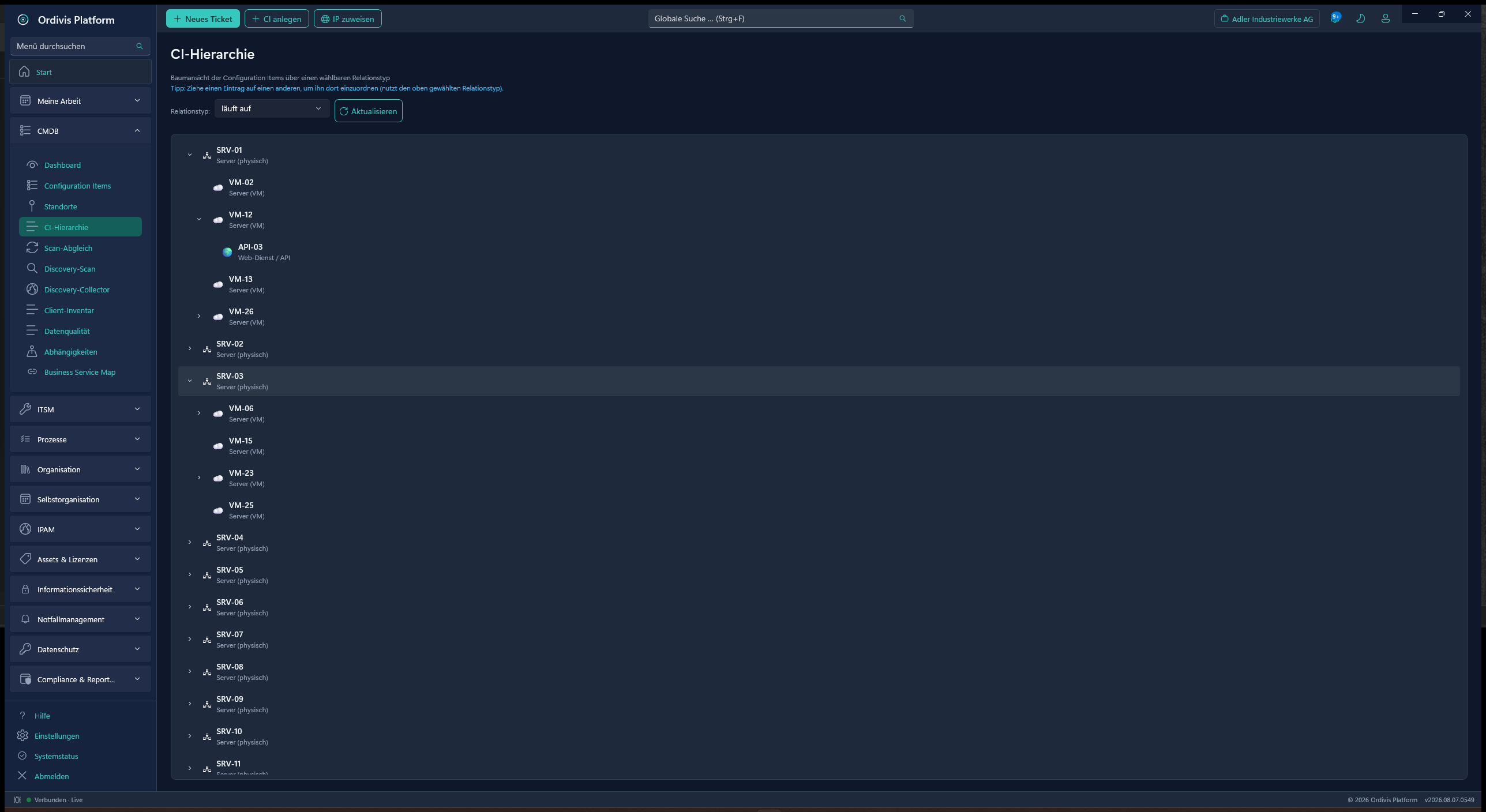
A static catalogue of relation types describes how CIs connect. Network interfaces are an entity of their own with reciprocal peer cabling – the connection is maintained once and holds for both ends.
Impact analysis runs on recursive CTEs directly in PostgreSQL. No second database technology to operate, no synchronisation between two truths, no extra licence.
The topology map shows the technical relationships, the business service map translates them into business impact. That turns „switch down“ into the defensible statement „three line-of-business applications affected“.
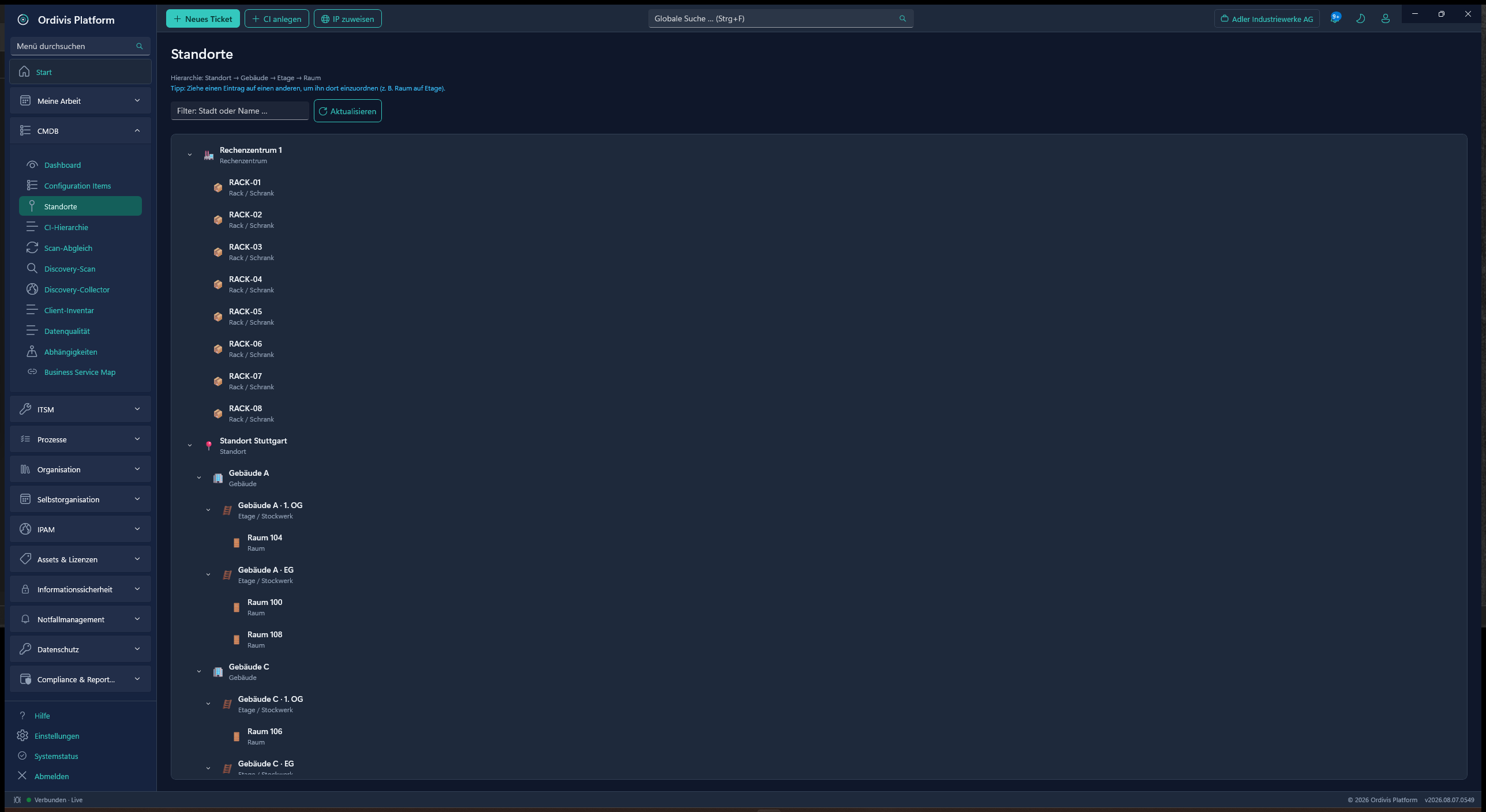
Site → building → floor → room → rack, re-parented by drag & drop. Every CI knows its physical place – the basis for on-site visits and for failure scenarios covering whole fire compartments.
Processes are created through a guided wizard and kept with a detailed profile – including legal basis, scope, deadlines and fees. For public administration with LeiKa, FIM, KGSt and OZG fields.
discovery and Active Directory synchronisation keep the CMDB up to date rather than filling it once. Projected attributes are marked read-only so that manual edits do not silently overwrite them.
The IP display on the CI comes read-only from IPAM management. Linked values are referenced, never copied – so there are never two diverging versions of the same address.
For groups of companies and IT service providers: separate CMDB inventories per tenant on one instance, with tenant-filtered access and its own permission assignment.
Most CMDB projects fail not because of the software but because of a data model nobody maintains and a licence that gets dearer with every new server. These six questions separate usable tools from expensive card indexes:
Node- or asset-based licences punish growth and tempt you to leave the CMDB incomplete – which is exactly what destroys its value. Look for a metric that does not hang on the number of CIs.
If a new CI class triggers a consulting project, the model will never be brought back in line with reality. CI classes and attributes have to be maintainable by your own administrators.
Hand-maintained CMDBs go stale within months. Discovery and directory reconciliation have to keep writing forward, not just import once – and make it visible which field comes from a machine.
A technical topology alone does not help the management team. Only the link to services and business processes makes outage consequences communicable – and prioritisation justifiable.
A CMDB is a complete map of your attack surface. For municipalities, critical infrastructure operators and regulated industries that is an argument for on-premises operation – air-gapped if in doubt.
Database licences, additional graph databases and per-node operating system licences quickly add up beyond the software itself. Ordivis Platform runs on PostgreSQL natively under Windows Server – € 0 database licence.
A CMDB (configuration management database) is a database that maps every operationally relevant IT component – the configuration items – with their attributes and their relationships to one another. The decisive difference from an inventory list lies in those relationships: only they answer the question of which business process fails when a particular server, switch or service is down.
An asset database views devices commercially: purchase, contract, warranty, depreciation, licence. A CMDB views the same objects operationally: state, dependencies, impact when they fail. A decommissioned laptop drops out of the operational CMDB view but stays relevant in asset management until disposal. Ordivis Platform keeps both views on one data basis without mixing them.
Unlimited. Ordivis Platform bills by named users – by administrators and service desk agents. Configuration items, assets, IP addresses and end users in the self-service portal are unlimited and free of charge in every plan. There are no node counters and no true-up back payments. Details in the TCO calculator.
Yes. The CMDB runs as native Windows service infrastructure with its own PostgreSQL database entirely in your data centre. No data is transferred to a cloud provider. Thanks to ECDSA offline activation it can also be run in sealed, air-gapped critical infrastructure networks without an internet connection.
No. Ordivis Platform computes the impact analysis on recursive CTEs directly in PostgreSQL. That spares you a second database technology in operation, keeps the data transactionally consistent and comes without additional licence or operating costs. Background on the architecture page.
Yes. CI classes and their attribute definitions are maintained server-side, not stored in code. Class templates can be duplicated and exported and imported as JSON – that is how you carry a proven model from the test to the production environment or between tenants.
The CMDB is one of the most fully developed modules. The current state of every module is in the module maturity overview – we publish there what is not finished yet as well.
All ITIL practices on the same data basis – incident, problem, change and service request access the CMDB directly.
Tickets with CI context: prioritisation based on real dependencies instead of gut feeling.
Protection requirements and risks are kept on the CI – ISO 27001 and BSI Grundschutz on maintained inventory data.
IP addresses hang on the configuration item – linked read-only instead of maintained twice.
The commercial view of the same objects: contract, warranty, licence and depreciation.
Keeps the CMDB current by itself – network scan and AD sync, strictly read-only.
In a demo by video conference we show you how modelling, relations and impact analysis work together in Ordivis Platform – including what is still in progress.